
Participant
September 16, 2025
Question

Problème dans le module développement 14.5.1

  • September 16, 2025
  • 1 reply
  • 253 views

Bonjour tout le monde,

J'ai depuis hier un problème de taille. Depuis hier matin, certaines photos (RAW) ne s'affichent plus dans le module de développement, mais uniquement sur 1 dossier. Je ne peux donc pas les traiter !!! j'ai tout essayé, activé/désactivé le CPU ; réinstaller LR classic, mais rien ne change ! c'est la première fois que je vois ce problème ! d'ailleur en règle générale, depuis 20 ans que j'uilise LR, je n'ai rencontré aucun problèmes ! il y a trois jours aucun problèmes !!! le dossier s'affichait parfaitement.
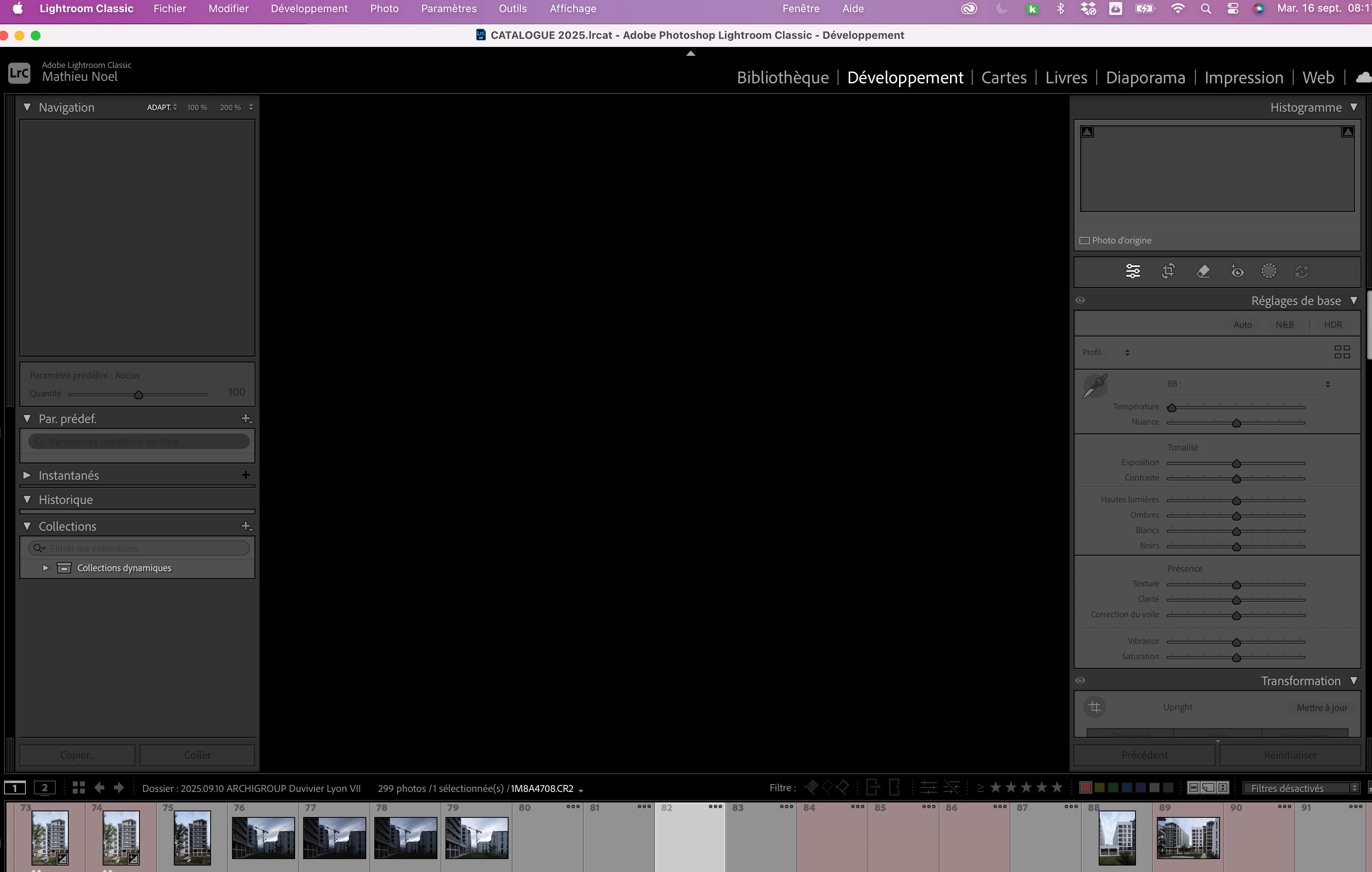
 

1 reply

AxelMatt
Community Expert
Community Expert
September 16, 2025

It seems that there are issues with the graphic device. 


The first thing that you should try is to switch off the GPU support from the Lightroom preferences and check if that helps to fix the issue. 

Go to Lightroom > Preferences > Performance tab > Uncheck "Use Graphics Processor" > Restart Lightroom

https://helpx.adobe.com/lightroom-classic/kb/troubleshoot-gpu.html


If it's help see here Troubleshoot GPU issues | Lightroom Classic (adobe.com) and check the different steps.


Another step is to try to reset the Lightroom preferences.

https://www.lightroomqueen.com/how-do-i-reset-lightrooms-preferences/

It's recommended to backup your preferences before you reset the preferences to the default settings:

https://helpx.adobe.com/lightroom-classic/kb/preference-file-and-other-file-locations.html


Please provide also a copy of your 'System Info'. This can be get from the LrC Help > System Info menu item.

There's a copy button in the System Info dialog. Press this button and paste the info into your next forum post.


My System: Intel i7-8700K - 64GB RAM - NVidia Geforce RTX 3060 - Windows 11 Pro 25H2 -- LR-Classic 15 - Photoshop 27 - Nik Collection 8 - PureRAW 6 - Topaz Photo AI
Participant
September 17, 2025

Bonjour et merci pour votre réponse, malheureusement, j'ai tout essayé et rien ne fonctionne !

J'ai d'autres dossiers qui sont affectés maintenant !


<moved system info into attachment.>

MassC
Legend
September 17, 2025

Thank you for sharing! It looks like you have the most current GPU for your system. May I ask where your files are located? 


^CM