
Question
problems after server migration
Our agency recently upgraded our server and all computers. I wasn't involved firsthand in that, and now I've found several issues in Lightroom.
Our photo library currently holds more than 293,000 photos. Those files were copied to the new server with the same folder structure (year --> date --> file). No one involved knew how to relink everything in one click, so one person started linking one collection at a time. I was asked to get involved and figured out how to do a batch relink.
However, several things aren't right as seen in the attached photos which I'll explain.
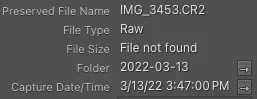
- Many photos indicate "file not found". If you right-click and select "Show in Finder", it will point to the photo, so the software knows where it is.
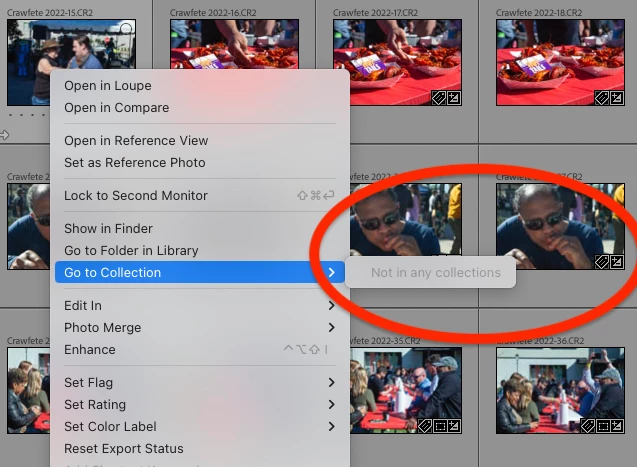
- Many photos also indicate via the right-click menu that they are not in a collection. However, the thumbnail badge shows it is in a collection.
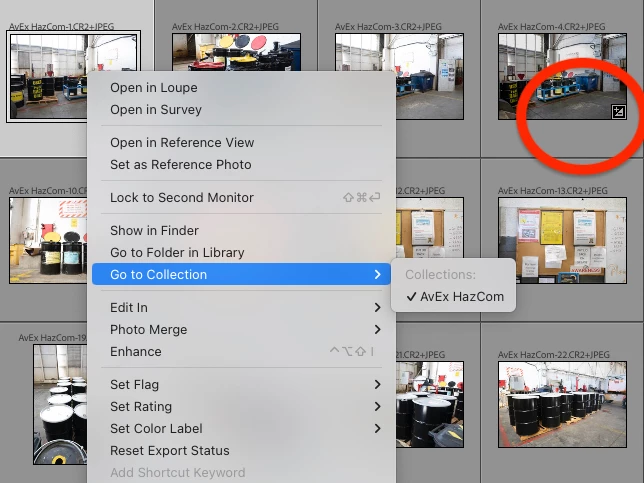
- Conversely, some photos say they are in a collection, but there's no thumbnail badge.
- Edits do not immediately show up in History. For example, my tendency is to use an Auto adjust and quickly undo. The action being undone is selecting the photo or something similar instead of the edit.
- In the attached video, you'll see a glitching of the white balance bouncing between Auto and Custom after I attempted multiple quick changes. I had to use the WB drop-down to get it to stop.
- Another co-worker says they were tweaking the Saturation and Vibrance, and the photo displayed a translucent magneta overlay for 2 or 3 seconds. He says it was like a stutter in the software.
The computer is a Mac Studio 2023 with the Apple M2 Ultra chip. The OS is Sonoma 14.7, and Lightroom is on version 14.0.1.
Any insight or ideas welcome.


 AdChoices