
Participant
August 9, 2017
Answered

Problems Importing Pictures

  • August 9, 2017
  • 2 replies
  • 399 views

Hi,

Dealing with a problem for a long time. I have just started using light room. I imported a couple of pictures, edited one of them and exported the same to start learning the software. After i exported the picture, I deleted the rest of the images ONLY from Light room. Not from my system.

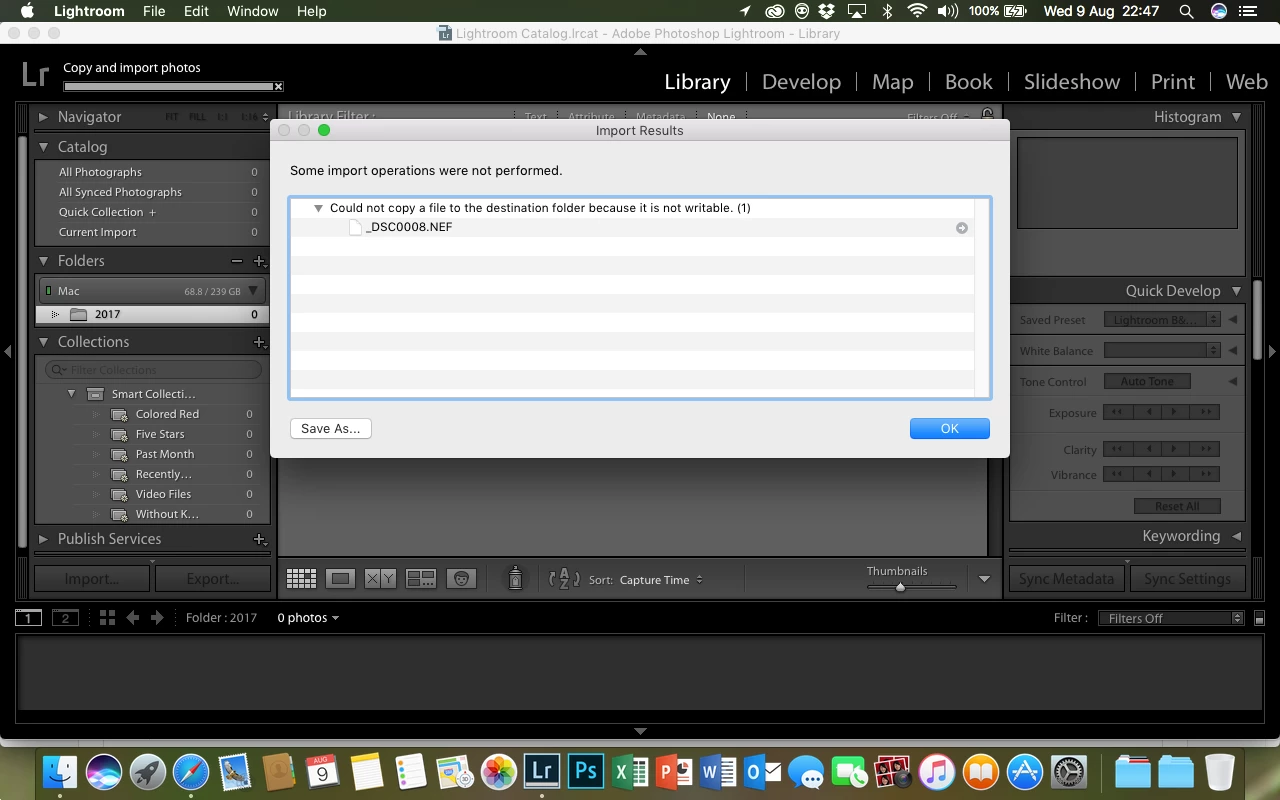
While I am trying to import the pictures again, I am constantly getting the same error no matter what I do.

SOME OPERATIONS WERE NOT PERFORMED.

COULD NOT COPY A FILE TO THE DESTINATION FOLDER BECAUSE IT IS NOT WRITABLE.
I have already tried the following-

1. Installing and Uninstalling Creative Cloud

2. Checking all the user account permissions on my mac. Changed it to read and write

3. Checking the space on my system. All good.

4. Security and Software updates are also done.

5. Renaming the pictures.

6. Importing the pictures directly from the SD Card.

Kindly HELP!

    This topic has been closed for replies.
    Correct answer JoeKostoss

    radhikakaw  wrote

    2. Checking all the user account permissions on my mac. Changed it to read and write

    Kindly HELP!

    The message is perfectly clear, you are trying to copy a file to a location where you do not have write permission.  That means either the folder to which you are writing, or one of its parent folders.

    2 replies

    ManiacJoe
    Inspiring
    August 9, 2017

    In the import dialog, open the Destination panel and make sure it is pointing where you want it to.

    JoeKostoss
    Community Expert
    JoeKostossCommunity ExpertCorrect answer
    Community Expert
    August 9, 2017

    radhikakaw  wrote

    2. Checking all the user account permissions on my mac. Changed it to read and write

    Kindly HELP!

    The message is perfectly clear, you are trying to copy a file to a location where you do not have write permission.  That means either the folder to which you are writing, or one of its parent folders.

    Participant
    October 27, 2022

    I have been battling this same issue the last week. It says I don't have permission, so I click on the external hard drive where I'm trying to save the files to. I change the permissions (within LR classic) to READ & WRITE for all users and it still doesn't work. I've even tried changing the permission using FINDER and it doesn't work. Curiously, I've imported a folder manually using Finder into the external hard drive, then I use the SYNCHRONIZE folder and that works. So what the heck is doing on? That is a workaround but not how I want to operate.