


Participant
March 21, 2023
Answered

Problems uploading pictures in LRC

  • March 21, 2023
  • 3 replies
  • 643 views

Hi all,


When I try to upload new pictures from an external hard disk, LRC dont seem to find any pictures in the folder that I select. I try to add the pictures straight on my MacBook, and I even tried to upload them from the SD card but no luck so far. 

I even created a new catalogue but even than LRC cant seem to find the pictures either.

There are 94 pictures inside the folder.


MacBook Pro: Ventura 13.2.1

LRC: 12.2-1 version
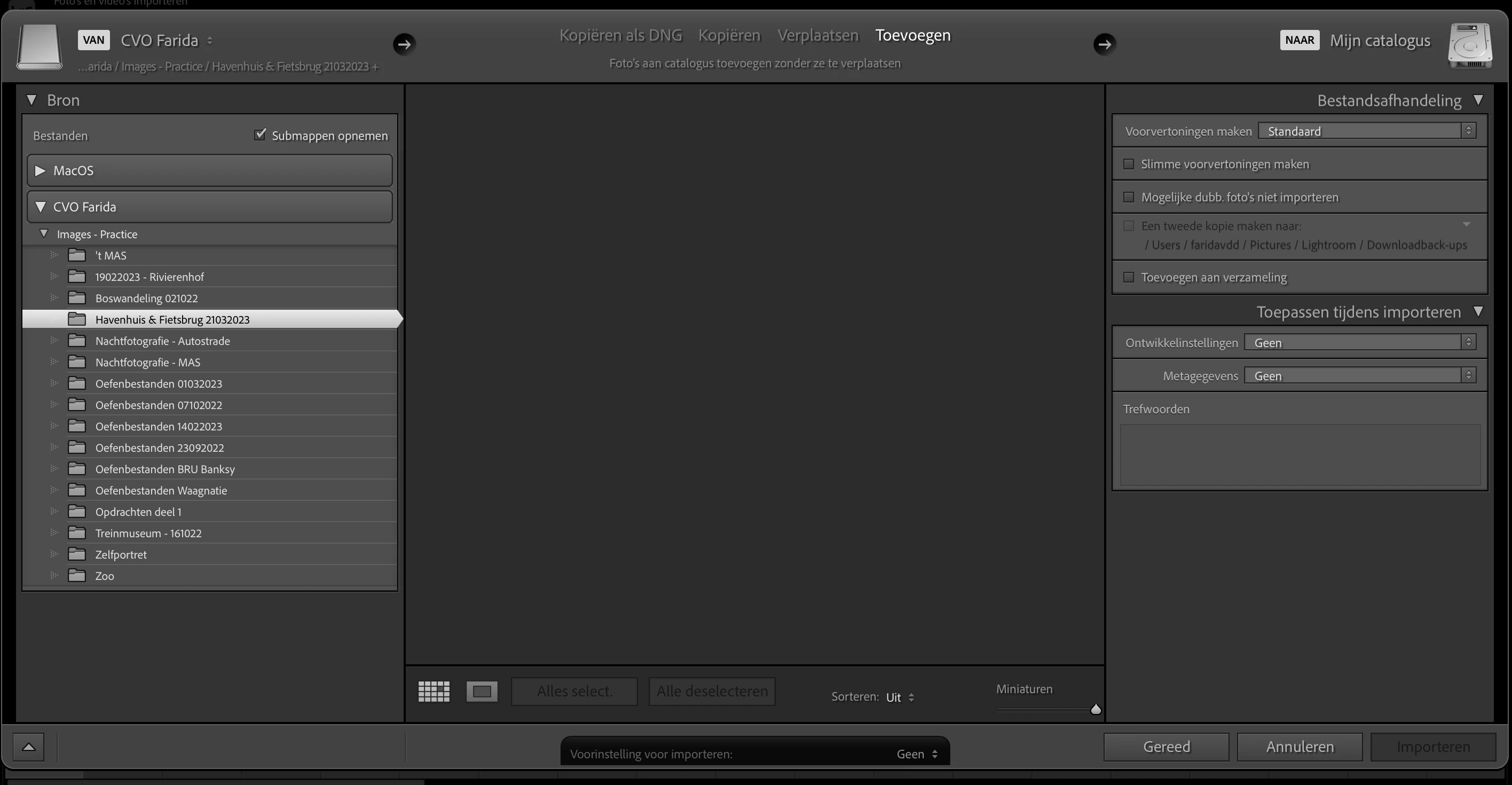


Anyone knows how to solve this?

All help is appreciated!


Kind regards,

Farida

 

This topic has been closed for replies.
Correct answer GoldingD

Return back to that Copy import screen. Over on the right, down in the destination panel, change the destination to an existing hard drive, to an existing folder. Assume for this test that whatever is/was currently listed is wrong. Then as stated changing back to Add.


Point of this odd process is to eliminate the possibility that a destination was changed outside of LrC post last import, this is an old oddity that sometimes trips up.


3 replies

GoldingD
Legend
March 22, 2023


and I even tried to upload them from the SD card but no luck so far.


Does that mean you took the SD card out of the camera, then put it into a SD card reader?


And if so, did you:

  • Attempt an import in LrC via Copy


or did you:

  • Using MACOS Finder, copied the photos to a folder on a hard drive, then attempted to import in LrC via Add?


If you did not do the latter, then attempt that.


dj_paige
Legend
March 22, 2023

The import dialog box does not show the File Handling panel. So please try this: click on Copy, expand the File Handling panel and make sure a valid folder (a folder that actually exists) is shown under File Handling; then click back on Add.

faridavddAuthor
Participant
March 22, 2023

Still nothing, it shows my folders but not my images in the folder.

faridavddAuthor
Participant
March 22, 2023

GoldingD
Legend
March 21, 2023
faridavddAuthor
Participant
March 22, 2023

I did gave full disk acces but still nothing changed 😞