
Participant
December 17, 2024
Answered

Problems with images reverting to colour rather than keeping B&W that age was taken in

  • December 17, 2024
  • 2 replies
  • 261 views

Hi. I use a Lumix G9 camera and have been using the monochrome facility in the scenery option. I then import into LRC and images show in B&W in Library mode but as soon as I turn to Develop mode the images all become colour again. What do I do to keep the B&W images the way I took them?

This topic has been closed for replies.
Correct answer GoldingD

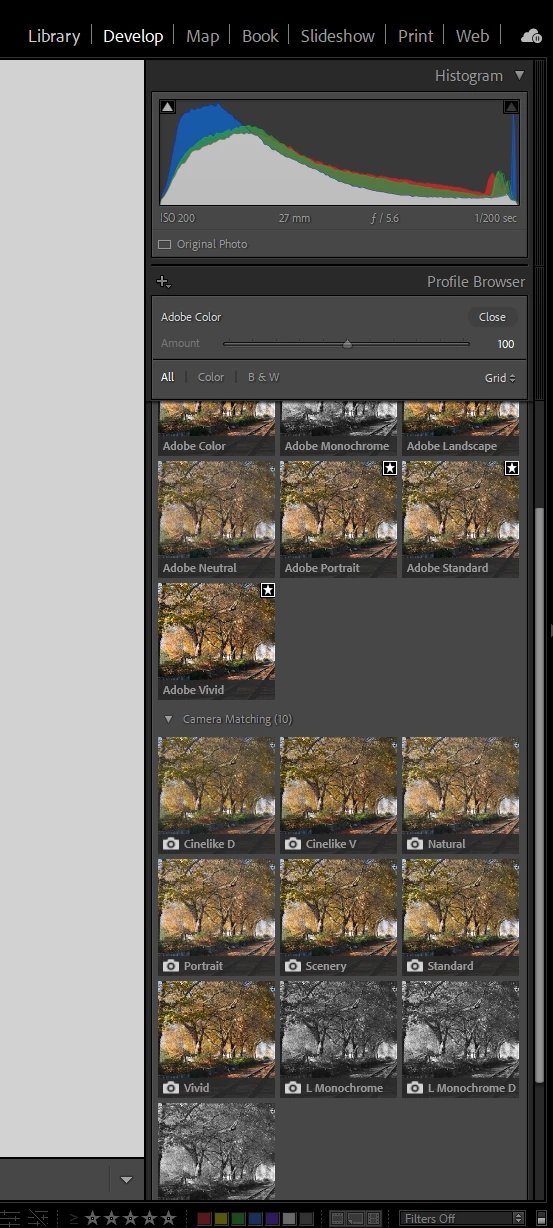
In the Develop Module, over in the right panel, change the profile to one of the Camera Matching profiles, one of the three monochrome profiles.
 

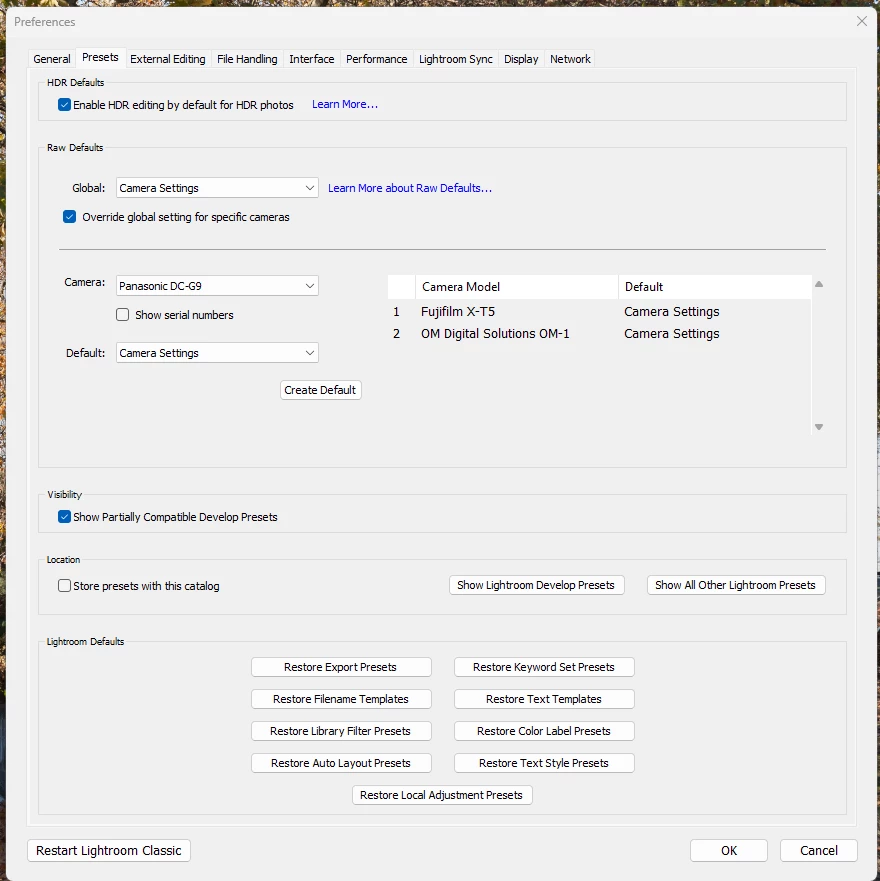
Or, for automatically selecting a profile . etc, at import, in the Preferences, in the Presets tab, change the RAW Defaults to the camera.


2 replies

GoldingD
GoldingDCorrect answer
Legend
December 17, 2024

In the Develop Module, over in the right panel, change the profile to one of the Camera Matching profiles, one of the three monochrome profiles.


Or, for automatically selecting a profile . etc, at import, in the Preferences, in the Presets tab, change the RAW Defaults to the camera.


Participant
December 18, 2024
Thanks. This worked OK
JohanElzenga
Community Expert
Community Expert
December 17, 2024

Raw files are color, even if you used an in-camera setting to get a B&W image. To make Lightroom apply this in-camera setting on images during import, go to Preferences - Presets and set the camera default to 'Camera Settings'. Please note this will only have an effect on newly imported images. For already imported images, just choose B&W in the Develop module.


-- Johan W. Elzenga