


Problems with some Leica M-11P photos in Lightroom
Hello,
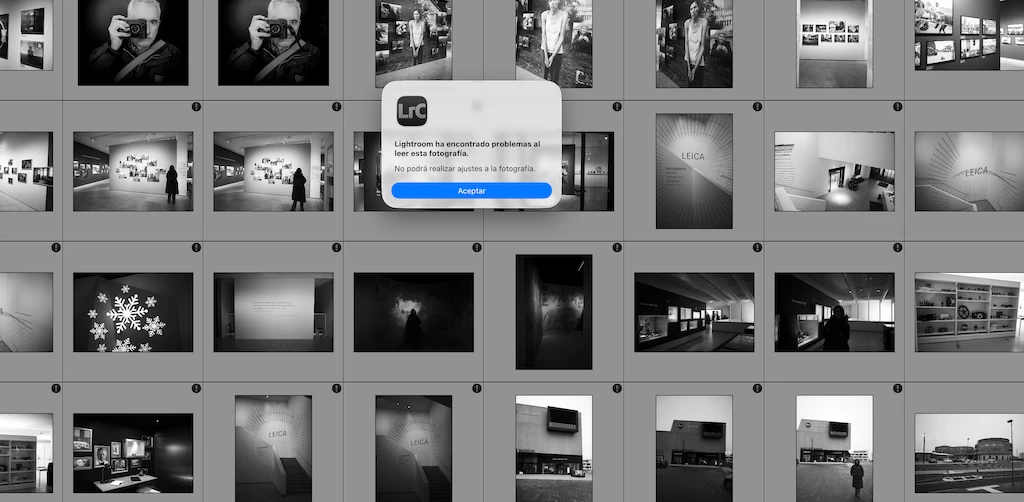
I'm attaching the warning I get and let's see if anyone can think of what may be happening. I use Lightroom to save, classify and edit my photos. It's been a week since I saw for the first time the screenshot that I put in which it says:
Lightroom has encountered problems when reading this photograph.
You will not be able to make adjustments to the photograph.
When marking them one by one to see what they had in common I have found that it happens to me only with t
The photos taken with the M11-P
Only the DNG and when I shoot RAW + JPG the notice never comes out in the JPG and if in the RAW.
They are also photos that have been edited.
I have seen that an unedited photo when editing it even if it was just cutting, then I got that warning
But it doesn't happen to me with all of them... it only happens with some imports. That is to say, photos that I have taken on a trip and that have been imported all together they come out.
I have checked the lenses and it comes out with all the ones I have (28-35-50-75-90-135)
It does not happen to me with other Leica cameras, nor with Sony, Ricoh or some other that I have.... Only with the Leica M11-P I have done the test of deleting the photo and re-importing it in every possible way that I have thought of but I get the warning again. And even so I make touch-ups and at first it seems that everything is ok but when I leave Lightroom and re-enter the photo is like it matters. In the case of the old ones and that the notice has come out, the one that was already retouched with adjustments stays with those adjustments that I had already made and the one that had no adjustments if I do them when I re-enter everything is like at the beginning ....
I can't think of anything. Does anyone have an idea or has the same thing happened to them?
Thank you
 AdChoices