


tifennr96341523
Participant
July 17, 2025
Answered

Processus import collections instable et blocage

  • July 17, 2025
  • 1 reply
  • 149 views

Bonjour,


Merci pour cet espace. Je suis photographe pro et j'ai plusieurs projets nécessitant des catégories et sous catégories via Lightroom Classic que j'utilise depuis plusieurs années.


Je fonctionne en créant par domaine ou projet des 'ensemble de collections' et sous 'collection'.

Exemple :
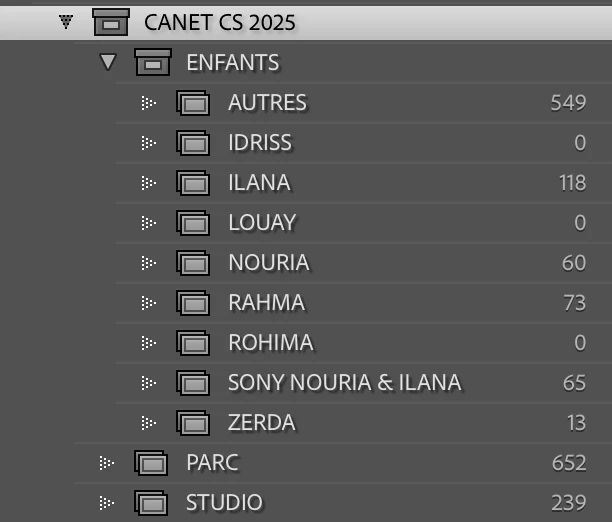
 

Je réalise donc plusieurs imports à la fois via la bibliothèque des différents dossiers sources en cochant à chaque fois “Ajouter à la collection” et en m’assurant bien que la collection cible est sélectionnée pour classer mes photos qui ont parfois le même nom (par exemple lorsque je donne des ateliers avec 10 nikon différents et où je derush par participant comme ci-dessus).


Régulièrement (je dirais une fois sur trois ou quatre) les photos n’apparaissent pas dans la collection cible et sont seulement ajoutées au catalogue général.


Je souhaite donc réimporter mes photos depuis la bibliothèque mais elles sont alors grisées car déjà dans le catalogue mais non classées dans une collection.
 

Je tente donc de les retrouver au sein du catalogue mais mes seules options de recherche sont “Toutes les photo” / "Collection rapide" / “Importation précédente”.
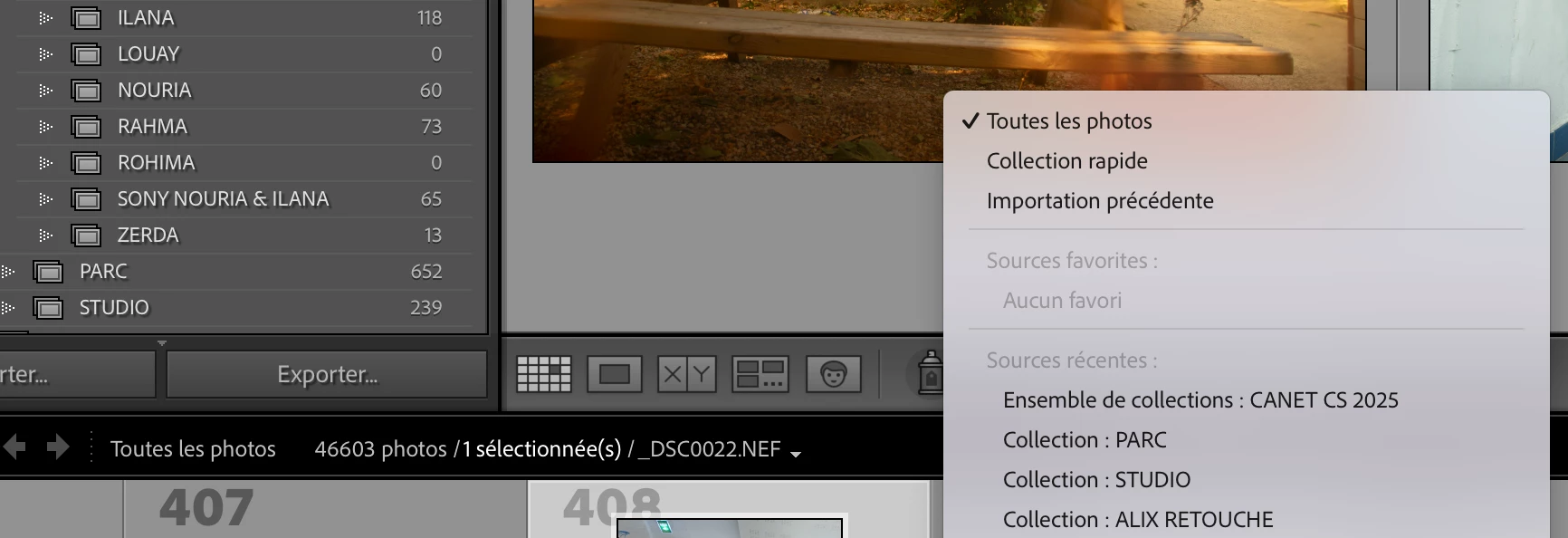
 

Si ces photos (qui n’ont pas été importées correctement dans la collection cible) ne sont pas celles de l’importation précédente (car importations multiples simultanées) je dois alors chercher au sein de toute mes photos pour les retrouver. De plus, elles ne sont pas à la suite mais en vrac discéminées dans des milliers de photos où je n'arrive même pas sélectionner un filtre par date de fichier ou chronologie d’import ou autre ...


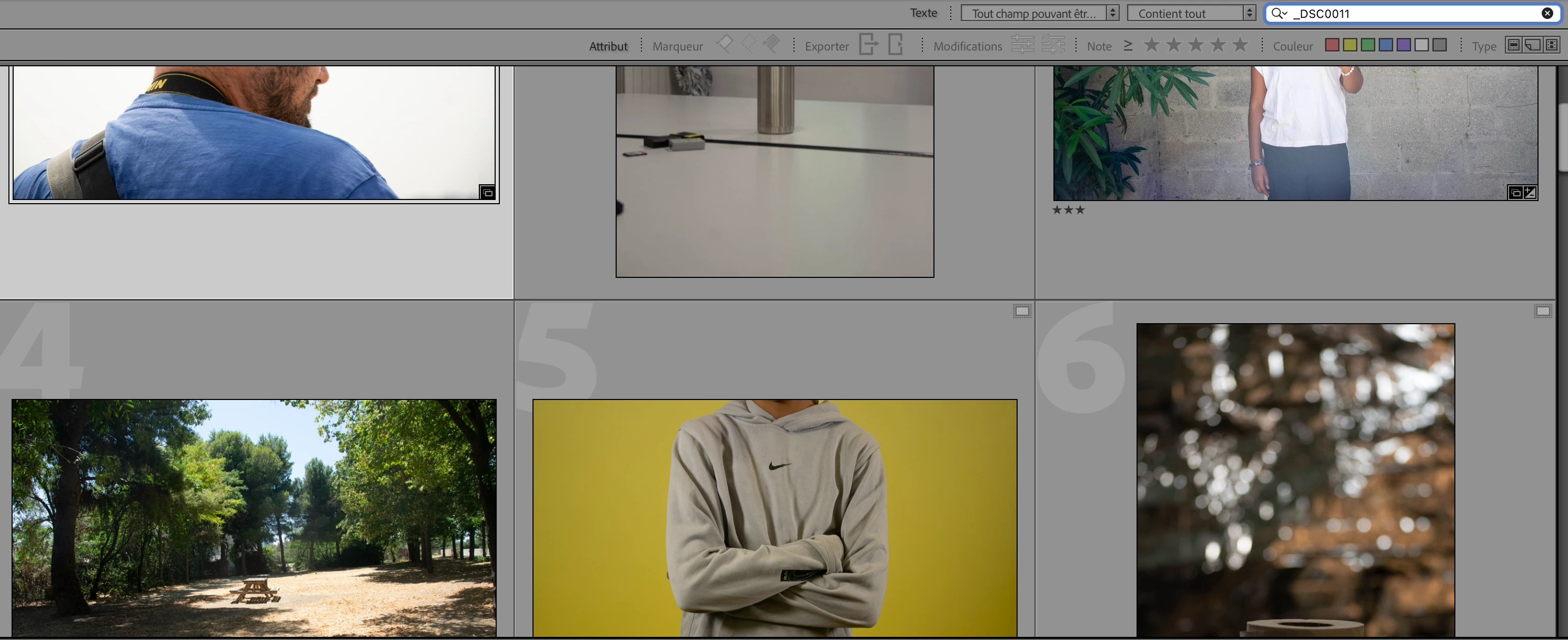
Donc même en recherchant par nom de fichier, j'ai plusieurs images de différents projets qui apparaissent je ne peux pas retrouver toutes les images d’un coup car elles ne s’enchainent pas dans le catalogue.

Exemple :
 

Je me retrouve donc complètement bloqué et je ne vois pas comment contourner cela.


Quelque chose m’échappe ? Sinon il faut vraiment revoir la stabilité d’import au sein des collections et en parallèle également proposer une solution en cas d’échec qui permet de le refaire rapidement et simplement.


Merci de m'avoir lu et pour votre aide.

Correct answer dj_paige

I don't know why some of your imports do not wind up in the desired collection. A guess is that they really are in the right collection and that the sort order of the photos in the collection needs to be changed to capture date, or file name.


However, when the photo doesn't appear in the right collection, you should be able to use the Filter Bar to search for all photos that were taken on a particular date, rather than having to search through all of your photos. 


Click on "All Photographs", then open the Filter Bar (if it is not already open), click on Metadata and set the dropdown menu to Date, and then select the desired date. (See https://www.youtube.com/watch?v=akIk7vvBcc4) Once you find the photos this way, you can add them to the desired collection.


Also, if you know the file name of the photo that did not make it into the right collection, then you can use the Filter bar to search for any file with that name.

1 reply

dj_paige
dj_paigeCorrect answer
Legend
July 17, 2025

I don't know why some of your imports do not wind up in the desired collection. A guess is that they really are in the right collection and that the sort order of the photos in the collection needs to be changed to capture date, or file name.


However, when the photo doesn't appear in the right collection, you should be able to use the Filter Bar to search for all photos that were taken on a particular date, rather than having to search through all of your photos. 


Click on "All Photographs", then open the Filter Bar (if it is not already open), click on Metadata and set the dropdown menu to Date, and then select the desired date. (See https://www.youtube.com/watch?v=akIk7vvBcc4) Once you find the photos this way, you can add them to the desired collection.


Also, if you know the file name of the photo that did not make it into the right collection, then you can use the Filter bar to search for any file with that name.

tifennr96341523
Participant
July 18, 2025

Ok merci pour votre réponse et toutes ces informations !


Je vais aller voir le tuto youtube et tenter cette méthode de recherche à une date particulière.


quote


Also, if you know the file name of the photo that did not make it into the right collection, then you can use the Filter bar to search for any file with that name.


By @dj_paige


Oui c'est vrai j'ai tenté cela mais comme j'essayais de l'expliquer j'ai plusieurs fichiers de différents projets qui portent les même noms et tout cela apparaissent. Une fois que j'ai trouvé la bonne photo, les autres photos de la même importantion ne se retouvent pas à côté de celle-ci mais de manière anarchique (même en supprimant le filtre) et je dois donc chercher chaque photo individuellement.


Je vais tenter votre méthode et également que peut être c'est le fait d'importer en simultané via la bibliothèque qui crée ce dysfonctionnement où les photos n'arrivent pas dans la collection souhaitée lors du premier essai.


Merci en tout cas.


dj_paige
Legend
July 18, 2025

Yes, it's true, I tried that, but as I was trying to explain, I have several files from different projects that have the same names and all of this appears.


I never suggested this would find the EXACT file you are looking for. It can find many files, but searching through these is still a lot easier than searching through all of your photos. COmbining filtering by file name and filtering by date ought to get you even closer.


Maybe it's the fact of importing simultaneously via the library that creates this malfunction where the photos don't arrive in the desired collection on the first try.


No one that I can remember has ever reported this particular issue, and so I really don't think this explanation is the cause.


Definitely check into the sort order in the collection as this may be the cause of the problem.