dehooks@yahoo.com
Participant
September 26, 2018
Answered

Profile Correction Problem

  • September 26, 2018
  • 2 replies
  • 633 views

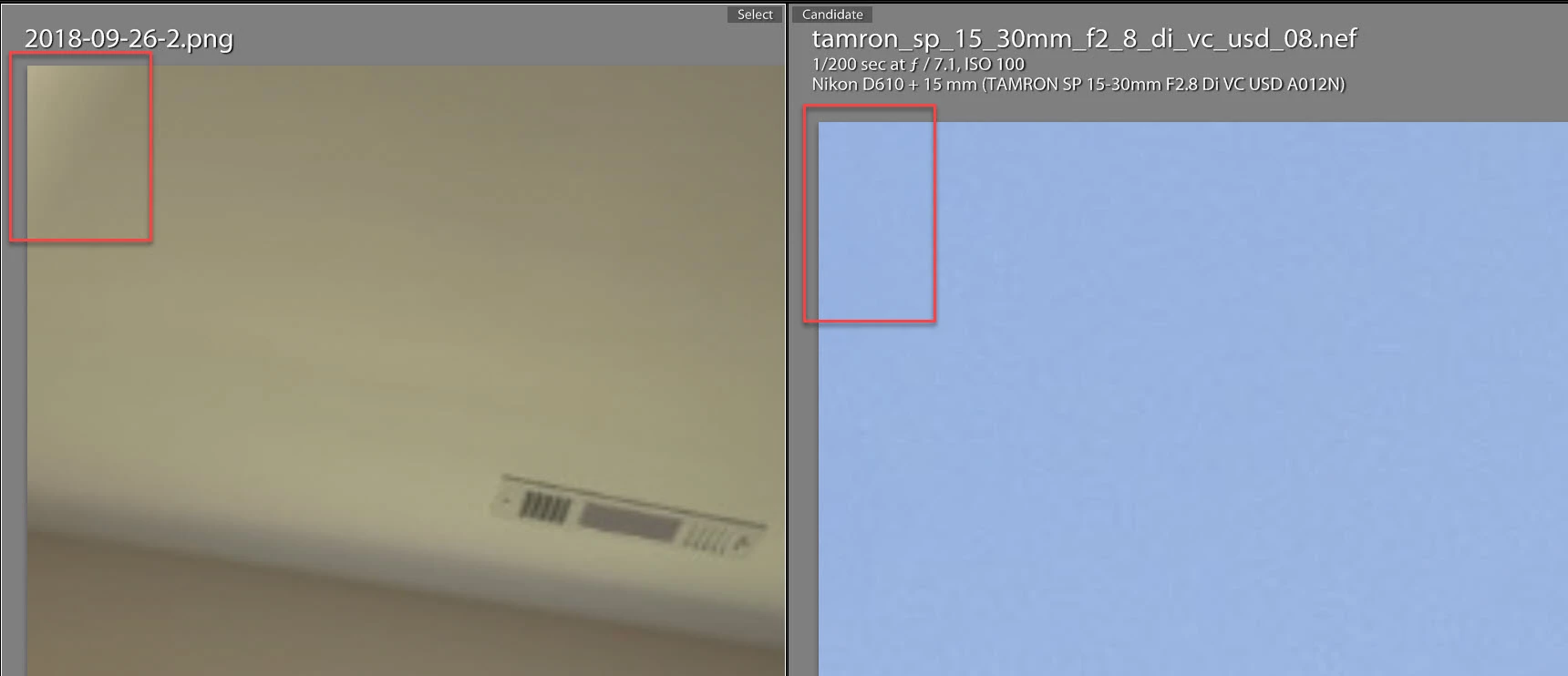
I recently started shooting with a Nikon D750 with a Tamron 15-30 F/2.8 lens.  When enabling profile correction, white areas appear in the corners of my images.  I have never experienced this with any other camera/lens combination.  Other than disabling profile correction, Is there a solution to this?
    This topic has been closed for replies.
    Correct answer Todd Shaner

    I did try that, but couldn't improve it to my satisfaction. 


    The white areas are due to incorrect vignetting correction being applied to the extreme corners. I examined a few NEF files shot with this lens and don't see the issue. Do you see it at all focal lengths and aperture settings? I suggest uploading one of the NEF files to Dropbox or other file sharing site so we can check the results on our systems. The below NEF was shot at 15mm F 7.1. Do you see the issue with NEFs shot at that focal length?

    2 replies

    DdeGannes
    Community Expert
    Community Expert
    September 26, 2018

    I believe there is a possibility in the lens correction panel to not show the areas that are affected by the lens physical distortions. It’s invetable that some pixels at the edges of the image will get deleted/ cropped.

    Regards, Denis: iMac 27” mid-2015, macOS 11.7.10 Big Sur; 2TB SSD, 24 GB Ram, GPU 2 GB; LrC 12.5,; Lr 6.5, PS 24.7,; ACR 15.5,; (also Laptop Win 11, ver 24H2, LrC 15.3; PS 27.0; ) Camera Oly OM-D E-M1.
    Sahil.Chawla
    Adobe Employee
    Adobe Employee
    September 26, 2018

    Hi there,

    We're sorry to hear about the issue with Lens correction in Lightroom, could you please let us know which exact version of Lightroom you're working on and which operating system are you using?

    Could you please share a screenshot of the issue?

    Are you working with a Jpeg or Raw file?

    Regards,
    Sahil

    dehooks@yahoo.com
    Participant
    September 26, 2018

    I'm using Lightroom Classic CC and Windows 10 on raw files. 

    johnrellis
    Legend
    September 26, 2018

    You could try adjusting the Vignetting in the Lens Correction > Profile panel, and if that helps, you could save that setting as the default by doing Setup: Save New Lens Profile Defaults.