
Profile not working / mismatch for old images
Hi. The "Profile" field for photos edited with old versions of Lightroom seems to be reporting / using an incorrect one. I am using Lightroom Classic 12.5 on Windows 10.
I noticed the error when editing photos from a session I took in 2019. I edited the pictures with the version of Lightroom that was available at that time . A couple of months ago I tried to edit some additional photos of that session and I noticed that when I copied the settings from one picture to another the colors would never match. So I thought this would be the Copy/Paste setting issue with the "Curve" checkbox.
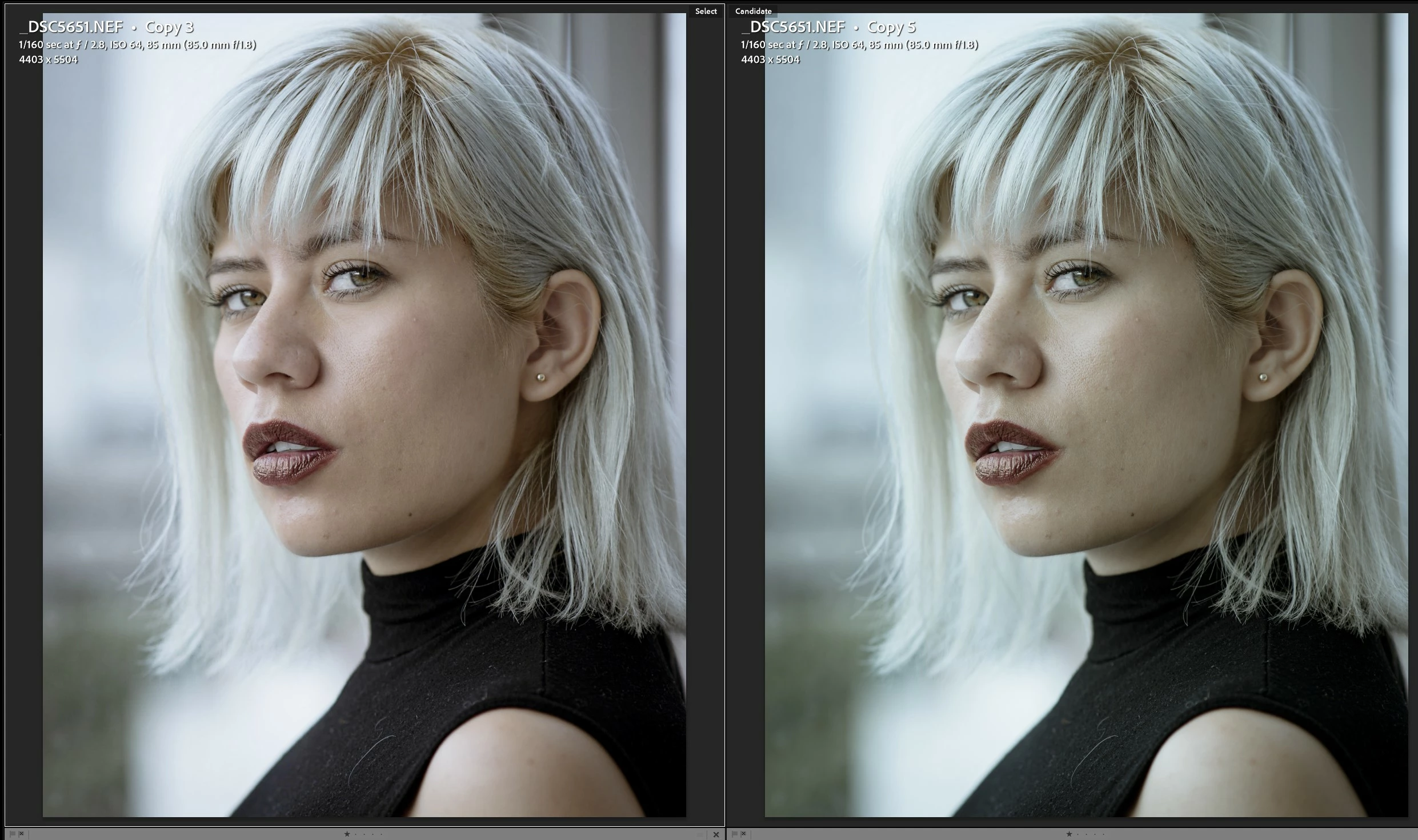
To replicate the issue I tried creating a new virtual copy of an already edited photo, I reset all the settings of the virtual copy and copied all the settings from the edited photo to the new virtual copy. All the settings would copy just fine, however the colors would look different. Below are the two pictures (on the left is the original edit and on the right is the new virtual copy with all the settings copied):
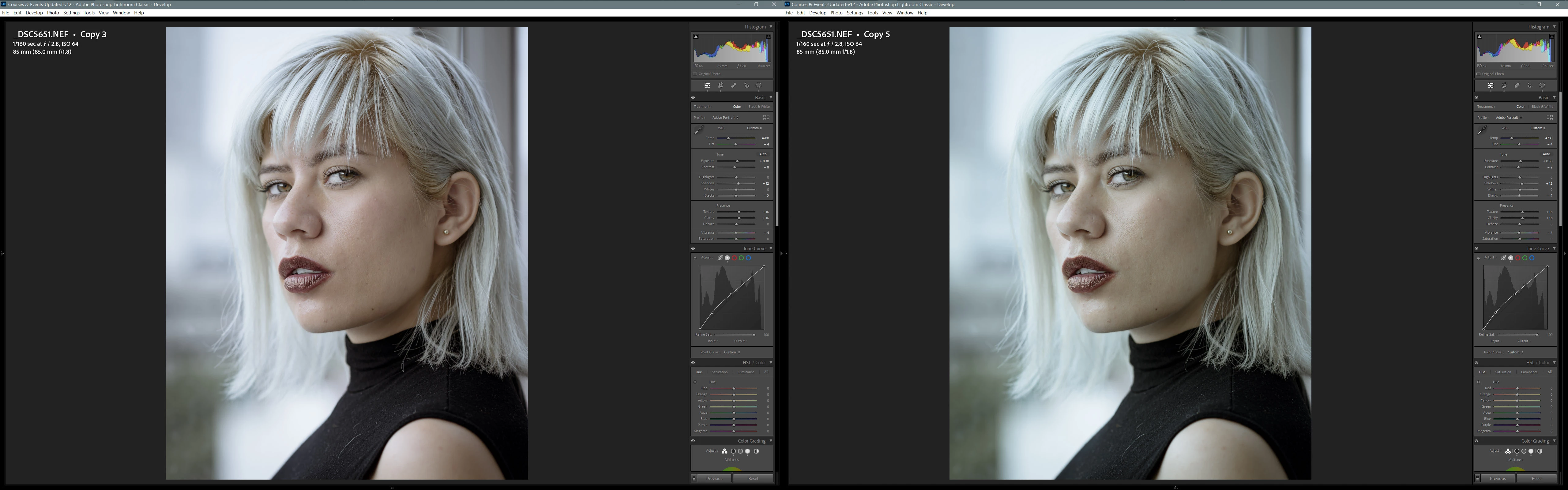
I tried comparing the settings of both photos using the bag-o-goodies plug-in, and it reported that all the settings were indeed the same except for the "Camera Profile", which is strange because I selected the "Treatment & Profile" checkbox when copying the settings. I reviewed the details of both photos and both had the "Adobe Portrait" Profile as seen below:
As a final test, I edited the new virtual copy, and applied the "Adobe Portrait" Profile assuming it was incorrectly applied, and nothing happened. Then I tried the same with the original photo that contained the edits I wanted, when I applied the "Adobe Portrait" Profile, the colors now look exactly the same as in the newly created virtual copy. As can be seen in the video below:
This is strange, because the Photo already had the "Adobe Portrait" Profile applied. So, this is making me think that although Lightroom is reporting the Profile as "Adobe Portrait", it is really using something else.
At some point, between 2019 and now, I updated all the pictures to Process "Version 6 (Current)". I think the upgrade had something to do with this issue with the Profile, maybe the one I edited used an old "Adobe Portrait" Profile and in newer versions the Pofile was updated.
Any help or guidance is muchly appreciated, it has been a pain trying to match colors.


 AdChoices