
Participant
November 12, 2017
Answered

Question Mark

  • November 12, 2017
  • 4 replies
  • 8840 views

Hey Folks!

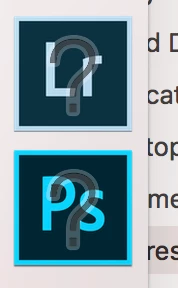
I amn't sure if this has been brought up before, I didn't find any answers whilst looking myself. I have Lightroom, which after the update is now Lightroom Classic and Photoshop. I am using a 2017 Macbook Pro (Please don't judge me) with Mac OS Sierra. Since the latest update neither of these apps will open. On my dock the icons appear as normal, until I try to open the software and then a clear question mark appears over the icons. The Applications won't open. I've tried uninstalling and reinstalling the software but to no avail. Is anyone else experiencing these issues or does anyone else have any ideas how to solve said problem?
Christopher McHugh

    This topic has been closed for replies.
    Correct answer Geoff the kiwi

    You need to remove those icons and the drag the apps from the Applications folder into the dock. They are new apps so have new icons.

    4 replies

    Participant
    November 12, 2017

    The applications wouldn't open from the folder either, so I reinstalled them, again, and lightroom classic has been stuck on 43% all evening. Have many people experienced problems with Classic?

    Geoff the kiwi
    Community Expert
    Community Expert
    November 16, 2017

    DID YOU GET GOING OK THEN???

    marshmutt
    Participant
    March 8, 2019

    I have the same issue but it happened while I was out to dinner.  This is the LR CC that I have been using for months.  I tried opening it from the applications in finder but when I did it only showed 2 pictures.  I have around 15k imported into this new version of LR.  This did not happen with an update, or any other change.  Is this a good time to switch to bridge or to look for other companies?  LR is OK but this is costing me a lot of time and headache right now.

    Community Expert
    November 12, 2017

    Bob and Geoff are right. You simply need to drag the new versions to your dock and remove these links to previous versions that got removed by the upgrade process.

    I am using a 2017 Macbook Pro (Please don't judge me)

    Why is that an issue? I wish I owned one. I hear the keyboards can go bad but they're very nice machines otherwise.

    Bob Somrak
    Legend
    November 12, 2017

    Does Lr and Ps open from the icons in the applications folder.  If so than drag the non-working Icons off the dock and then drag the Icons from the applications folder back to the dock.  Those are probably the Icons from the previous versions of Lr and Ps that got uninstalled in the upgrade.

    M4 Pro Mac Mini. 48GB
    Geoff the kiwi
    Community Expert
    Geoff the kiwiCommunity ExpertCorrect answer
    Community Expert
    November 12, 2017

    You need to remove those icons and the drag the apps from the Applications folder into the dock. They are new apps so have new icons.