Participant
August 21, 2019
Question

RAF Import funktioniert nicht mehr nach August Update

  • August 21, 2019
  • 2 replies
  • 371 views

Hallo,

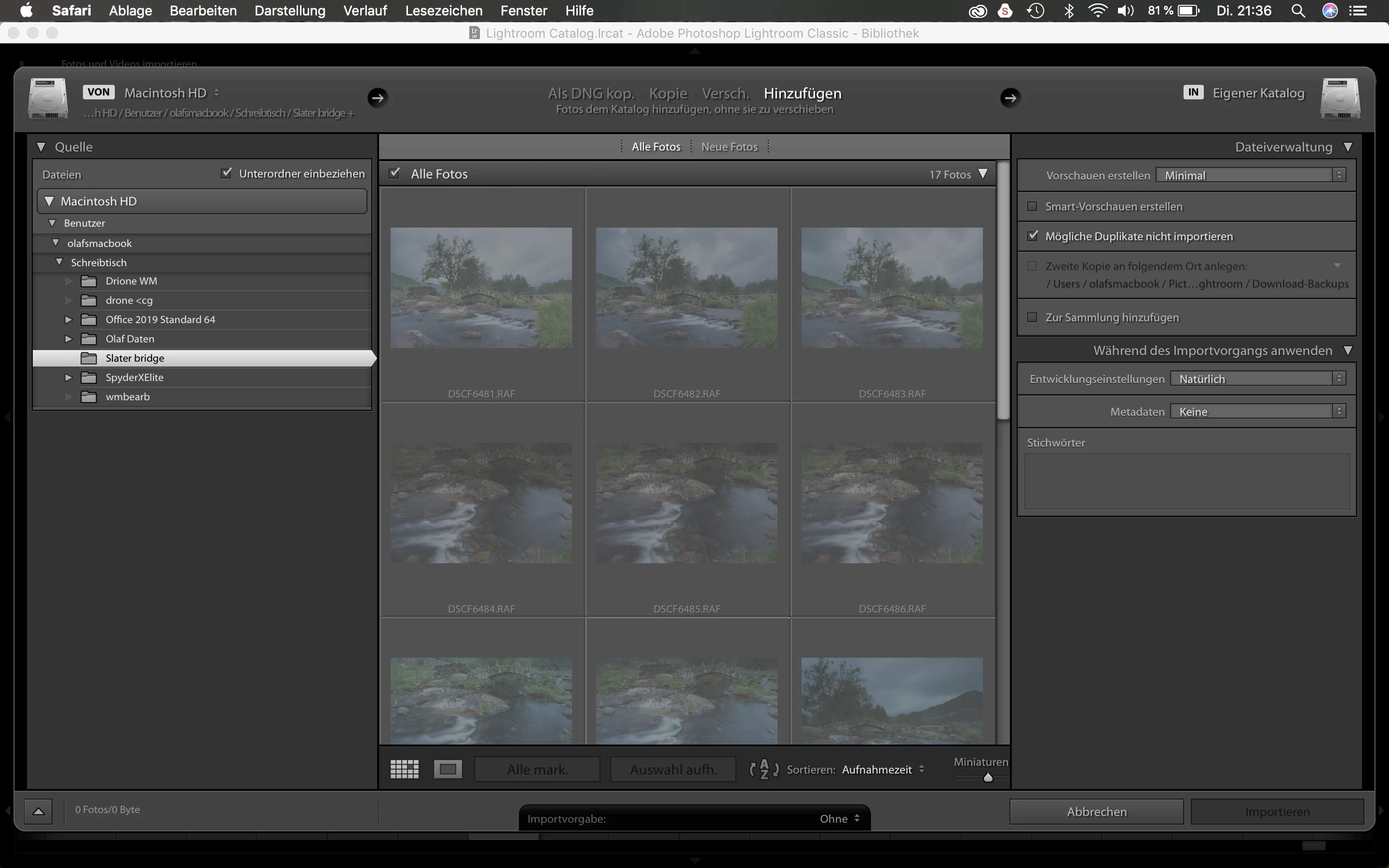
habe das Problem dass der Import von Raw Dateien (RAF Fuji XT3) nicht mehr funktioniert. Ich kann die Dateien nicht mehr für den >Import anwählen. Sie sind zu sehen, man kann aber nichts damit machen. Bei Dateien die vor dem Update schon importiert wurden klappt auch ein neuer Import.

Hat jemand eine Lösung?

Anbei ein Screenshot...

Bin für Tipps dankbar!
    This topic has been closed for replies.

    2 replies

    GoldingD
    Legend
    August 21, 2019

    I have posted this new problem over at the Feedback Web Page

    See, and contribute at:

    Lightroom Classic 8.4 Import Don't Import Suspected Duplicates Option Failure | Photoshop Family Customer Community

    GoldingD
    Legend
    August 21, 2019

    These images were previously imported?

    And you are trying to ADD them to the existing catalog?

    I just ran a test, this in a catalog with only JPEG files, not a single RAW, not to mention not a single RAF. Brought up the folder that contains existing images already in my catalog. Same results, with or without Don't Import Suspected Duplicates checked.

    And in a modification to my test, outside of Lightroom, I copied one image to another loctation, I then tried to import that image. Just the opposit probelem, I can import it with or without Don't Import Suspected Duplicates checked.

    Nope this is not good