
Random color dots in develop module
I am hoping someone smarter than me can point me in the right direction here. I'm pretty sure I have a hardware issue, but I don't know what to troubleshoot. I have an issue with working with RAW images in Lightroom. I get a bunch of random colored dots everywhere throughout my image. I've uploaded two screenshots, the first is Lightroom in develop mode. The second is the same but zoomed into a discolored area.
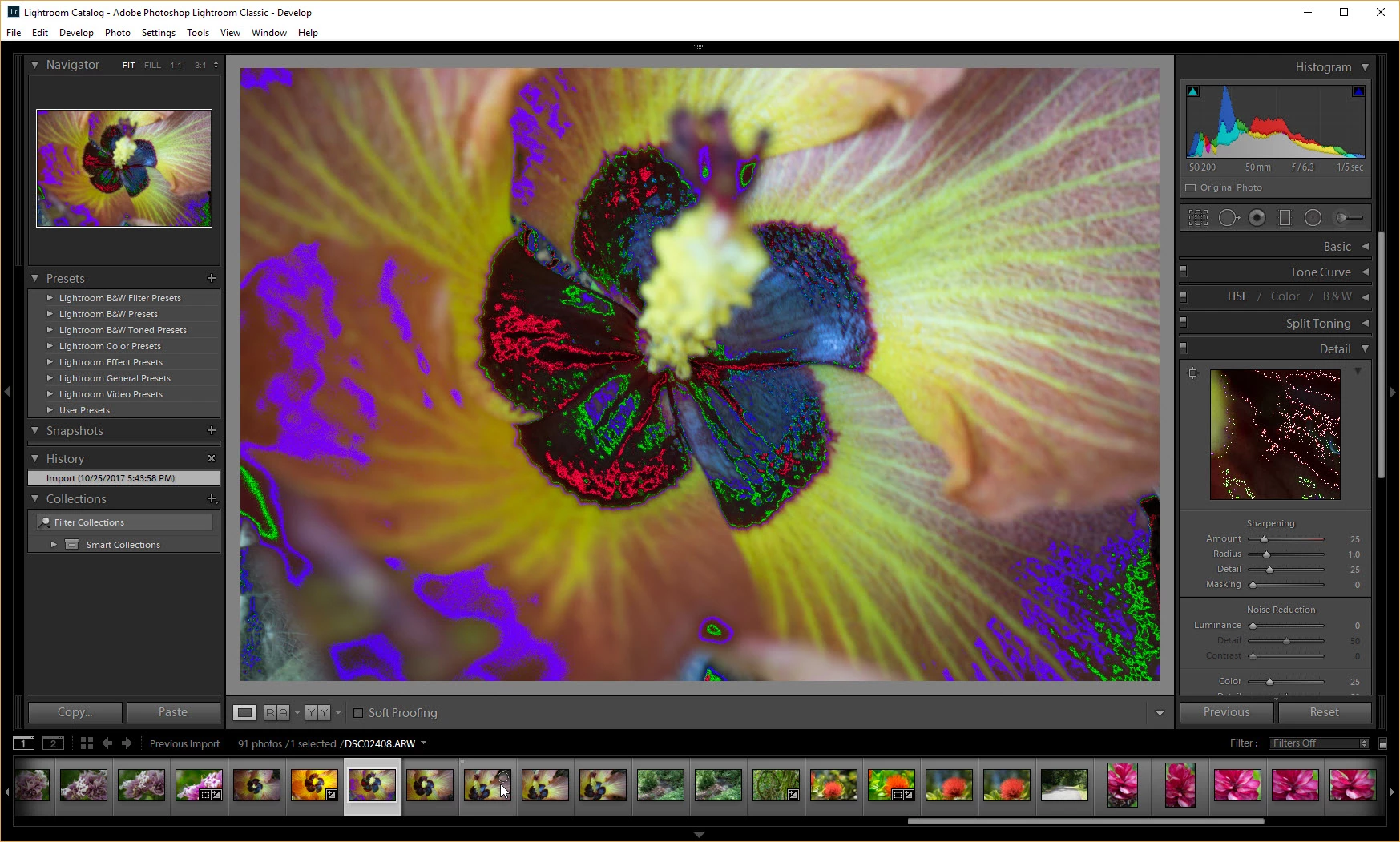
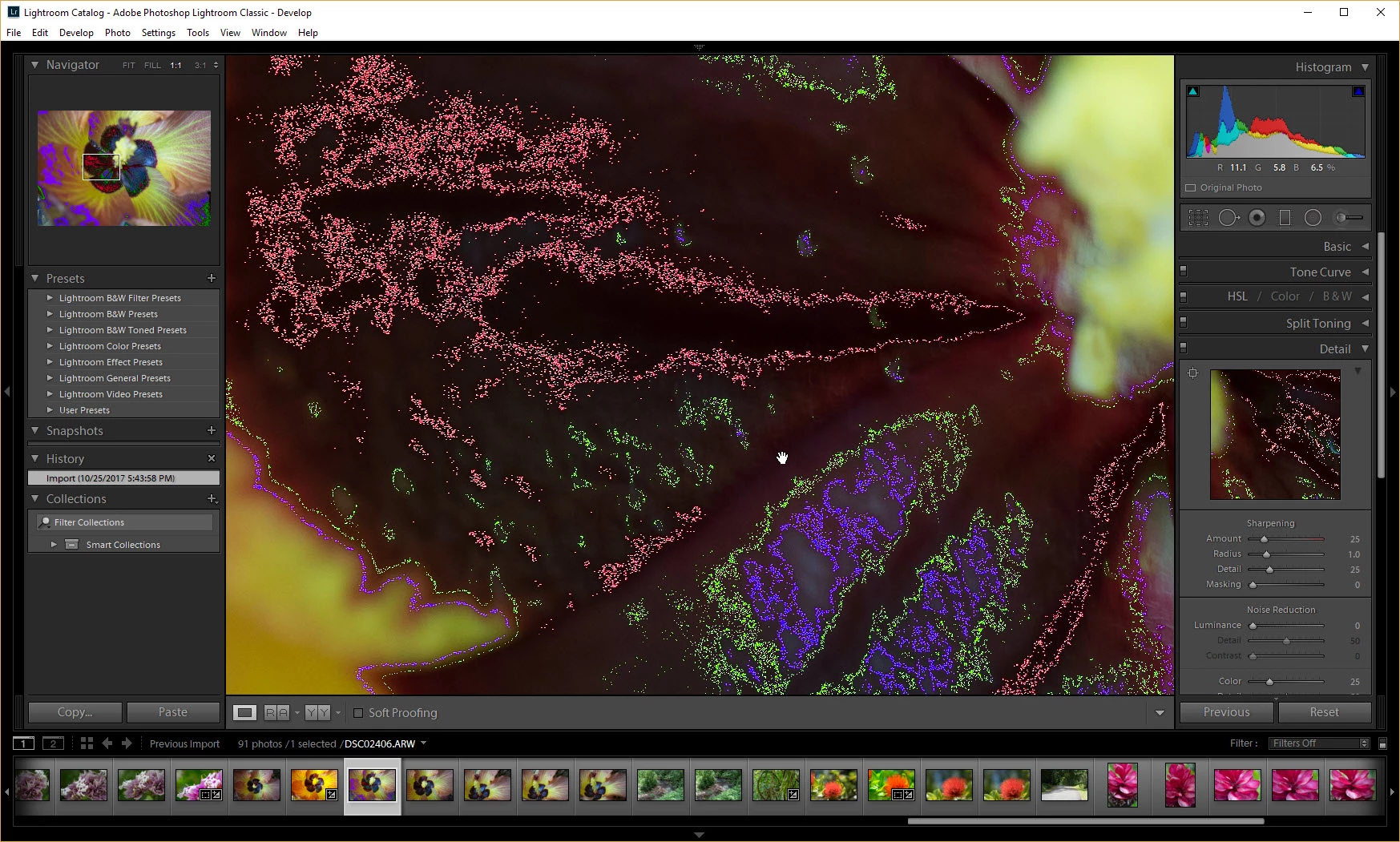
I am running the latest version of Lightroom Classic CC version 7.0, just installed from Creative Cloud on a clean install of Windows 10. I am running a GTX 1060 graphics card with the latest drivers installed and 16GB of RAM.
The thing is the dots only appear about 50% of the time. As I am clicking through different images across the bottom, some images will have this effect, and others won't. When I reach an image that has the effect, I can often click on another image, then return to the problem one, and it will be fine. The effect carries over when I export to JPEG as well, and when I "edit in Photoshop". Additionally, I was having the same problem with the previous version of Lightroom but didn't try to troubleshoot because I was using another computer for photography. It does this with both Sony and Canon RAW images and the RAW files all work perfectly fine on other computers, so this is a problem unique to this particular computer and not my cameras.
I have tried disabling the "Use Graphics Processor" setting, playing around with cache settings and the smart preview settings and nothing works. I have also tried different color management profiles in Windows.
Thanks for reading, I hope someone can point me in the right direction.


 AdChoices