
Participant
November 22, 2024
質問

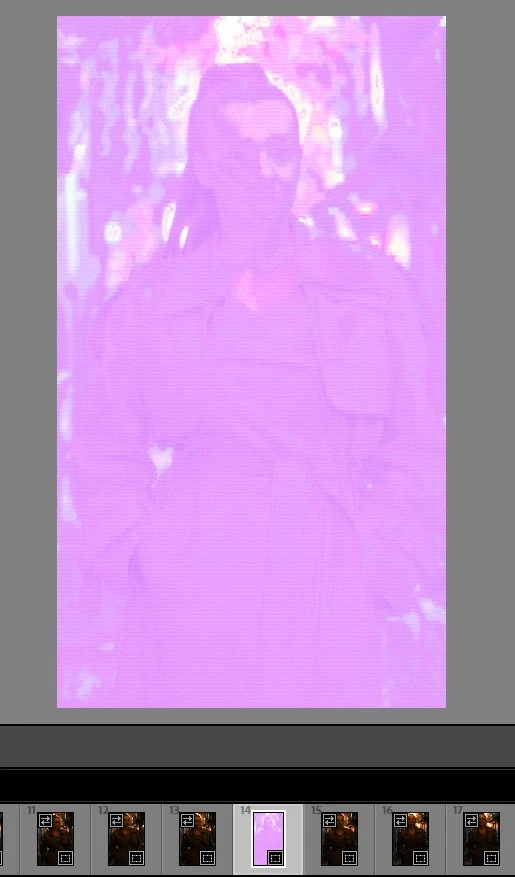
Raw edit photo, pink crash look after import photos to lightroom

  • November 22, 2024
  • 返信数 2.
  • 105 ビュー

HI Everybody,


I don't know what happened, this is the first time I've encountered this. After importing photos to Lightroom, the image changes as in the attached screenshot. In the Windows browser, the photo looks fine. Some kind of error saving on the camera?

A few of the photos in this series are ok. But when you check the rest, this is what it looks like.

Best regards
Radek


I use Sony a6300
このトピックへの返信は締め切られました。

返信数 2

GoldingD
Legend
November 22, 2024

Is the image a RAW?

Sameer K
Community Manager
Community Manager
November 22, 2024

Hey, @Radek_?aganowski5096. Welcome to the Lightroom Community. I'll need more info to help you figure this out.

Are you working with multiple displays?


As primary steps, try this:

  • Unplug additional displays & use only one by default.
  • Go to Lightroom > Preferences > Performance > Use Graphics Processor > Set it to Off if it is on Custom or Auto. If this shows you any differences, please check this article to troubleshoot further: https://adobe.ly/3uYiJo4

Let me know how it goes. 

Thanks!
Sameer K

(Use '@mention' to tag me when you reply)