
Heirloom Bob
Inspiring
August 16, 2019
Question

RAW & JPG files combined in Lightroom Classic

  • August 16, 2019
  • 3 replies
  • 1841 views

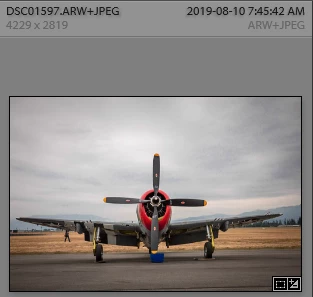
On a recent import of photos into LR, I had taken the shots in both RAW and JPG. The images show in LR as a file name, for example DSC01597.ARW+JPEG but I can't see the RAW or JPG version separately. To be honest I am not sure if the image I am seeing is the JPG or RAW version. When I look at the photo folder from Explorer, both version are there so why can't I see them from LR. BTW, just in case, I un-stacked to no avail.
Message was edited by: Sahil Chawla

    This topic has been closed for replies.

    3 replies

    Community Expert
    August 16, 2019

    You can only access the raw and jpeg files separately in Lightroom if you check the preference in Preferences->General to that jpeg files next to raw files as separate. This preference only affects newly imported files so your already imported files can't easily be separated. It can be done but it is a bit of a pain to do. So simply check the preference and any imports after that the jpeg files will come in separately and can be seen and edited separately. If you keep the preference unchecked, the jpeg file gets used as a sidecar file but is ignored for everything else.

    Heirloom Bob
    Inspiring
    August 16, 2019

    OK...I think I have it solved. The jpg version was not visible in LR, but was in the folder I imported to. Went into Preferences and changed to show jpg and raw separately. Went to Import and lo and behold, the jpg versions were able to be imported. No idea why the original import brought in only the RAW files.

    I will take a couple shots and test.

    Heirloom Bob
    Inspiring
    August 16, 2019

    Test shot done in jpg and RAW. The import screen shows both versions and both imported just fine.It seems my issue is resolved and thanks for all of your help.,

    Sahil.Chawla
    Adobe Employee
    Adobe Employee
    August 16, 2019

    Hi Bob,

    That does not sound good, let us help make this right.

    Could you please have a look at this forum thread and let us know if it helps?

    Why did Lightroom combine my RAW+JPG?1

    Regards,
    Sahil

    Heirloom Bob
    Inspiring
    August 16, 2019

    Just noticed if I rest my mouse on the image, it's the RAW version that I see.