Participant
August 15, 2024
Question

Re: Lightroom 6 Installation Issue

  • August 15, 2024
  • 4 replies
  • 292 views

I know Lightroom 6 is End-Of-Life but trying to install it. Customer support said I can ask the community.


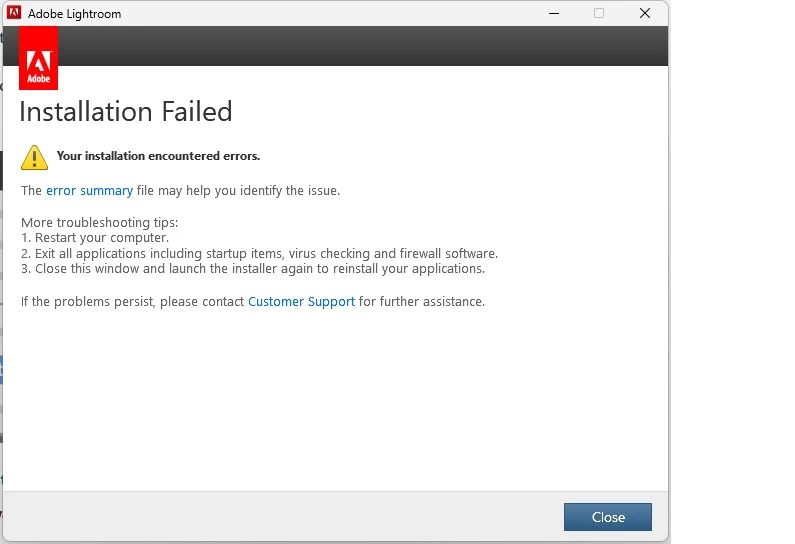
It completes installation and then says installation failed.

This topic has been closed for replies.

4 replies

dj_paige
Legend
August 15, 2024

As of a few months ago, there is no way to install Lr 6.

AxelMatt
Community Expert
Community Expert
August 15, 2024

Which Windows version do you use?

Which version of Lightroom do you try to install?

Do you try the installation as an Administrator or an user with Admin rights?

Try tio deactivate all protection software, like virus scanner internet security and so on.


Download the latest version of LR (6.14) from the Internet Archive:

Win: https://web.archive.org/web/20231220005239mp_/https://prdl-download.adobe.com/Lightroom/60BA1251F1BC...


Before you try again cleanup your PC from all Adobe software and run the Adobe Cleaner Tool.

Use the Creative Cloud Cleaner tool to solve installation problems (adobe.com) 


As you know Lightroom 6 is end-of-life and doesn'be supported by Adobe. The servers for De-/activation may be impossible.

You can see here on page 2: Re: P: Lightroom 6.14 download is no longer availa... – Seite 2 - Adobe Community - 14355488

There's a description how you'll get LR working. But there's no guarantee.


Lightroom-Classic in the Photography Plan subscription is the way forward.

@ BUY PHOTOGRAPHY PLANS


My System: Intel i7-8700K - 64GB RAM - NVidia Geforce RTX 3060 - Windows 11 Pro 25H2 -- LR-Classic 15 - Photoshop 27 - Nik Collection 8 - PureRAW 5 - Topaz Photo
Participant
August 15, 2024

I can run the exe file when trying to run Lightroom but I get the below error which is due to permissions

DdeGannes
Community Expert
Community Expert
August 15, 2024

Are you trying to install on a new computer or an older computer that has been upgraded e.g. replaced the internal HHD or SSD? if so there is no registration or activation support available since December 31 2023.


Regards, Denis: iMac 27” mid-2015, macOS 11.7.10 Big Sur; 2TB SSD, 24 GB Ram, GPU 2 GB; LrC 12.5,; Lr 6.5, PS 24.7,; ACR 15.5,; (also Laptop Win 11, ver 24H2, LrC 15.0.1, PS 27.0; ) Camera Oly OM-D E-M1.
Participant
August 15, 2024

I had to reinstall Windows