
Answered
Reading capture date from filename
I have lots of Whatsapp images and their capture dates are wrong. The correct dates are in the names of files. How can I copy this dates to metadata?
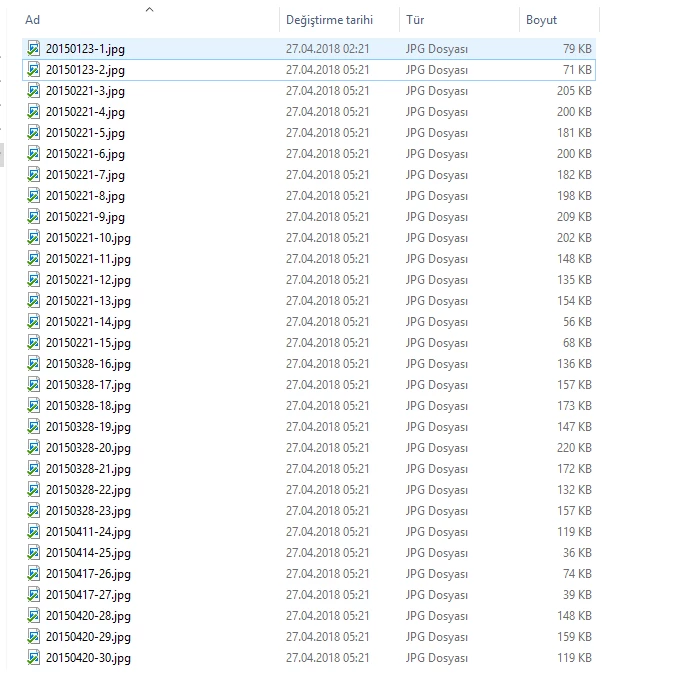

I have lots of Whatsapp images and their capture dates are wrong. The correct dates are in the names of files. How can I copy this dates to metadata?
Two options:
1. Import the photos into LR. Do View > View Options to ensure the filenames are showing under the thumbnails in Library grid view. Do View > Sort > File Name. Then select all the files that are the same day and use the Capture Time To Exif plugin to set their capture date. (You can't use LR's Metadata > Edit Capture Time command, since it won't set all of the selected photos to the same date/time.)
2. If you have experience with command-line scripting, write a script that takes each filename and uses the free ExifTool utility to set its capture date based on the filename.
Even if you're intimately familiar with scripting and ExifTool, you could do an awful lot of photos using method 1 in the time it would take to write the script in method 2.
Already have an account? Login
Enter your E-mail address. We'll send you an e-mail with instructions to reset your password.
 AdChoices