


Dave Rye
Known Participant
August 27, 2026
Question

Reason Adobe LRC keeps losing the photos on my network drive? None had been renamed/moved.

  • August 27, 2026
  • 4 replies
  • 51 views

Why does LRC keep asking me to relocate the photo files at random intervals?  It does this with so many of them so many times it is growing increasingly infuriating. 
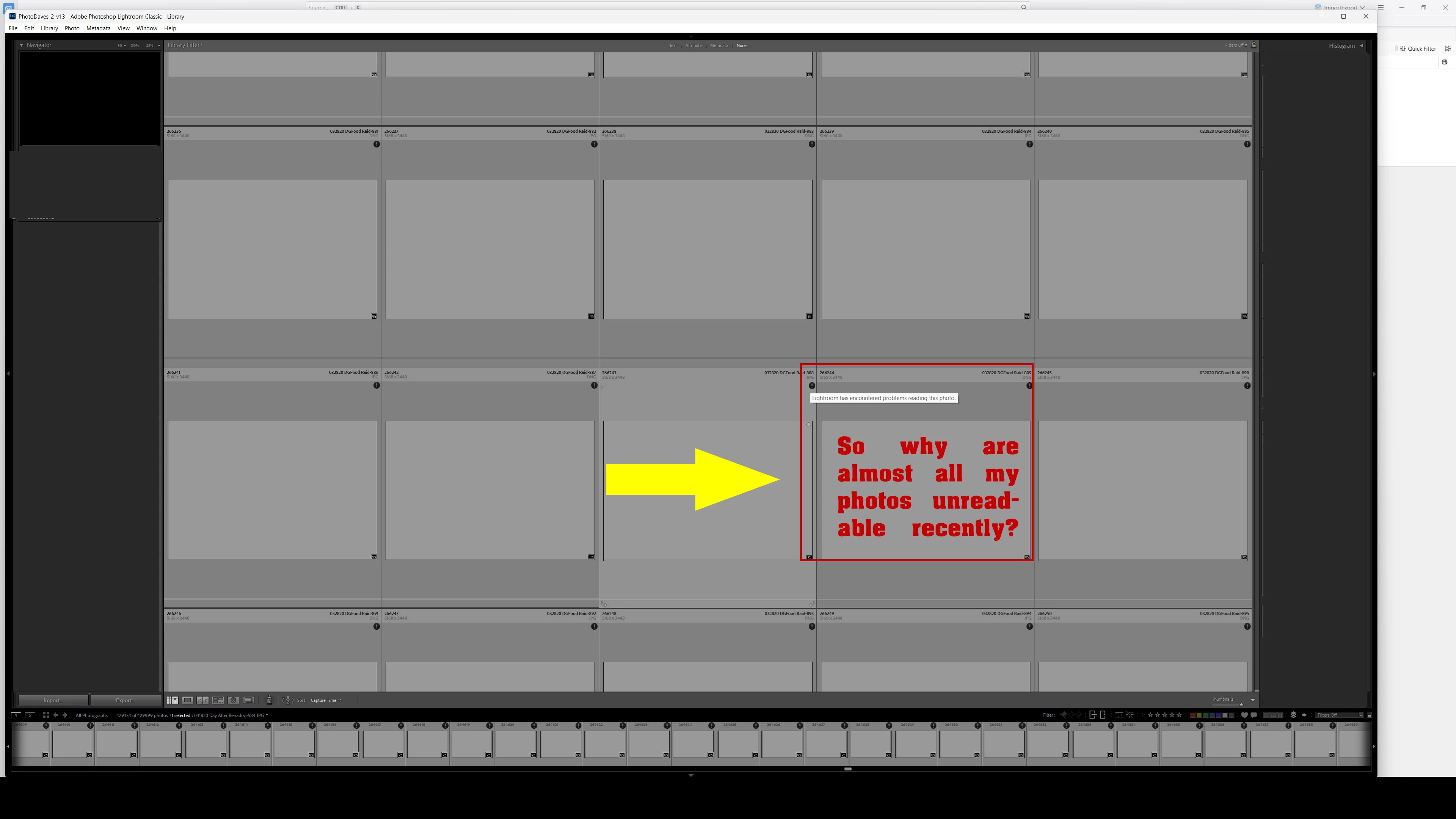
What it displays in the grid view of almost all the files.


    4 replies

    Califdan2
    Inspiring
    August 27, 2026

    Could be any number of causes.  Here are the most likely:

    1. (Mac) you changed the name of the disk drive or volume where the images are stored
      (Win) Windows assigned a different drive letter to the disk where the images are stored
    2. You did folder/file maintenance outside of LrC.  This includes moving folders, renaming folders or images
    3. Your graphics card or its driver is acting up.  Try turning off GPU acceleration.  Make sure you have the most recent drivers from the card manufacturer (not just the generic one from Microsoft or Apple
    4. There is a permissions problem in the fodler containing the catalog (on a Mac LrC must have “Full disk Access”)

    In the Folders Panel do the folders have “?” on them?  

    Community Expert
    August 27, 2026

    Unfortunately you haven't given us any detailed information about your issue and your system. Therefore, all proposed solutions are a look into the crystal ball.

    Which type of network drive do you use and how is this drive connected?

    Is the drive already with the same drive letter or name connected?

    On which drive you’ve stored your catalog?

    Which operating system do you use?


    My System: Intel i7-8700K - 64GB RAM - NVidia Geforce RTX 3060 - Windows 11 Pro 25H2 -- LR-Classic 15 - Photoshop 27 - Nik Collection 9 - PureRAW 6 - Topaz Photo AI
    Rob_Cullen
    Community Expert
    Community Expert
    August 27, 2026

    Your photos are showing the ‘Corrupted’ icon on all your files. (A black circle with !)

    This commonly indicates a computer or hardware problem, possibly with the Network drive resulting in corrupted files. Files can be corrupted when importing because of card reader or cable problems,  or faulty drives, even RAM problems.


    Regards. My System: Windows-11, Lightroom-Classic 15.4.1, Photoshop 27.8, ACR 18.4, Lightroom 9.4, Lr-iOS 10.4.0, Bridge 16.0.3 .
    dj_paige
    Legend
    August 27, 2026

    Your photos are showing the ‘Corrupted’ icon on all your files. (A black circle with !)

    This commonly indicates a computer or hardware problem, possibly with the Network drive resulting in corrupted files. Files can be corrupted when importing because of card reader or cable problems,  or faulty drives, even RAM problems.

    Or this can even be caused by corruption caused by transporting across the network to your computer, if there is a network malfunction.