
Reintroduce "Remember Last Mask Adjustment"
To the Adobe team,
I would like to formally request the reintroduction of a feature that existed in previous versions of Lightroom Classic and was incredibly useful: the option for the masking tool to remember and maintain the last-used adjustment.
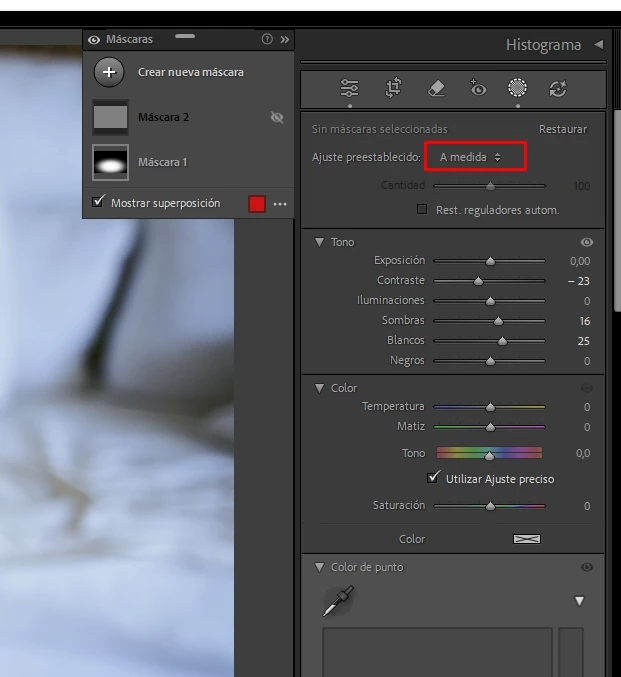
In the current versions, every time I stop using the masking tool, it reverts to "Custom." This forces me to open the presets menu and manually select my last favorite adjustment, over and over again.
While it may seem like a small, additional step, for photographers who work with series of thousands of photos and apply multiple mask adjustments per image, this repetitive clicking results in a considerable loss of time and a frustrating workflow interruption.
I understand the new masking tool is powerful, but this minor loss of efficiency significantly impacts my productivity.
Please, seriously consider re-including this option so the tool can "remember" the last-used adjustment, or at least offer the option to configure it this way. I am confident that many other users who work with high volumes of photos would greatly benefit from this improvement.
Thank you very much for your consideration.


 AdChoices