

Answered
Remove a folder without removing the files from the Catalog ??
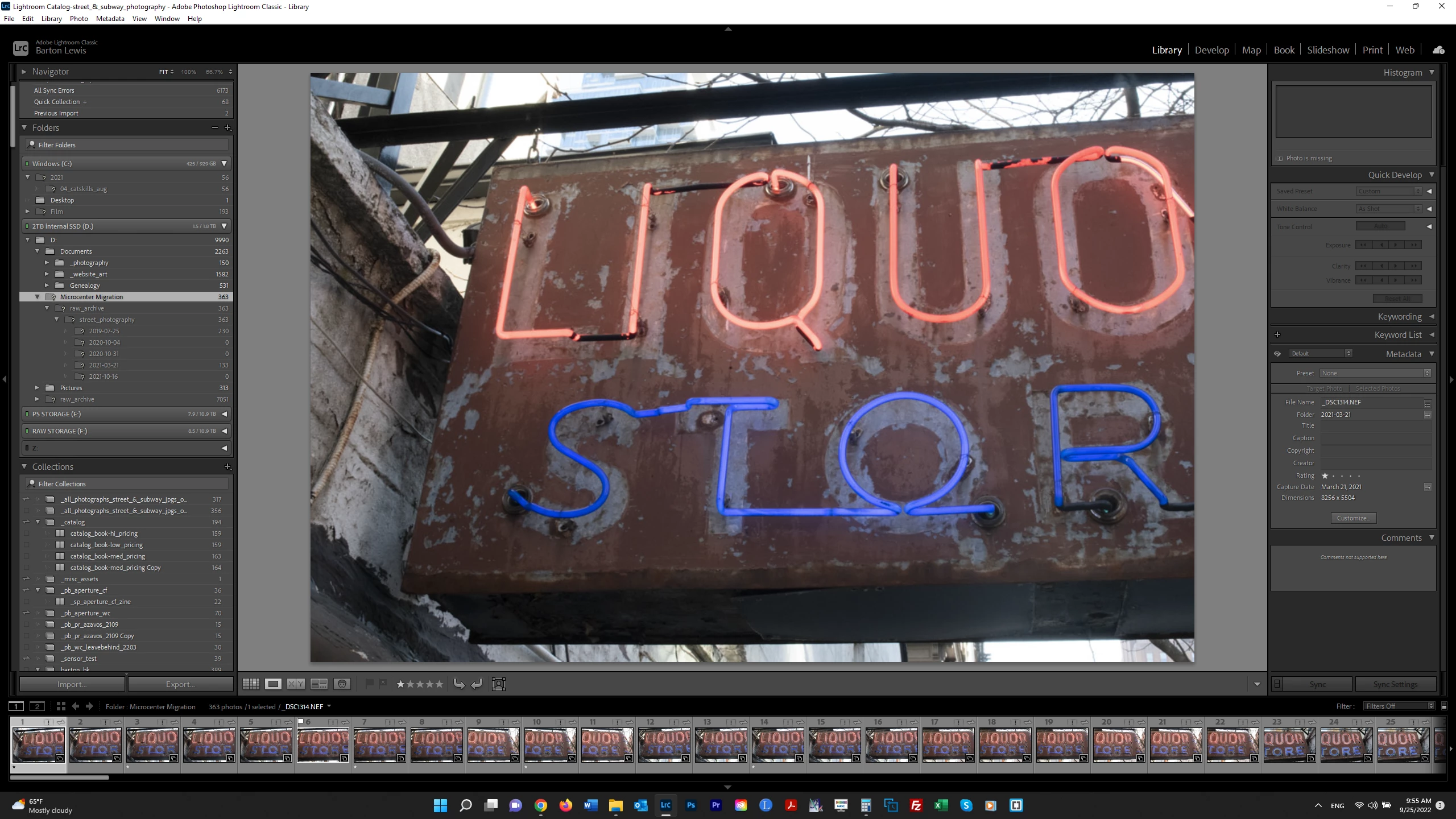
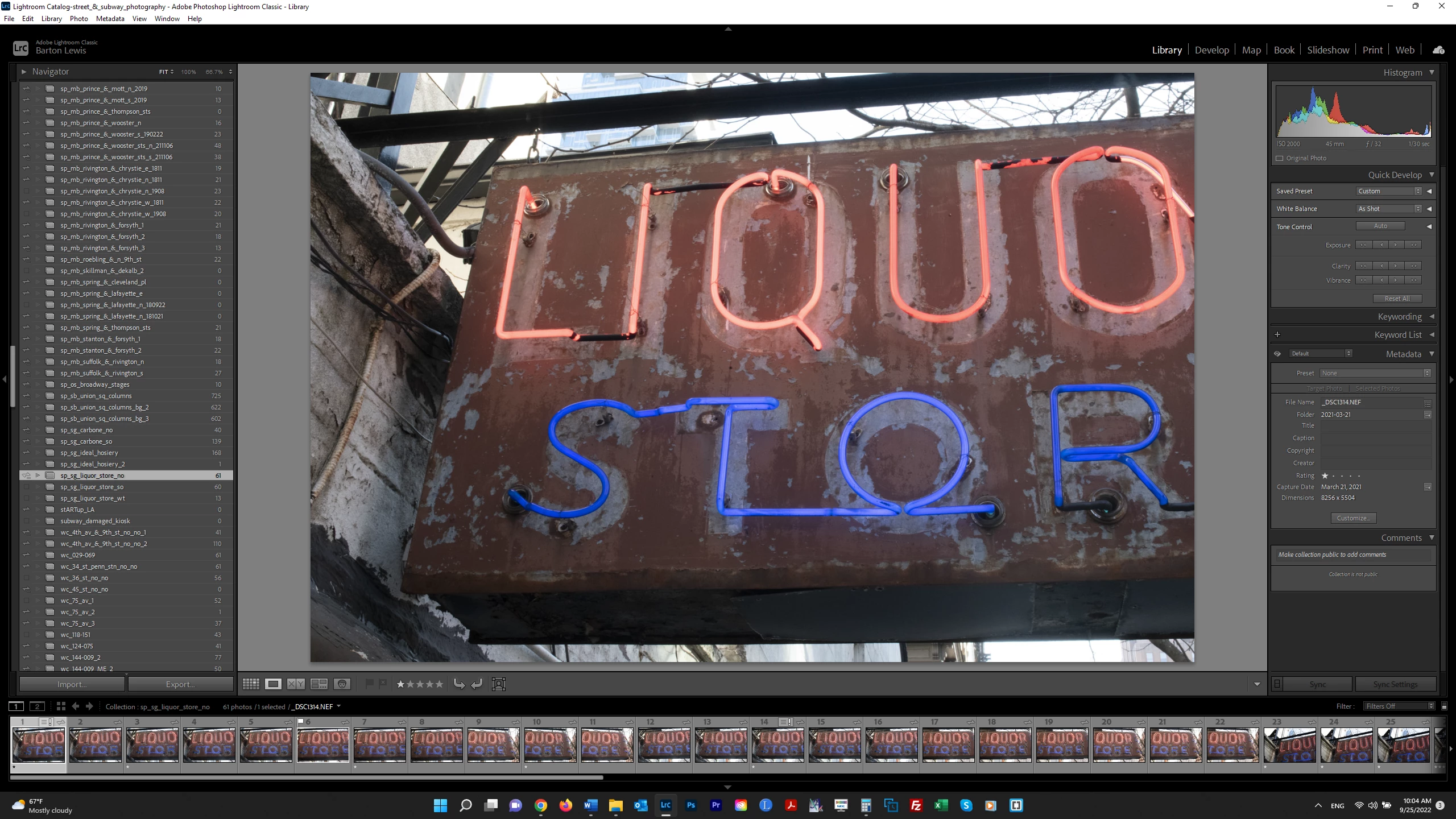
I am cleaning up my Catalog after a recent migration to a different drive-storage system. In the screenshot below, LR is showing I have a missing folder called "Microsoft Migration" in my internal D drive that contains 363 files. This is no longer an active folder. LR says if I Remove the folder from the Catalog, the files in it will be removed from the LR Catalog. However these files are in my external F drive where I save my RAW files and are not shown as missing from a Collection as shown in the 2d screenshot. If I remove the "Microsoft Migration" folder, will LR remove the files from the Catalog? If so, is there any way to Remove the folder without the photos being removed? Thanks. .


 AdChoices