
Inspiring
October 5, 2019
Question

Remove duplicate images

  • October 5, 2019
  • 3 replies
  • 394 views

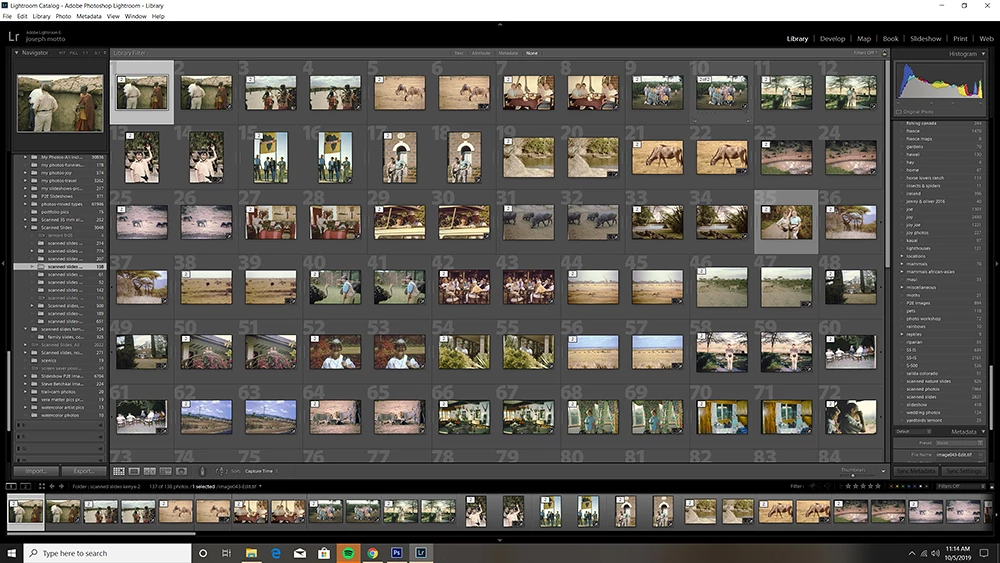
I somehow managed to create unwanted duplicates in some of my folders. In this example the first image says: image043-edit.tif and the next reads    image043.tif.

Is there a simple way to remove the unwanted duplicates other than going to grid view and highlighting each culprit?


    This topic has been closed for replies.

    3 replies

    Just Shoot Me
    Legend
    October 6, 2019

    So since they are scans of slide film the ones with Edit in the name are ones you have sent to PS from LR and then saved. They are not really Duplicates.

    Rob_Cullen
    Community Expert
    Community Expert
    October 6, 2019

    With the absence of raw images, I suspect your TIF files (like  image043.tif) may have come from a scanner. Yes/no?

    As stated above, the files with "-edit" in the filename (like image043-edit.tif) would have come from an edit in Photoshop (or external editor).

    You could do a Filter search for files that contain the word "edit" in the filename. Check visually to see if any have important editing done, (any [+/-] badges?) and if not, simply select all these '-edit' files and [Delete].


    Regards. My System: Windows-11, Lightroom-Classic 15.1.1, Photoshop 27.3.1, ACR 18.1.1, Lightroom 9.0, Lr-iOS 10.4.0, Bridge 16.0.2 .
    Inspiring
    October 6, 2019
    Yes, these are all photos created from scanned slides.
    Just Shoot Me
    Legend
    October 5, 2019

    The one with the -edit included in the file name is one that you send to PS from LR and then did a normal Save, Ctrl + s or File menu item and Save option. The -edit is the LR default for doing that.

    the one with just the .tif extension is one that you might of opened in PS, without using LR to Send it to PS or even if you used LR to send it ot PS, Edit In PS, you use the Save As command in PS, and then saved it in tif format and to the same folder as the original. Although they may appear to be the same file they were created differently and may have different edits in both LR and PS. Only you can tell whetehr it is or sin't really different.


    AFAIK there is no Feature in LR to remove duplicates. There may be an add-on, plugin, that might do that.


    I suggest you change you View Options settings to show the file name in the header of the grid cell that way you can see how many copies there are of each image.