


"Rename Photo" in Library module does not apply Filename Template as expected
I use Lightroom Classic 15.2.1 on Mac Tahoe 26.4. I use a variety of cameras, and this behavior occurs on any of them. My test example was an older photo taken with a Fuji X-T1 in 2014.
The behavior occurs in the Library > Rename Photo utility.
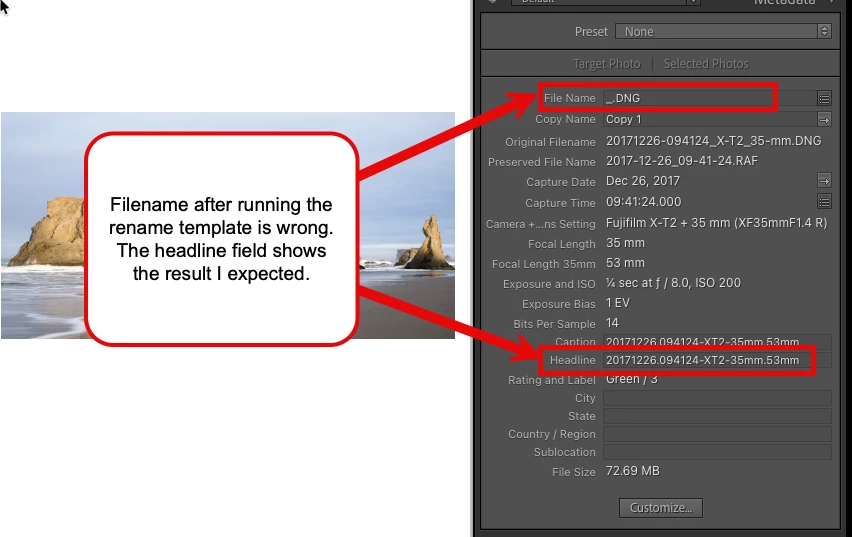
I have a custom Filename Template that reads data from a Metadata field (I normally use the Headline field) which is pre-populated with my desired final filename. When I open the custom template in the Rename Photo utility, I see the example filename displayed. This information text shows the desired, correct final filename. But when I apply the rename, the filename is instead replaced with an underscore character “_” then a period and the file extension.
Here is a screenshot of the Rename Photo template window, and the example rename of the photo selected:
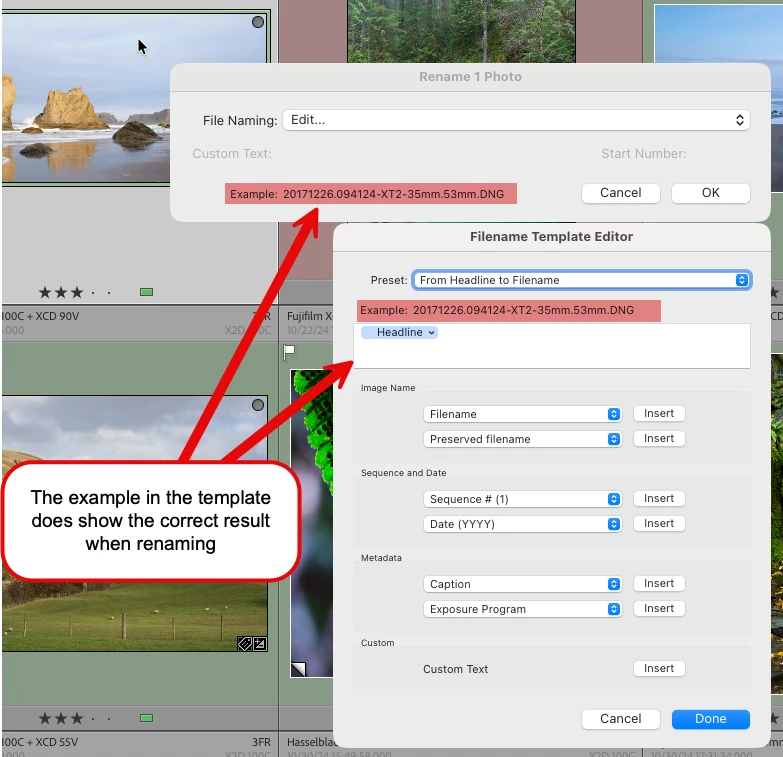
After the renaming option is applied, the file is not renamed. Instead, the file name is changed to an underscore. I can reproduce this behavior and can also choose other writeable Metadata fields and the behavior is the same.
If however, I change the Renaming template to use a non-writeable field such as serial number, the rename is performed correctly. See the final screenshot for that.
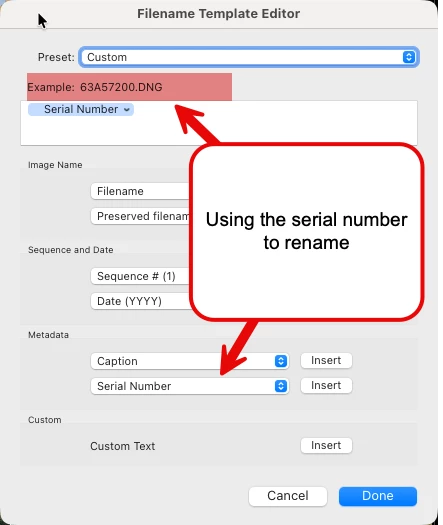
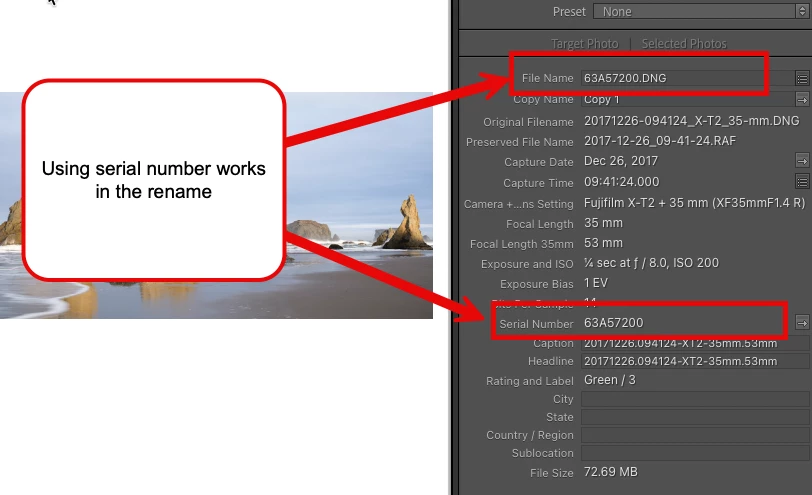
So the issue appears to apply only to user writeable metadata fields and is new behavior as of the latest update to 15.2.1
 AdChoices