
Participant
August 24, 2023
Question

Reset Button Not Working in Develop
  • August 24, 2023
  • 1 reply
  • 125 views

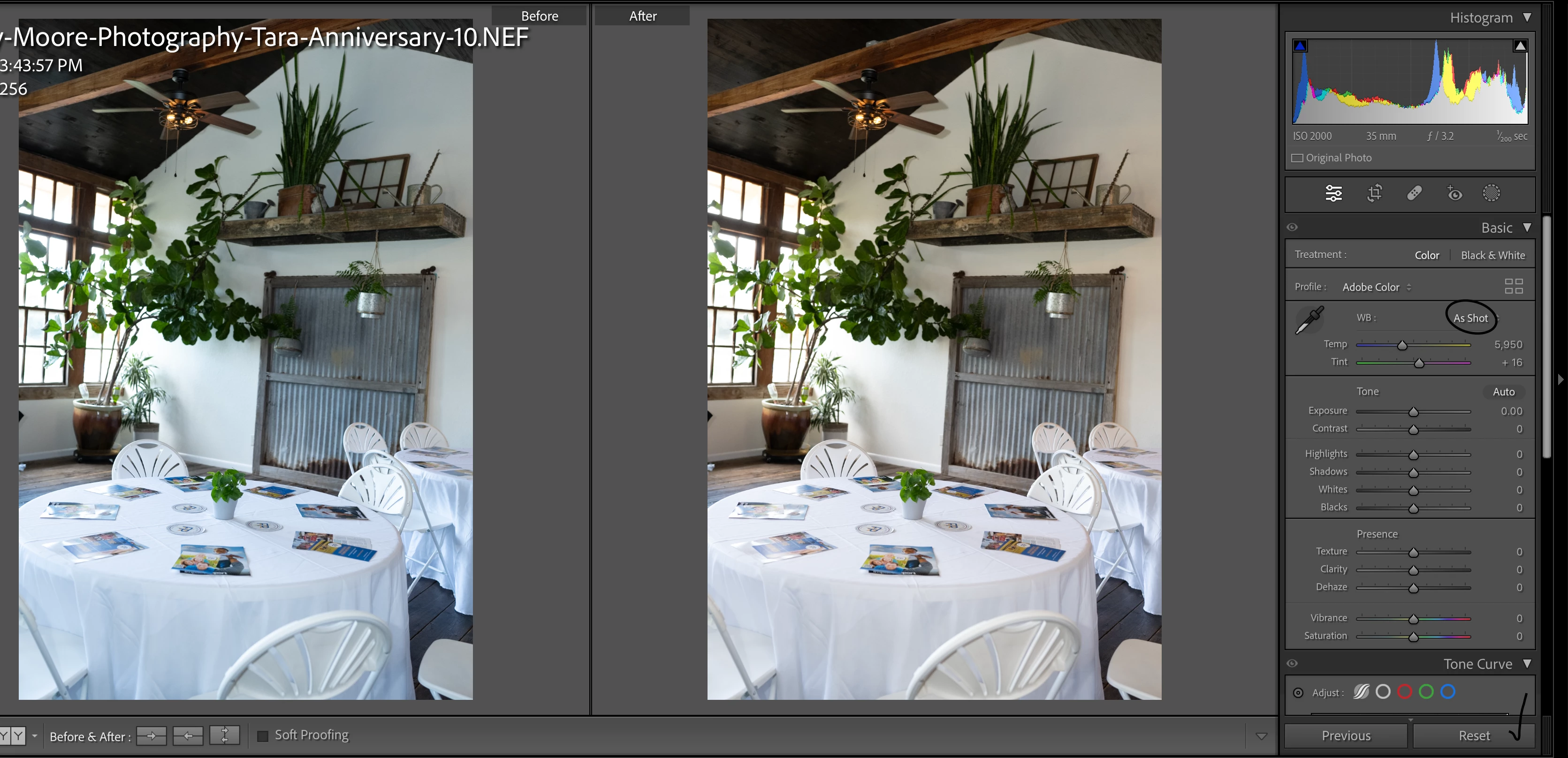
I pasted an edit to my picture and tried to reset the white balance by double clicking the sliders. It seemed like it worked (I could see the white balance change), but when I clicked the before and after view I could see the white balance didnt match the original. I thought maybe it was another setting that was changing it so I tried clicking the Reset button. While that seemed to work by resetting all the sliders back to zero, the white balance still looks different in the before and after view.  Does anybody know what could be going on?

This topic has been closed for replies.

1 reply

Sean McCormack
Community Expert
Community Expert
August 24, 2023

As Shot means that nothing was pasted. As Shot means the original imported White Balance is on the photo. If you want to actually paste a white balance, change the menu from As Shot to Custom. 

As to why there's a difference, try clicking on History and right-click on the Import step, and choose 'Copy History Step Settings to Before' to make sure it's on the correct before step. 

Sean McCormack. Author of 'Essential Development 3'. Magazine Writer. Former Official Fuji X-Photographer.