
ADrobkov
Known Participant
December 1, 2019
Question

Reset correction settings if they exist

  • December 1, 2019
  • 1 reply
  • 454 views

Hello!

How to determine from the script that the photo was subjected to at least minimal processing? LR himself knows about this and displays the Thumbnail Badge - Adjusted...
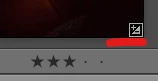
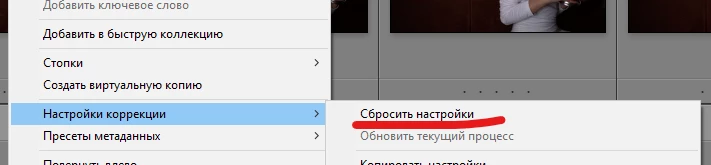
And if the photo was processed, how to reset the correction settings? (Similar to the item in the pop-up menu by right-clicking on the thumbnail)
This topic has been closed for replies.

1 reply

cmgap
Community Expert
Community Expert
December 1, 2019

There are a couple of ways to reset the image to it's original state. In the develop module the bottom right button of the right column will reset the image and remove all edits. If you want to reset some of the edits you can  double click on the center of any of the sliders and  the values will be reset.

ADrobkov
ADrobkovAuthor
Known Participant
December 2, 2019

Thanks! Yes, I use these methods. But I'm interested in resetting via script. I tried to use the photo:applyDevelopPreset(preset, _PLUGIN). But I can not find values in the preset that would be universal for all photos