
Inspiring
July 20, 2022
Answered

Resizing the folder name display

  • July 20, 2022
  • 1 reply
  • 230 views

Hey All, 

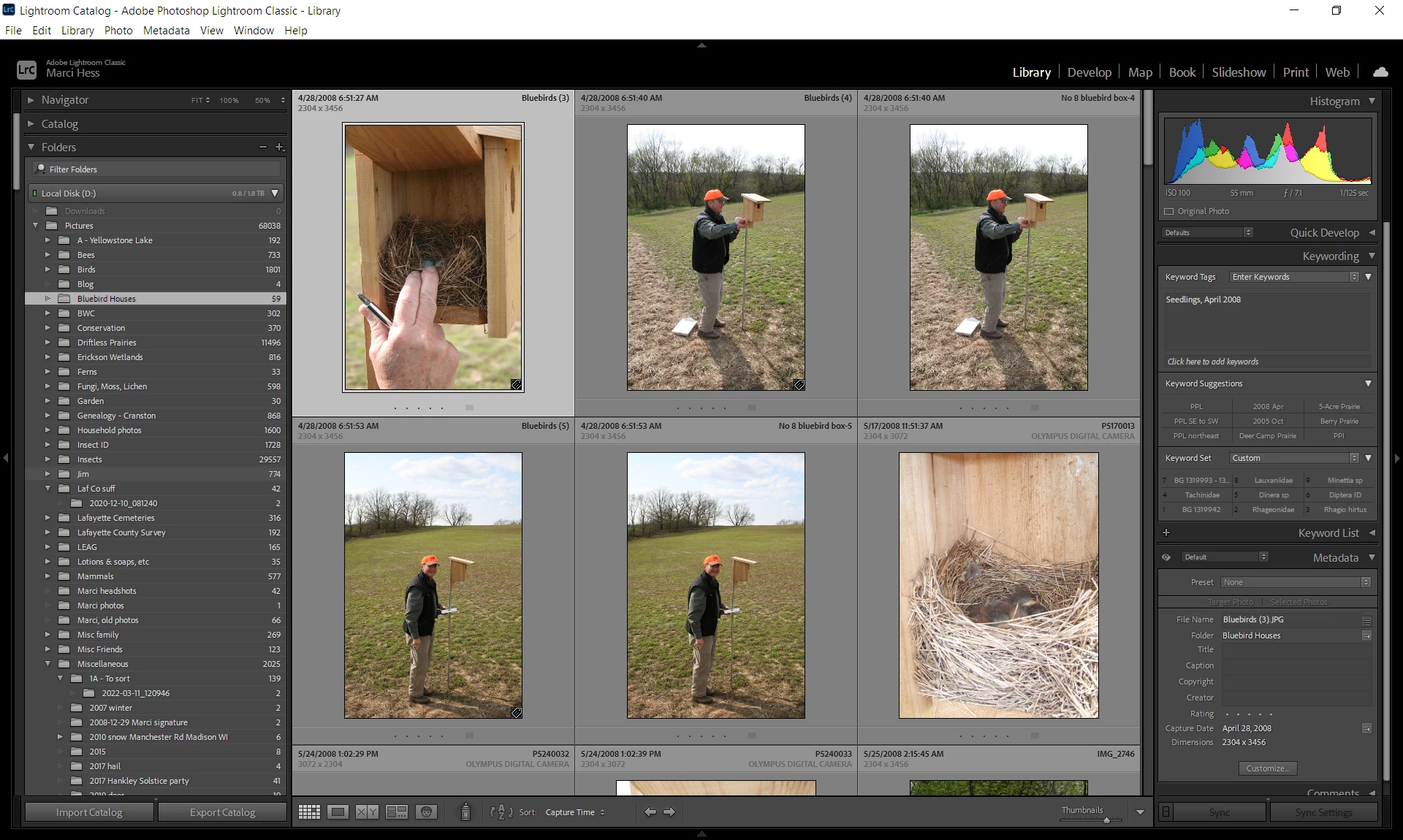
I'd like to increase the size of the display and need instructions. The photo sizes are good, but it's the info on both the right and left that displays really small. Any help will be appreciated.
I'm using Windows 10, Lightroom Classic 11.4.1
 

This topic has been closed for replies.
Correct answer Per Berntsen

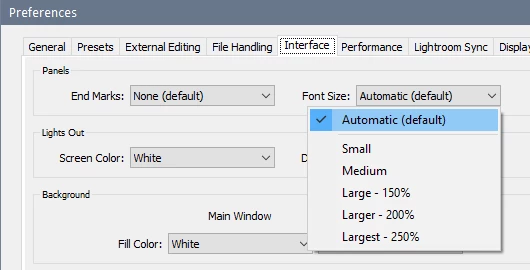
You can change the font size by going to Edit > Preferences > Interface > Font size.


1 reply

Per Berntsen
Community Expert
Per BerntsenCommunity ExpertCorrect answer
Community Expert
July 20, 2022

You can change the font size by going to Edit > Preferences > Interface > Font size.


marcihessAuthor
Inspiring
July 20, 2022

Too easy! Sorry I couldn't find that. Many thanks!