


Resultados diferentes com o Denoise, abrindo a mesma imagem em computadores diferentes
Dear Lightroom colleagues,
Please excuse my English; I'm from Brazil and speak Portuguese, and I'm using Google Translate to try and write better.
I'm reporting some curious problems below and would like to know if you've observed anything similar.If you've had the same problem, please let me know if there's a solution.
Let's see:
I have two houses in different cities.
I divide my time between the two.
In one of them, I use a 2019 Macbook Pro with 16GB of RAM, a Core i9 processor, and a 16" screen.
I've had several performance issues with Lightroom on this machine, but everything is better after tips and information posted here on this forum. Let's call this house HOUSE 1.
In the other house, I have a Mac Mini M2 with 32GB of RAM, a fabulous machine with no performance problems. Iuse a 27" Dell IPS monitor.
Let's call this house HOUSE 2.
In both houses, the Adobe versions are the same; after all, I pay for the subscription and the applications are always up-to-date.
Recently I was in HOUSE 1 and photographed a model, using a very high ISO (between 3200 and 6400).
I processed the photos I liked, used Denoise, and everything looked beautiful.
I came to HOUSE 2, where I am today, and brought the hard drive to synchronize the collection.
I went to look at the model's photos.
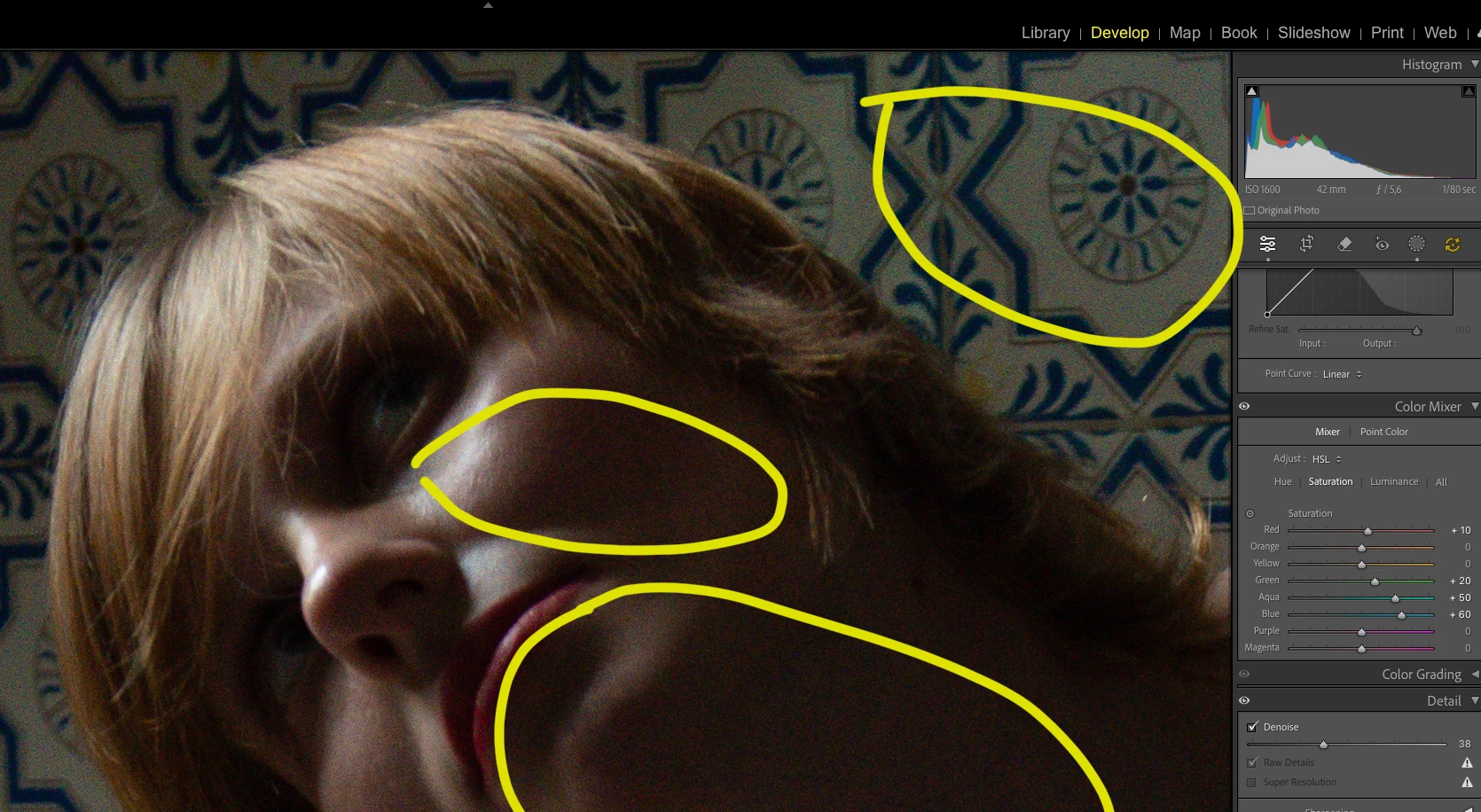
Even with Denoise applied, the photos appeared with a frighteningly high level of noise, seemingly even greater than the noise in the original image BEFORE Denoise.
I unchecked Denoise, and the image retained the other adjustments, and the noise from the original image became observable and, as I said, even looked better than with Denoise active.
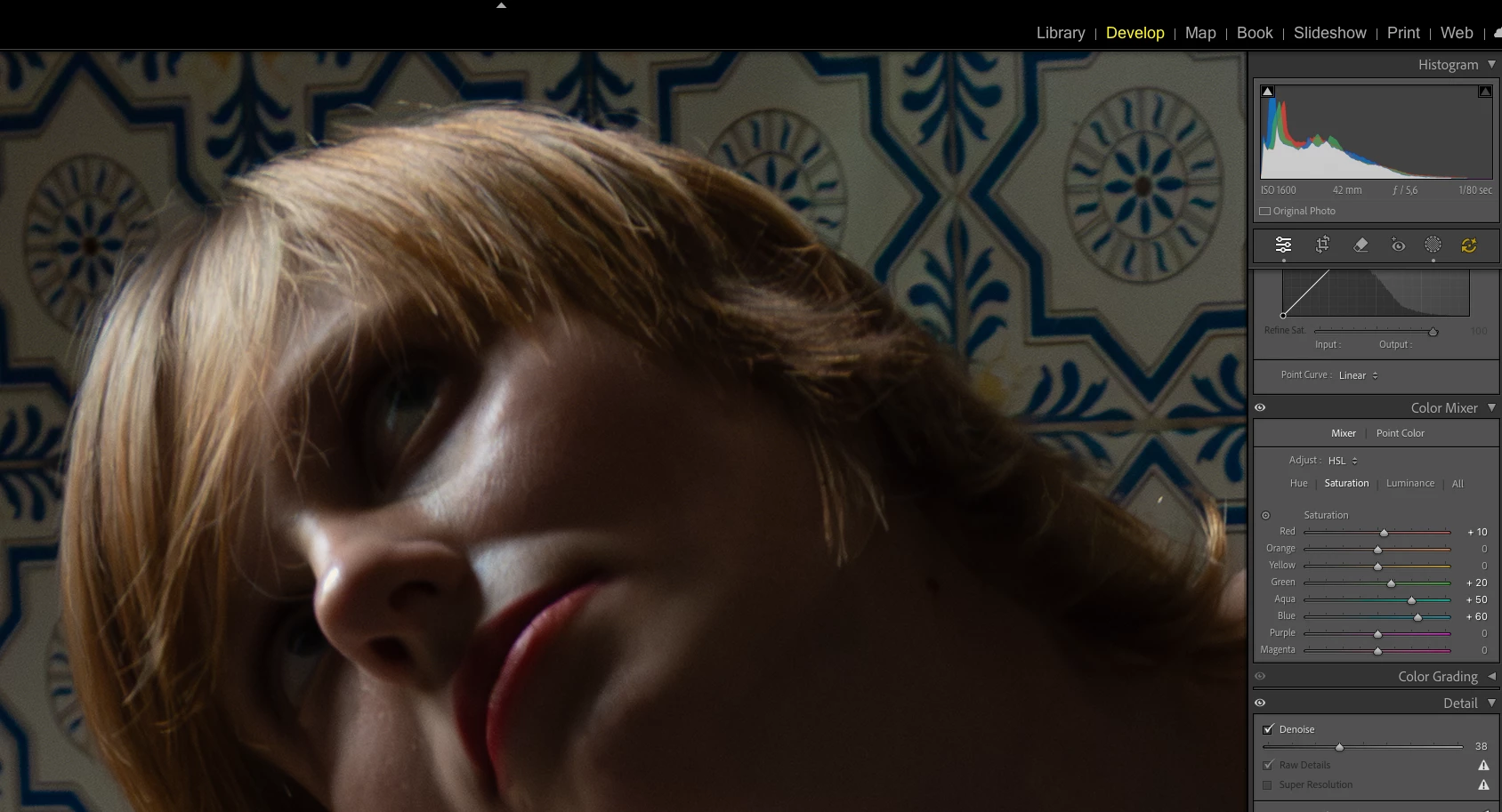
I immediately clicked to reactivate Denoise.
The image underwent further noise processing, with the same Denoise value that I had set in HOUSE 1, at 38.
After this reprocessing, the image became fabulous again, just as I had processed it in HOUSE 1.
What is happening? Why are the images appearing so noisy if they were already processed and seemingly perfect? Why was it necessary to "turn off" and "turn on" Denoise again to see the images in their best quality after processing?
See the examples:
1:
2:
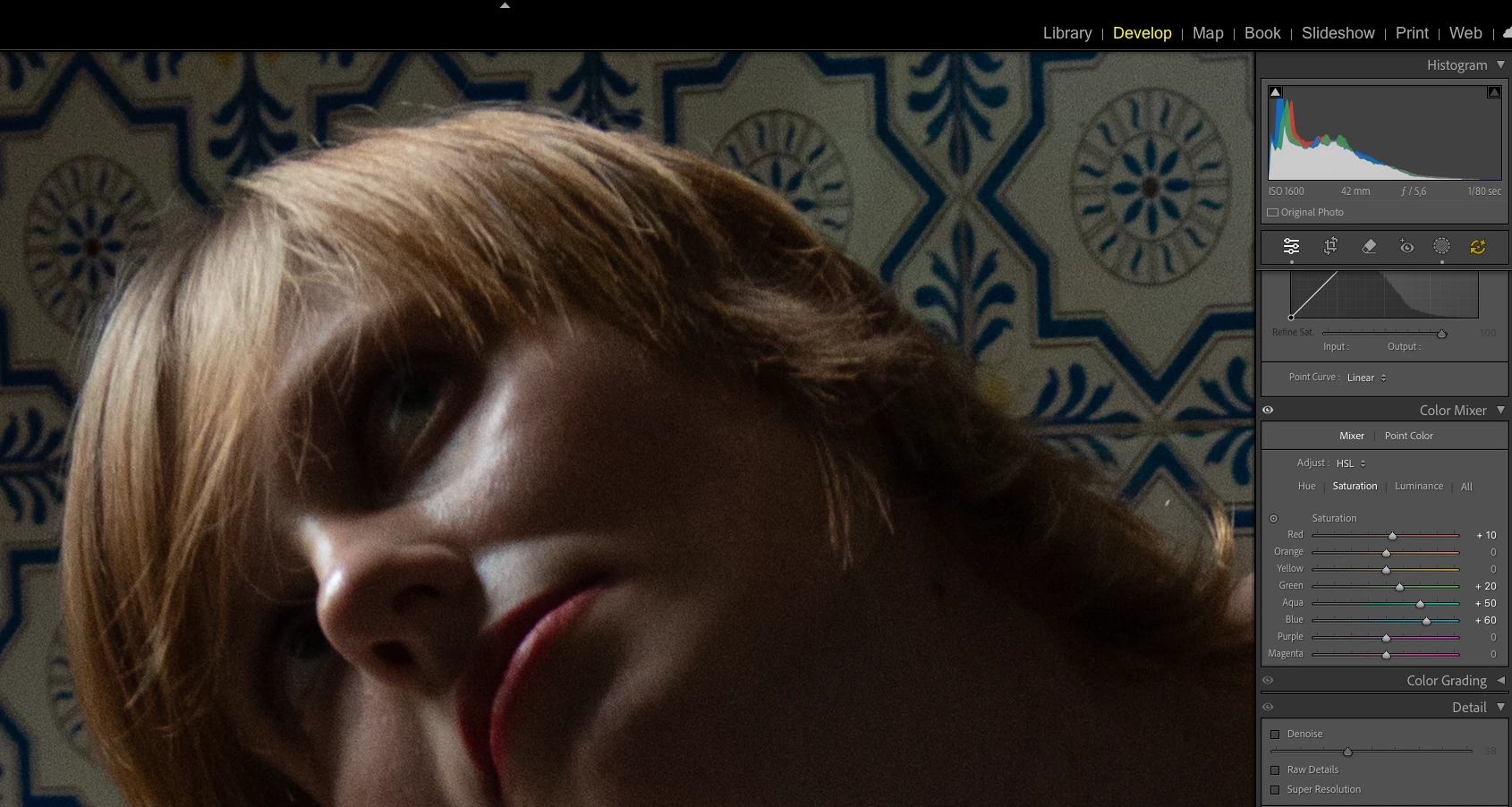
I simply turned off the denoising feature. The excessive color noise (the red and green dots from the previous image) disappeared.
3:
Thank you for everyone's help!
 AdChoices