Participant
Jun 29, 2026 6:34 PM UTC
Answered

Revealing Hidden Duplicates

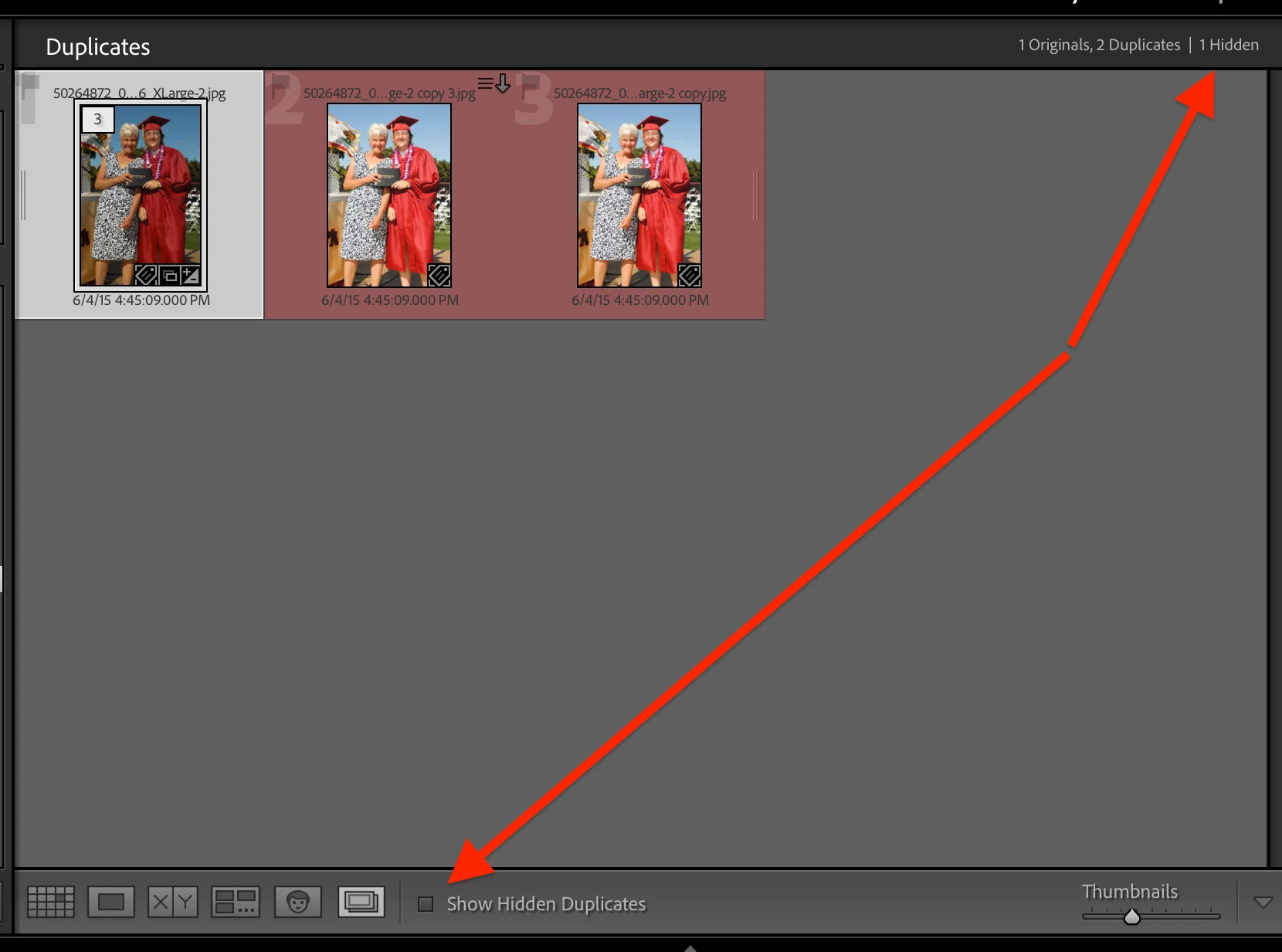
Hello - I just used the new Duplicates finder tool.  And accidentally hid several files versus deleting the duplicate.  The interface shows the number of files hidden, but I’ve not found a way to “unhide” those files.

Is there a way to “unhide” or view the hidden files in Duplicates tool?


Thank you

    johnrellis
    johnrellisCorrect answer
    Legend
    Jun 29, 2026 9:45 PM UTC

    [View this post in your web browser. It contains formatting and images that don't appear in email.]


    Make sure the tool bar at the bottom is visible by doing View > Show Toolbar (the keyboard shortcut is listed there).  Then check Show Hidden Duplicates:


    2 replies

    johnrellis
    johnrellisCorrect answer
    Legend
    Jun 29, 2026 9:45 PM UTC

    [View this post in your web browser. It contains formatting and images that don't appear in email.]


    Make sure the tool bar at the bottom is visible by doing View > Show Toolbar (the keyboard shortcut is listed there).  Then check Show Hidden Duplicates:


    Translate
    gary_sc
    Community Expert
    Community Expert
    Jun 29, 2026 9:06 PM UTC

    Have you tried Sychronizing the folder they were previously in?

    Right-click on that folder and select Synchronize. Then you can bring them back.


    Translate