Participant
September 9, 2017
Question

Same export settings, but different quality results from two image sources.

  • September 9, 2017
  • 3 replies
  • 463 views

Hello,

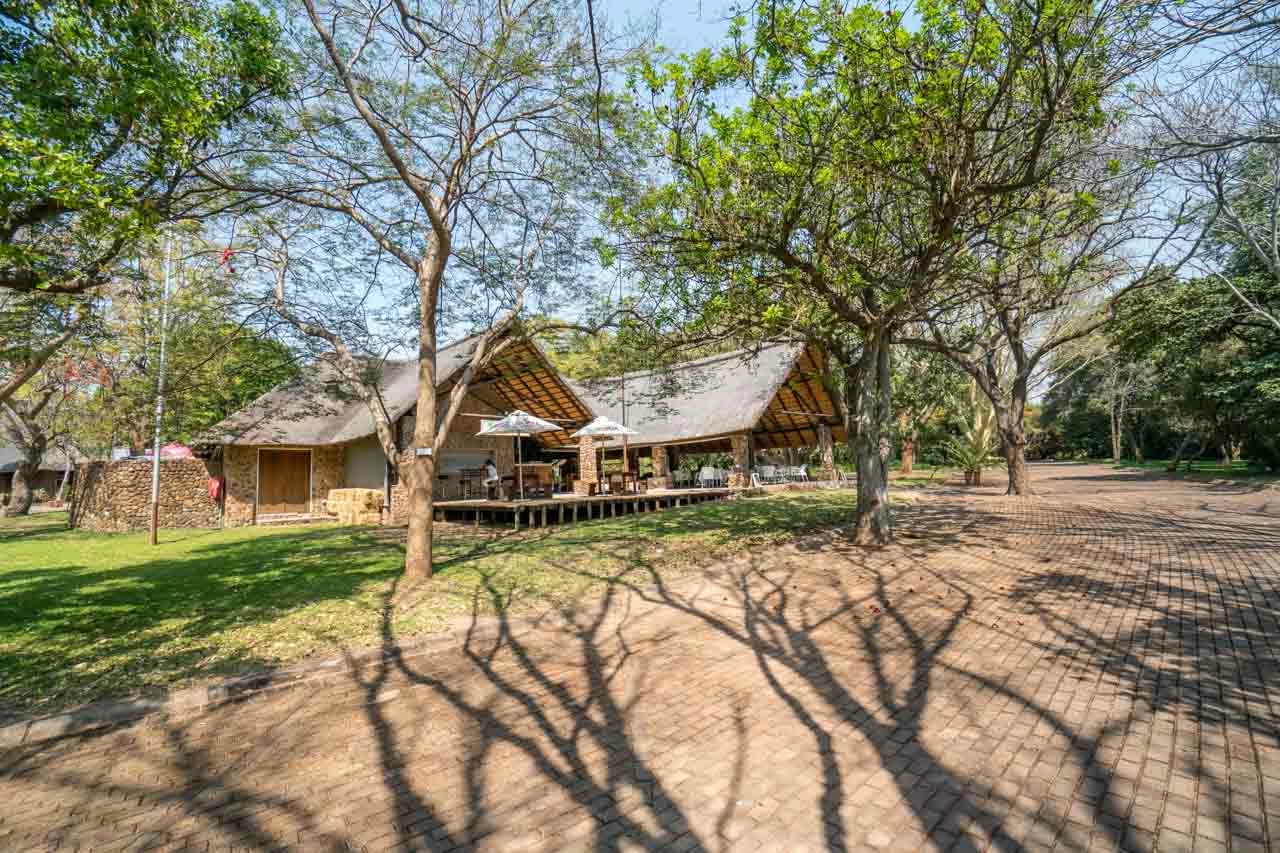
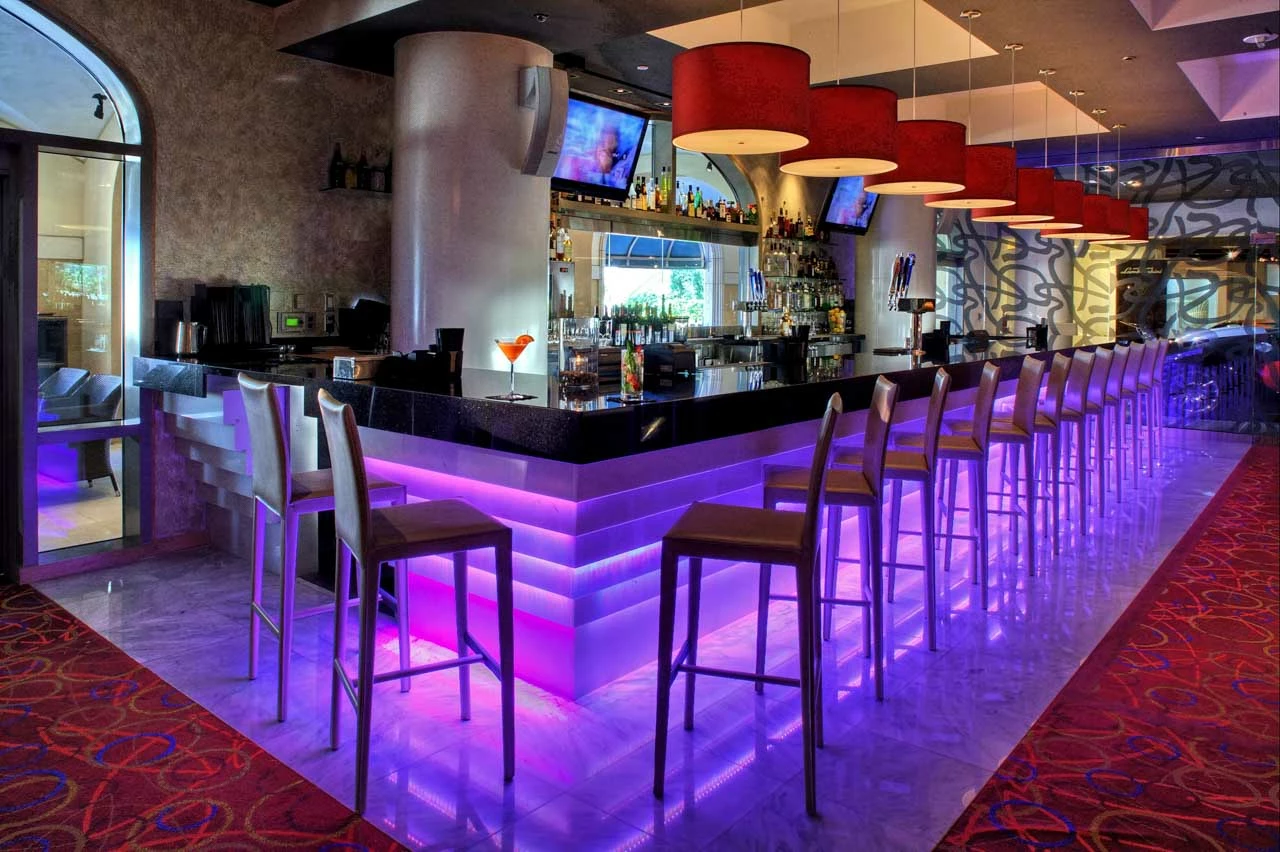
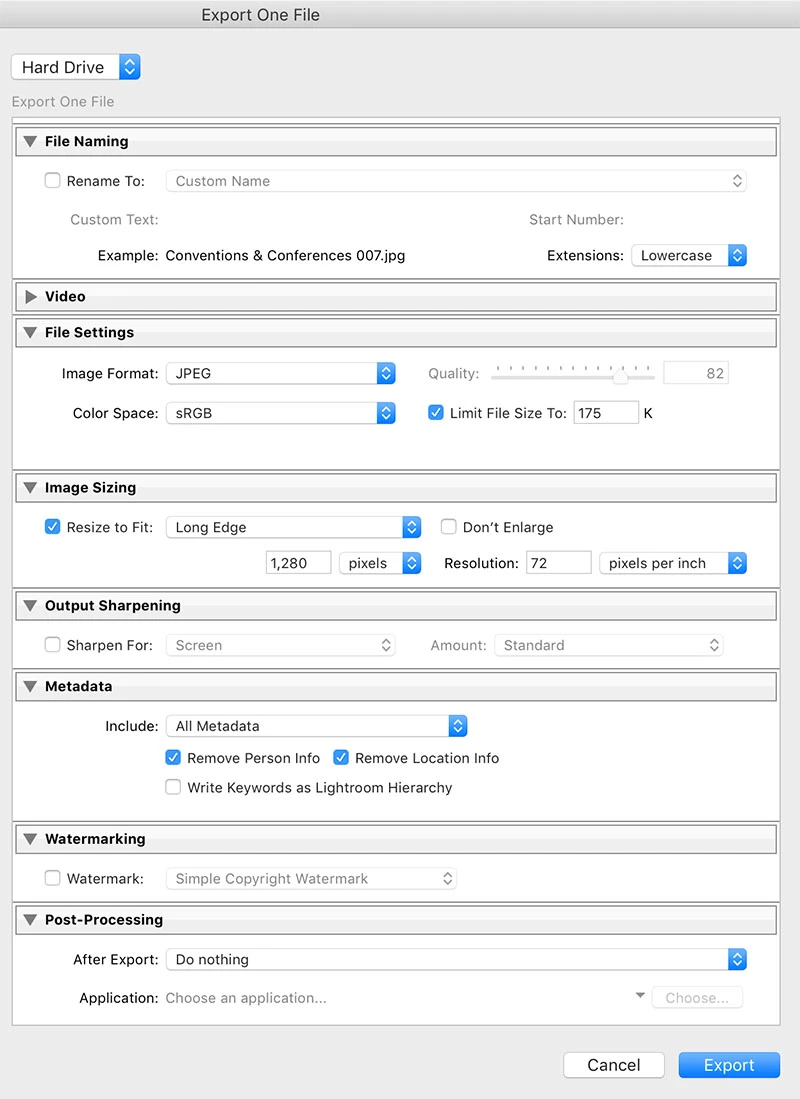
So I've noticed that if I export one of my raw photos with the same settings as a high quality jpg from some other source, the exported image of my raw photo is much lower quality than the exported image from another source. Can anyone explain this? I have attached photos for examples.

The outdoor photo was shot on a sony a6300. It is the test photo that is showing at a much lower quality.

The interior photo was shot with a 5dkiii. It appears to have exported much cleaner/clearer.

Any help on this would be great, thanks!
This topic has been closed for replies.

3 replies

Abambo
Community Expert
Community Expert
September 9, 2017

As Just Shoot Me says:

  • 2 different cameras
  • 2 different motives

should produce different results.

But the big problem is, that you do not have the same settings from a JPEG point of view.

The problem lies inherently in the JPEG compression. JPEG does not like a lot of detail, as it tries to compress the visual aspects of a file in a way that can not be perceived by your eye.Unfortunately there are limits in this.If you step over these limits, compression artefacts become visible.

Files with a lot of detail produce higher sized pictures, files with less detail produce lower sized files for a given compression quality. Your outdoor picture has a lot of detail compared to the indoor picture. You are asking Lr not to honour the quality parameter to compress the file, but not to trespass a fixed size. Lr achieves this by varying the quality of the JPEG compression. So your outdoor picture needs a much lower quality factor, meaning a higher compression for the same size, meaning more compression artefacts.There's no dark magic involved, only mathematics...

See here for more information: JPEG - Wikipedia

ABAMBO | Hard- and Software Engineer | Photographer
elie_dinur
Participating Frequently
September 9, 2017

Your Export settings are not the same in both cases. By setting a size cap you are leaving it to LR to determine the Quality level to be used. Detailed photos need more compression in order to get down to the size limit; less detailed images compress more easily and can use a higher Quality level. You are relinquishing control of the jpg processing to LR and making size, not IQ, the priority.

Participant
September 9, 2017

Ok that is making sense to me now, I didn't really think about the amount of detail in the photo causing the compression to work harder on the downsizing. I appreciate the response, thanks!

Just Shoot Me
Legend
September 9, 2017

You are dealing with 2 different cameras. Your export settings are giving you very low quality images. Limit size to 175K and resize to fit 1280 pixels.

Participant
September 9, 2017

I am exporting for web purposes and keeping the file size down for quicker load times. That is why its limited to 175k and 1280px wide.

I realize that they are shot on two different cameras and image quality can differ between the two, but both original images are very high quality (no real difference). The difference comes when exported. The outdoor image shows large pixelation Blocks or grid? (not sure of the terminology there), where as the interior photo does not have this, just the normal lower resolution pixelation which is much smoother and looks "higher quality" over all. I would find it hard to believe that this has something to do with the camera used.

Thanks!

Just Shoot Me
Legend
September 9, 2017

The outdoor image has more objects, wider view. And you are zooming to 4:1 ratio in the outdoor image and 3:1 in the indoor shot.

What are you expecting from an image that has been reduced in size and quality when zoomed in so far?