
Question
Same settings in PS and LR produce different color prints on Canon Prograf 1000 printer
I've been going crazy trying to get my prints to match my screen. I have a color-calibrated monitor, and I have used both self-generated (via i1Studio) and Canon-supplied profiles. Last night I made two prints, one from Lightroom Classic (14.0.1 release) and one from Photoshop Beta 26.2.0 release. Same computer, same paper, same Canon driver. I specified the paper as Canon Pro Luster paper. I specified that Photoshop and Lightroom would manage colors, each using Canon's "PRO-1000/500 Photo Paper Pro Luster" profile. The Photoshop print came out with a distinct green cast. The Lightroom print came out very close to what I had on my screen. See attached. Any suggestions as to what is going on?
MacOS 15.1.1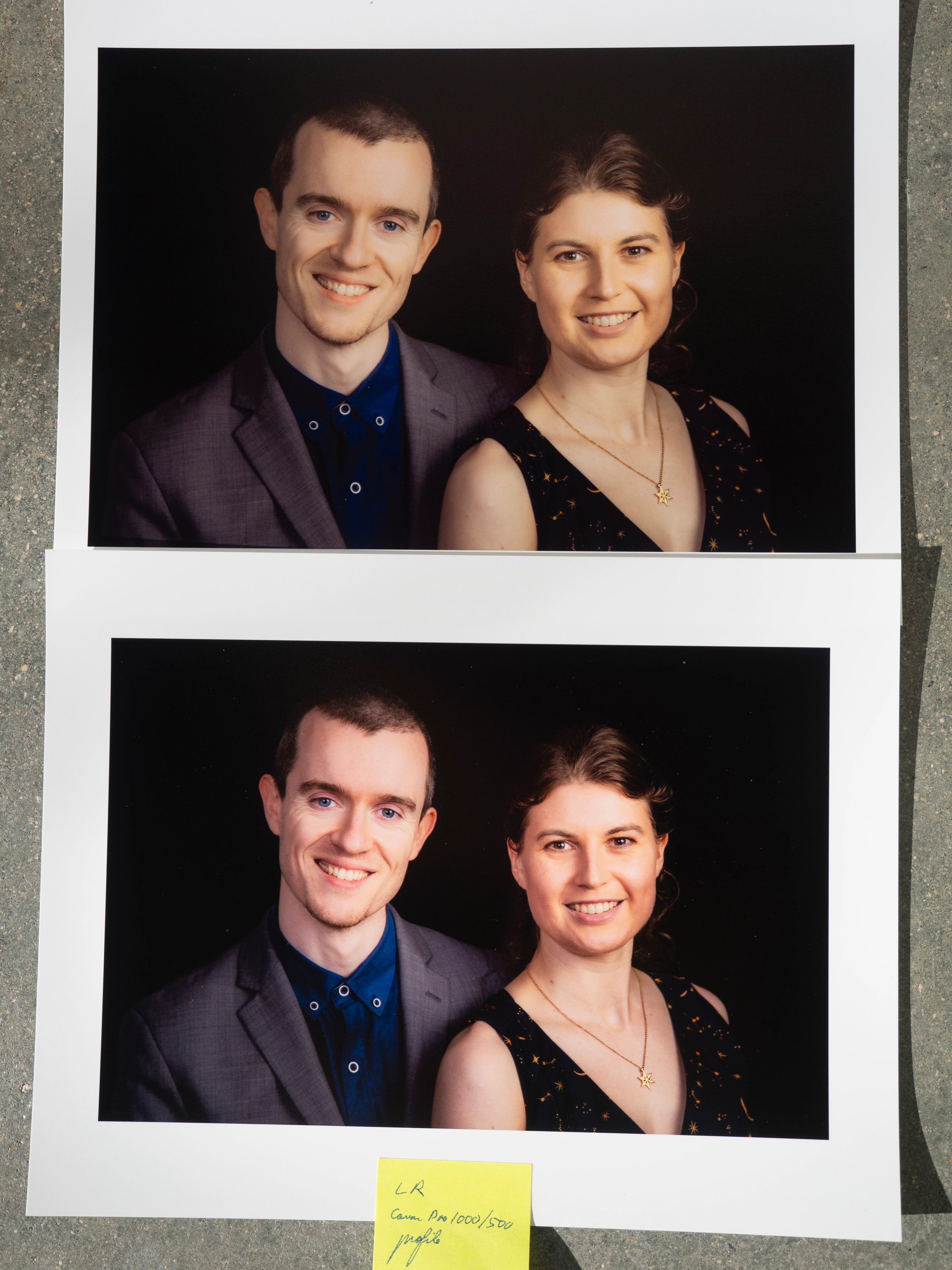


 AdChoices