
Participant
December 21, 2016
Question

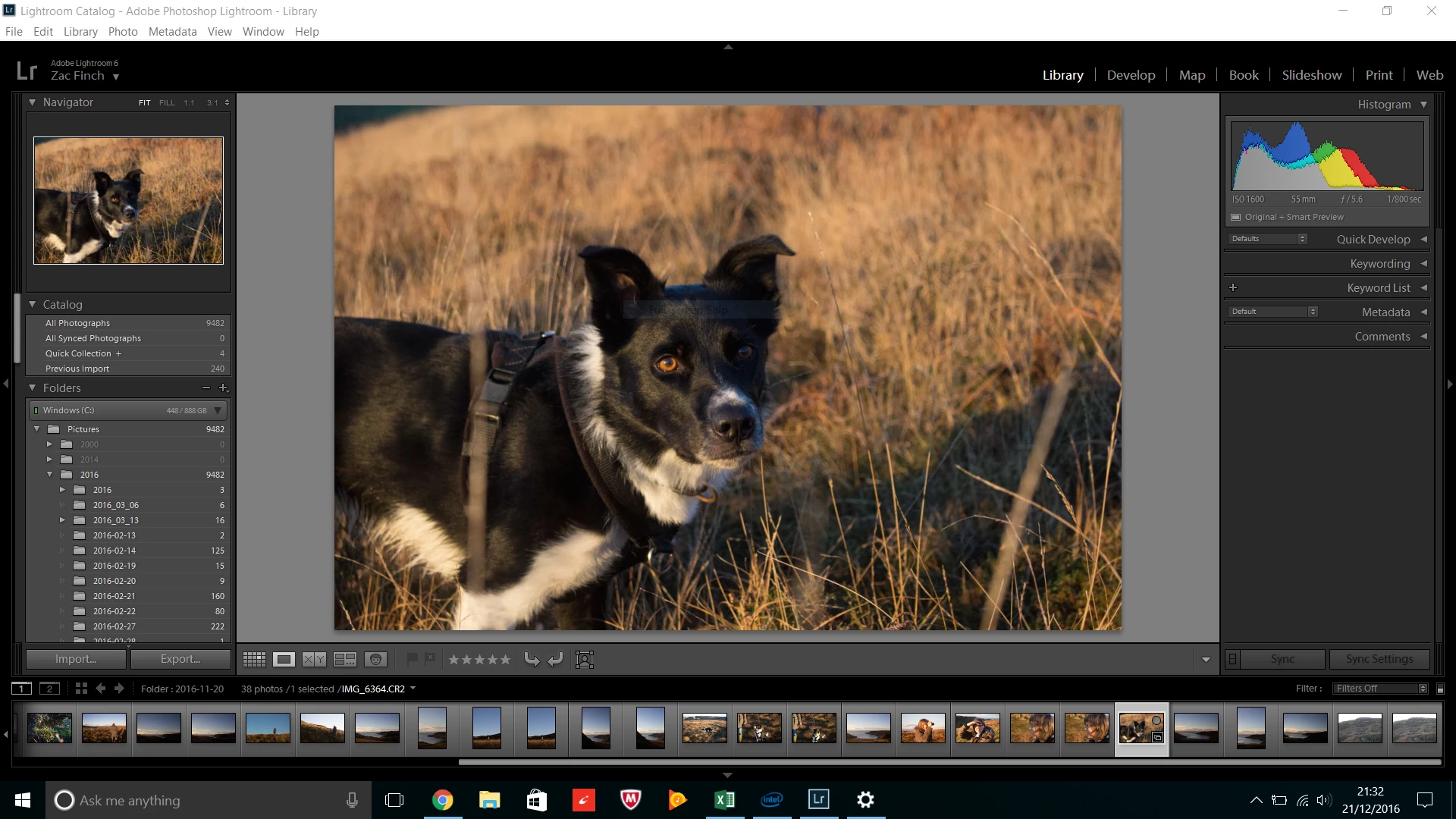
Scaling - everything is too small

  • December 21, 2016
  • 2 replies
  • 633 views

Hello,

I've just got a new laptop - the Lenovo 510 with NVIDIA 940MX graphics.

I have Lightroom CC (6.8), and everything is working fine but every menu, piece of text and button is too small.

The 15" display is 1080 is set to native resolution and I've tried changing text size in the interface settings.

I know that there is an issue because on my Dell Laptop (15", 1080 res) everything looks 'right' and to scale.

All drivers are up to date...

I am hoping someone has a solution?

Thanks,

Zac

(forum newbie)
    This topic has been closed for replies.

    2 replies

    ManiacJoe
    Inspiring
    December 22, 2016

    zacf86156657 wrote:

    The 15" display is 1080 is set to native resolution and I've tried changing text size in the interface settings.

    OK, so what happened when you changed the font size setting in the Preferences dialog? (You may need to restart the program.)

    Participant
    December 22, 2016

    Hi,

    Thanks for replying! When I changed the font, it was either excessively large or too small (I tried each option, restarting each time). I left it on automatic which is the default...

    Thanks,

    Zac

    ManiacJoe
    Inspiring
    December 22, 2016

    Yes, a slightly larger font would be nice.

    I have my settings set to "medium" since "Large 150" is way too big.

    Your screen shot above is the size I would expect to see for auto or medium on Windows.

    Just Shoot Me
    Legend
    December 21, 2016

    There is also a scaling option in Windows. Try boosting that to 125% or even 150% and test.

    Participant
    December 22, 2016

    Hi,

    Thanks for replying!

    By default the laptop is set to 125% and if I increase it further all other applications/interfaces are oversized...