

Screen Size and Preference Page
Hello,
This issue came up because of a wholly diiferent question. I thought it would be appropriate to start a new discussion.
Lightroom Classic 11.3.1 Windows 10, laptop with a 15" diagonal display.
Here is a full height screen shot of the preferneces page. You will note I have the text size sent to 150%. I have the Windows task bar on the right side of the display and set the text size to 100%, as small as it will go,
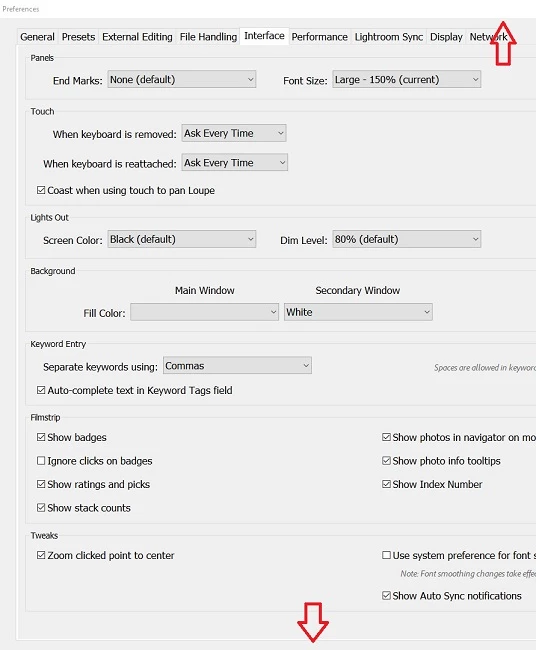
With the text set to 150% I can't make any changes to the preferences becasue the "Restart", "OK" and "Cancel" buttons do not show up at the bottom of the screen. I can slide this page to the left and right until they almost disapppear, but can only slide it up about 1/4". which reveals the top half of the restart etc buttons. Of course whan I release the mouse button, the page slides down hiding restart, etc.
The question is how can I change the size of the Lightroom text (and other preferences) when the critical buttons are hidden?
Perhaps this is a bug, but maybe somneone in Lightroom Land has solved this problem.
Thanks,
Greg J
 AdChoices