
Select a Source Window Opens on it's own
I dont know if this is bug/tech issue or user error. As this has never been an issue for me before. However, it's driving me crazy now. For the last two days, while I am in using Lightroom Classic, the "Select a Source" window just opens up while I am in the Develop tab working on my edits. I either hit Esc or Cancel and it returns to what I was doing. But a few minutes later it does it again. I continously does it over and over. What have I done wrong?
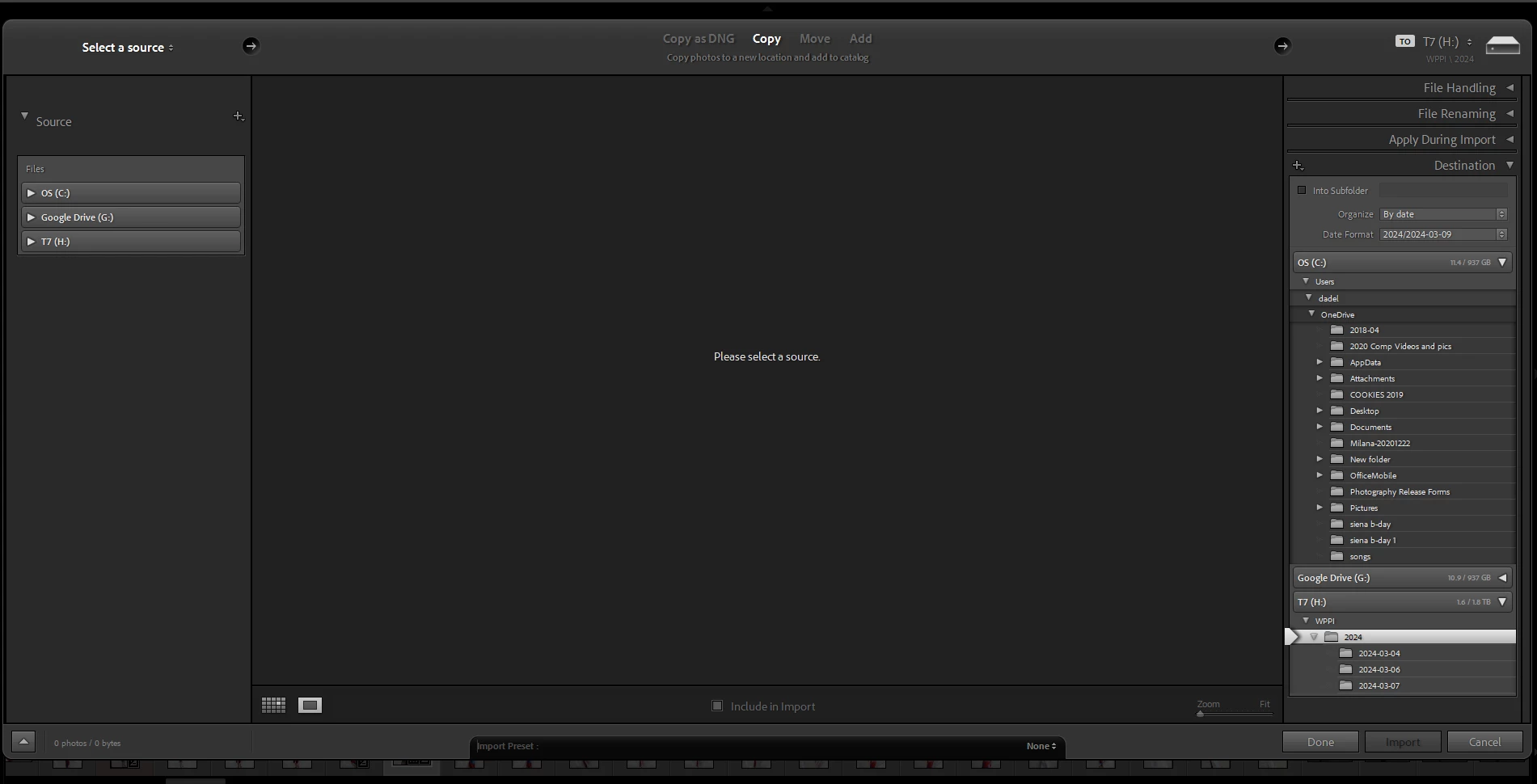
You can see under this window, my develop tab is opened and I was working on the photos.
Here are the properties of my laptop:
Name: Ethernet 3
Description: ASIX USB to Gigabit Ethernet Family Adapter #2
Physical address (MAC): cc:48:3a:7b:30:60
Status: Not operational
Maximum transmission unit: 1500
IPv4 address: 169.254.205.139/16
IPv6 address: fe80::92ac:86c5:b13b:c908%11/64
DNS servers: fec0:0:0:ffff::1%1 (Unencrypted)
fec0:0:0:ffff::2%1 (Unencrypted)
fec0:0:0:ffff::3%1 (Unencrypted)
Connectivity (IPv4/IPv6): Disconnected
Name: Ethernet
Description: Realtek USB GbE Family Controller
Physical address (MAC): cc:48:3a:7b:30:60
Status: Operational
Maximum transmission unit: 1500
Link speed (Receive/Transmit): 1000/1000 (Mbps)
DHCP enabled: Yes
DHCP servers: 172.16.1.8
DHCP lease obtained: Saturday, March 9, 2024 9:33:59 AM
DHCP lease expires: Sunday, March 17, 2024 9:33:59 AM
IPv4 address: 172.18.198.156/24
IPv6 address: fe80::e9a7:a71f:db0d:d625%37/64
IPv4 default gateway: 172.18.198.1
DNS servers: 172.16.1.16 (Unencrypted)
172.16.1.8 (Unencrypted)
DNS domain name: ci.las-vegas.nv.us
DNS connection suffix: ci.las-vegas.nv.us
Network name: las-vegas.nv.us
Network category: Public
Connectivity (IPv4/IPv6): Connected to Internet / Connected to unknown network
Name: Local Area Connection* 1
Description: Microsoft Wi-Fi Direct Virtual Adapter
Physical address (MAC): 34:2e:b7:df:0e:77
Status: Not operational
Maximum transmission unit: 1500
IPv4 address: 169.254.68.127/16
IPv6 address: fe80::8d8a:d3fc:a12e:899a%8/64
DNS servers: fec0:0:0:ffff::1%1 (Unencrypted)
fec0:0:0:ffff::2%1 (Unencrypted)
fec0:0:0:ffff::3%1 (Unencrypted)
Connectivity (IPv4/IPv6): Disconnected
Name: Local Area Connection* 2
Description: Microsoft Wi-Fi Direct Virtual Adapter #2
Physical address (MAC): 36:2e:b7:df:0e:76
Status: Not operational
Maximum transmission unit: 1500
IPv4 address: 169.254.49.255/16
IPv6 address: fe80::3811:3b2f:f31a:b64%18/64
DNS servers: fec0:0:0:ffff::1%1 (Unencrypted)
fec0:0:0:ffff::2%1 (Unencrypted)
fec0:0:0:ffff::3%1 (Unencrypted)
Connectivity (IPv4/IPv6): Disconnected
Name: Wi-Fi
Description: Killer(R) Wi-Fi 6 AX1650s 160MHz Wireless Network Adapter (201D2W)
Physical address (MAC): 34:2e:b7:df:0e:76
Status: Not operational
Maximum transmission unit: 1400
IPv4 address: 172.20.10.2/28
IPv6 address: 2600:381:f60e:2b05:146d:d17e:ab73:1f3d/64, 2600:381:f60e:2b05:784c:91cb:e271:b680/128, fe80::cc8c:87e3:924b:a534%7/64
IPv4 default gateway: 172.20.10.1
DNS servers: 172.20.10.1 (Unencrypted)
Connectivity (IPv4/IPv6): Disconnected
Name: Bluetooth Network Connection
Description: Bluetooth Device (Personal Area Network)
Physical address (MAC): 34:2e:b7:df:0e:7a
Status: Not operational
Maximum transmission unit: 1500
IPv4 address: 169.254.237.246/16
IPv6 address: fe80::bdc2:a2b5:376a:4561%10/64
DNS servers: fec0:0:0:ffff::1%1 (Unencrypted)
fec0:0:0:ffff::2%1 (Unencrypted)
fec0:0:0:ffff::3%1 (Unencrypted)
Connectivity (IPv4/IPv6): Disconnected
Proxy Auto Detect: On
 AdChoices