Inspiring
August 29, 2018
Answered

Selecting/filtering on a parent keyword does not include children keywords

  • August 29, 2018
  • 2 replies
  • 1496 views

I am using Lightroom 6.  I anticipated that children tag counts will show in the parent keyword, but they do not.  I also anticipated that when I select a parent keyword, LR will include it and all children of that parent, but it doesn't.  What is wrong?

This topic has been closed for replies.
Correct answer wcstarks

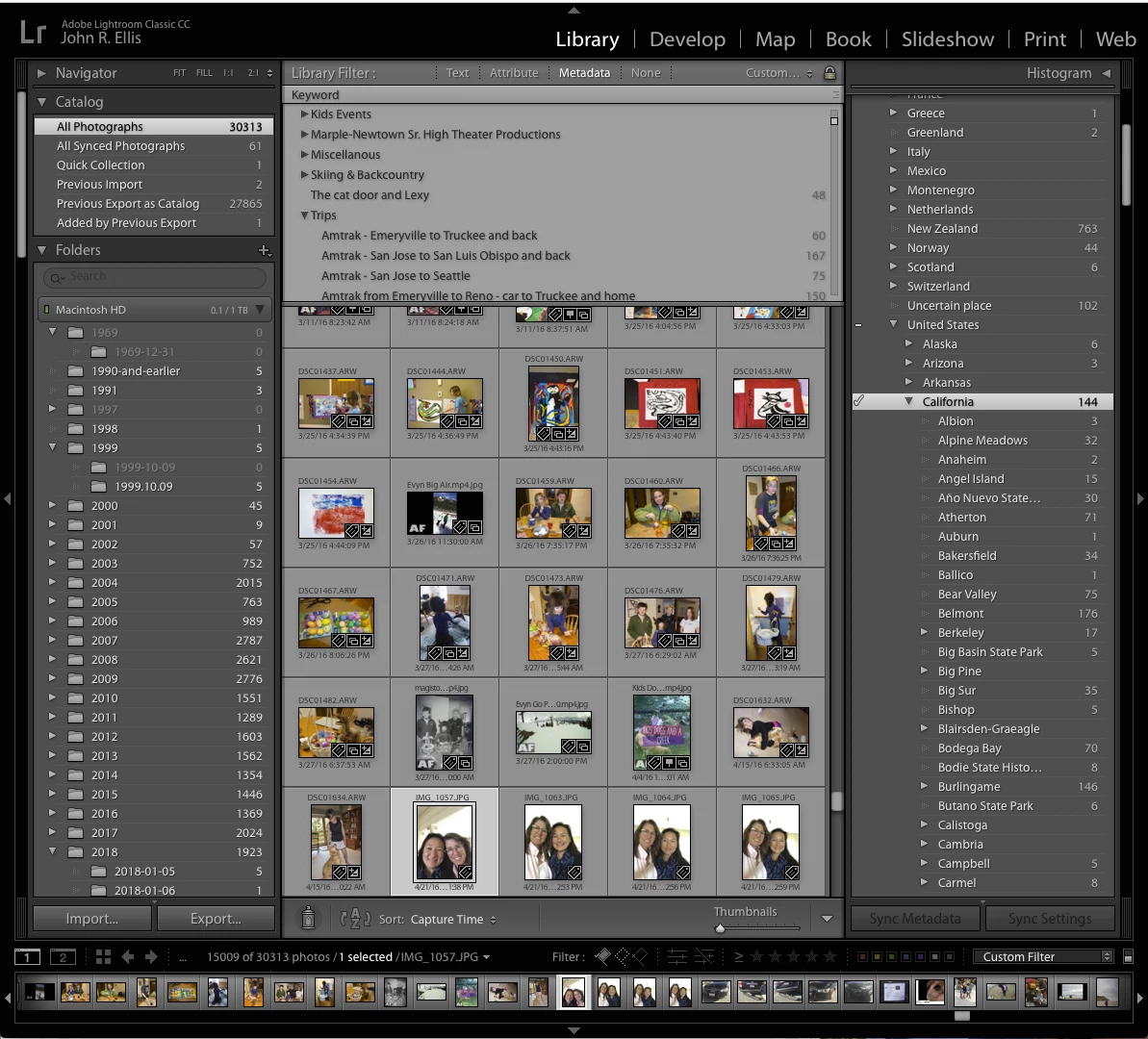
Normally, that will show photos with the keyword and all of its descendants, so I don't know what's happening in your case.  Please post a full-resolution screenshot immediately after clicking the right-arrow. Make sure the the filmstrip is showing by doing Windows > Panels > Show Filmistrip. (Make your thumbnails as small as possible if you want.) This could give clues as to what's going on.  It should look like this:

I just noticed that there is a settings icon for the Keyword column.  I opened it and found Hierarchical under View.  I selected it and now it shows the hierarchy.  Now it works correctly.  I am fairly new to LR. I have been working with it only a few months, so there is still a lot I don't know about its features. 

I wonder why this would not have been set by default?  I didn't know it was there, so I don't think I changed it before, unless I did it by accident, and didn't notice.

2 replies

johnrellis
Legend
August 29, 2018

[View this reply in your Web browser to see the embedded screenshot.]

I also anticipated that when I select a parent keyword, LR will include it and all children of that parent, but it doesn't.  What is wrong?

Where and how are you "selecting" the parent keyword?

Normally, when you hover over a keyword in the Keyword List panel, a right-arrow appears to the right. Clicking on that arrow will filter for all photos containing that keyword and any descendent keywords:

wcstarksAuthor
Inspiring
August 29, 2018

I am selecting as indicated.  The parent keyword only shows a count of images where the keyword is explicitly entered.  And when I select it, only those records are included.  None of the children are included.  I don't know what good it is to have nesting, if the nested records are not also retrieved.

johnrellis
Legend
August 29, 2018

Normally, that will show photos with the keyword and all of its descendants, so I don't know what's happening in your case.  Please post a full-resolution screenshot immediately after clicking the right-arrow. Make sure the the filmstrip is showing by doing Windows > Panels > Show Filmistrip. (Make your thumbnails as small as possible if you want.) This could give clues as to what's going on.  It should look like this:

johnrellis
Legend
August 29, 2018

I anticipated that children tag counts will show in the parent keyword, but they do not. 

That is by design, which not infrequently confuses people. The keyword count in the Keyword List panel shows the number of photos to which that keyword has been explicitly assigned, and it does not include the counts of descendent keywords.