
Shadow noise - out of control?
Hi there,
since I use my new Sony a7 IV (previously I used the a7 III) I am facing the same problem in LR Classic or even in PS Camera Raw again - and again. (I am talking about uncompressed raw files, both camera and LR have the latest software versions).
We all know that Sony have some very good low light and high iso performance, this is true for me as well - for normal noise. But on the other hand If I want to recover some details from shadows - I simply can not in Lightroom, or any other editing software (except Imaging Edge - sony's own post production software)
I just atteched a print screen, it is may easier to show - than just talking about it.
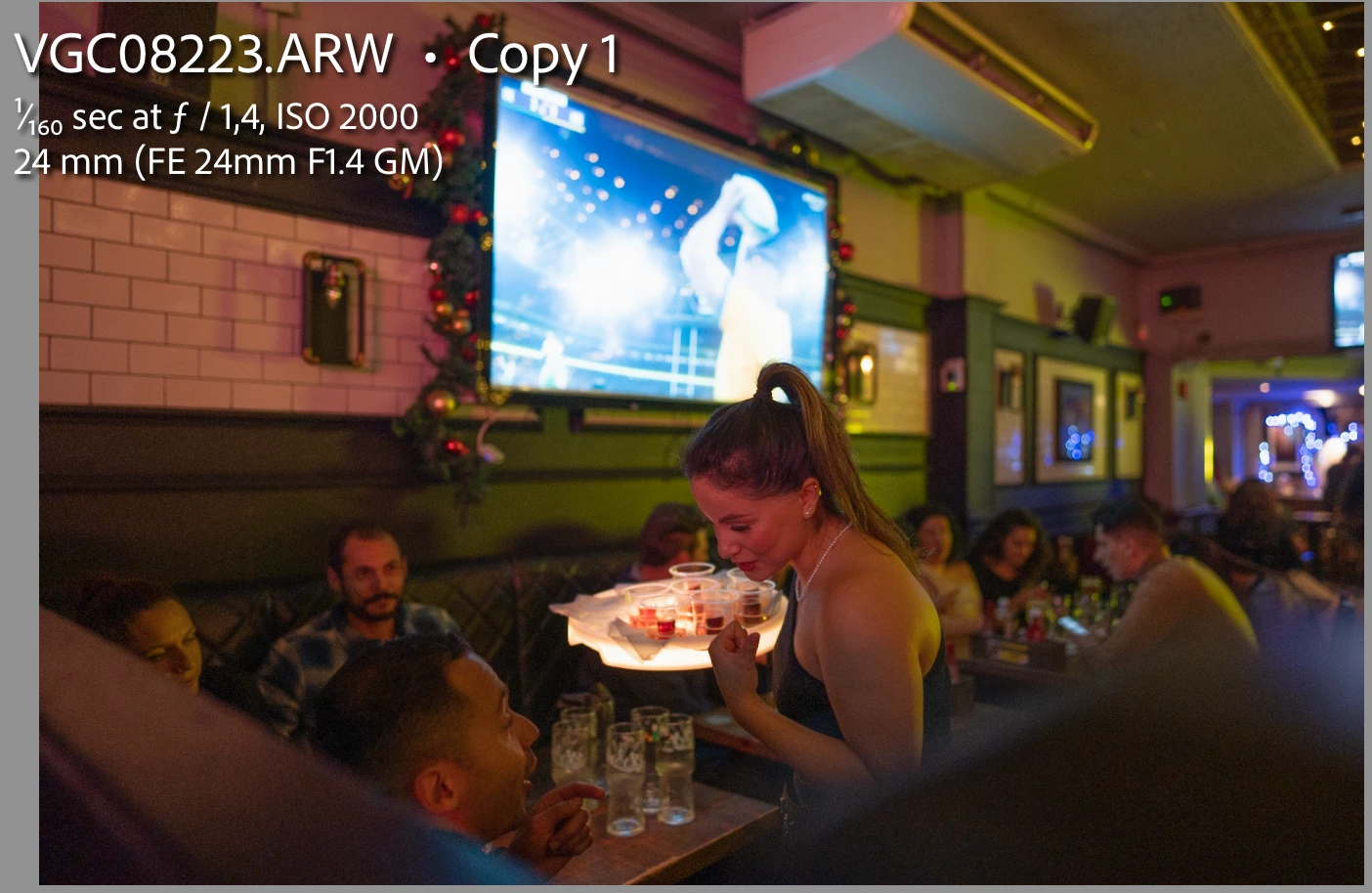
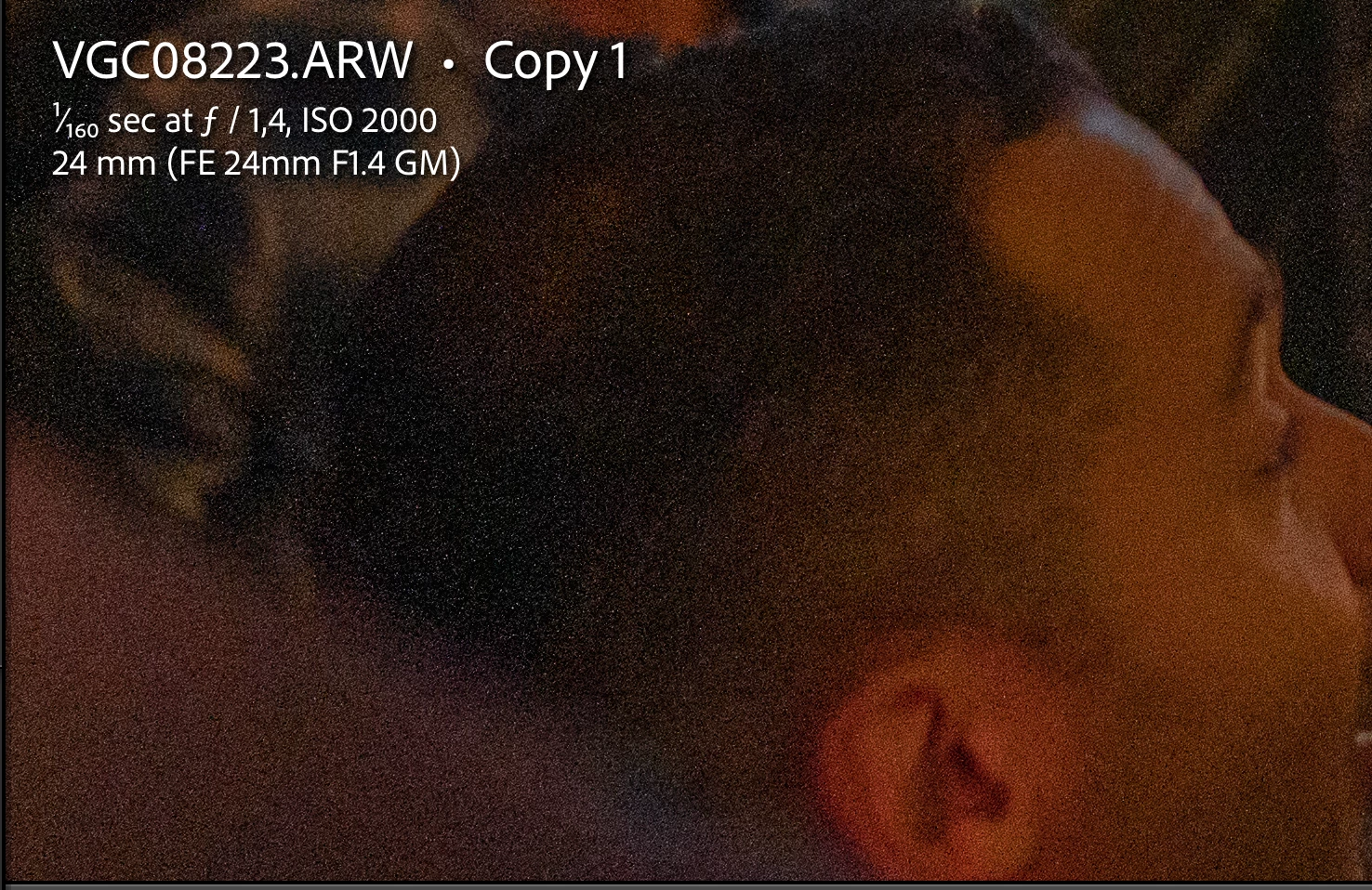
It is not edited at all,and at the moment it has no noise reduction. What it has, Shadows are on + 80 - and 1 stop brightened. It seems pretty okay for me. BUT if we zoom in a little bit, than we get the following result:
This is how it looks in the Imaging Edge software ( not edited, just brightened 1 stop and FULLY the shadows, no noise reduction at all)
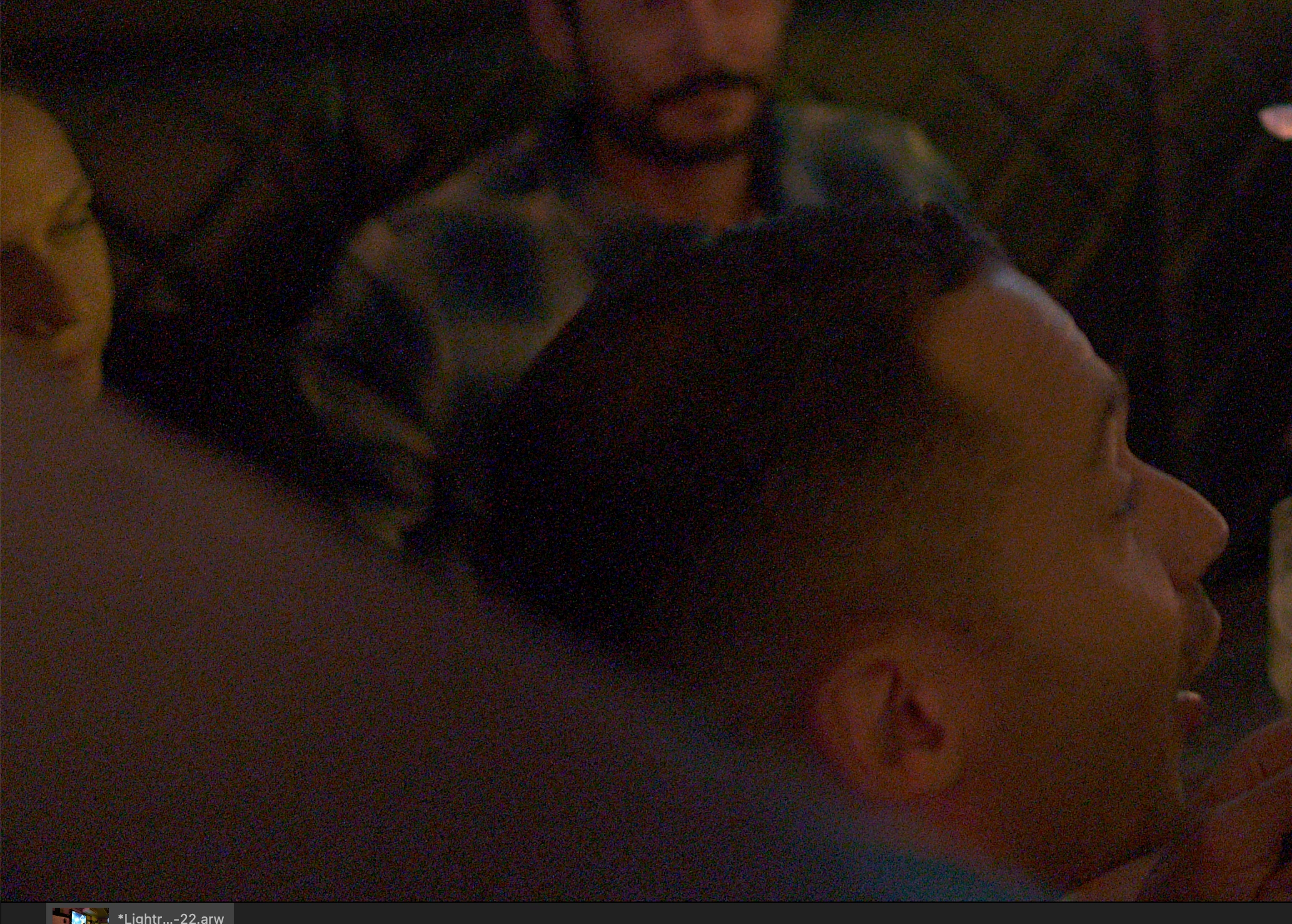
I think this looks much more better.
The darker the are is, the worse the result, I know. On the other hand - for me this kind of shadow noise is uncontrollable - any noise reduction techniqe simply helps not, or I loose the data and again the dynamic range (of course normally I use noise reduction but again, for this, it helps not). If I export the raw from LR or Photoshop theese noise remains on the jpeg. (No matter what settings I prefer by the export)
On the other hand I do not feel the image is "over edited" - shadows are on + 80, and 1 stop brightened. No additonal grain, etc added.
The camera settings were for the example image the follow:
-UNCOMPRESSED RAW
-Once again, shot was made with Sony a7 IV camera (I asked Sony to check the camera itself, it is basicly okay, no hardware issues - and it is brand new) - Sony 24 mm 1.4 GM lens
-ISO 2000 (I have some other examples, over ISO 800 the problem can occur when there are more shadows) but even ISO 2000 should not be high - and the normal noise is totally okay on the image
My main question will be of course - is there any solution for this? Or is anyone else facing the same issue here? Or am I doing something wrong?Is this some kind of Adobe bug? Or just my expectations are to high?
Many thanks for any support or help in advance
Csaba
 AdChoices