

"Show clipping" does not work with certain Fuji profiles
This issue affects Lightroom Classic version 15.4.1. I am using Windows 11 Home Premium Edition, version 11.0.26200. The camera model used here is a Fuji X-H2s but I would expect this to similarly affect the X-H2, X-T4, X-T5, and all other recent Fuji camera models.
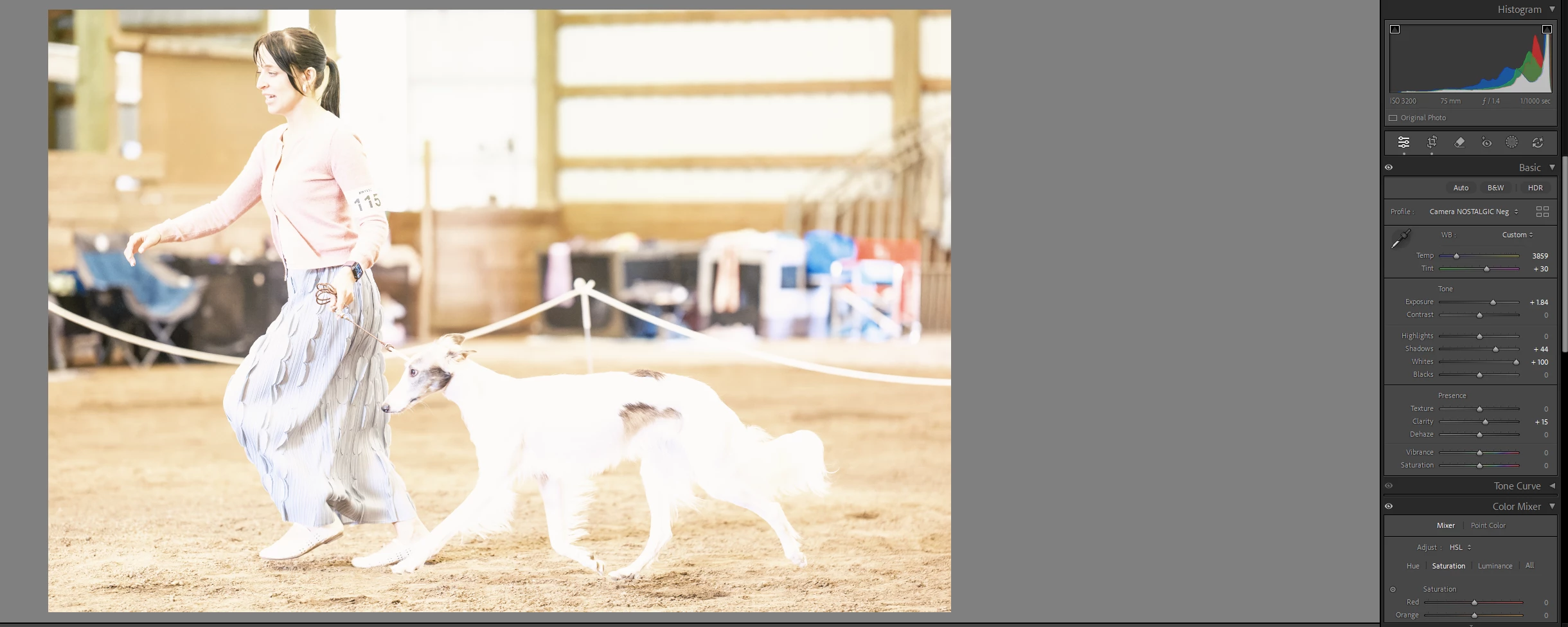
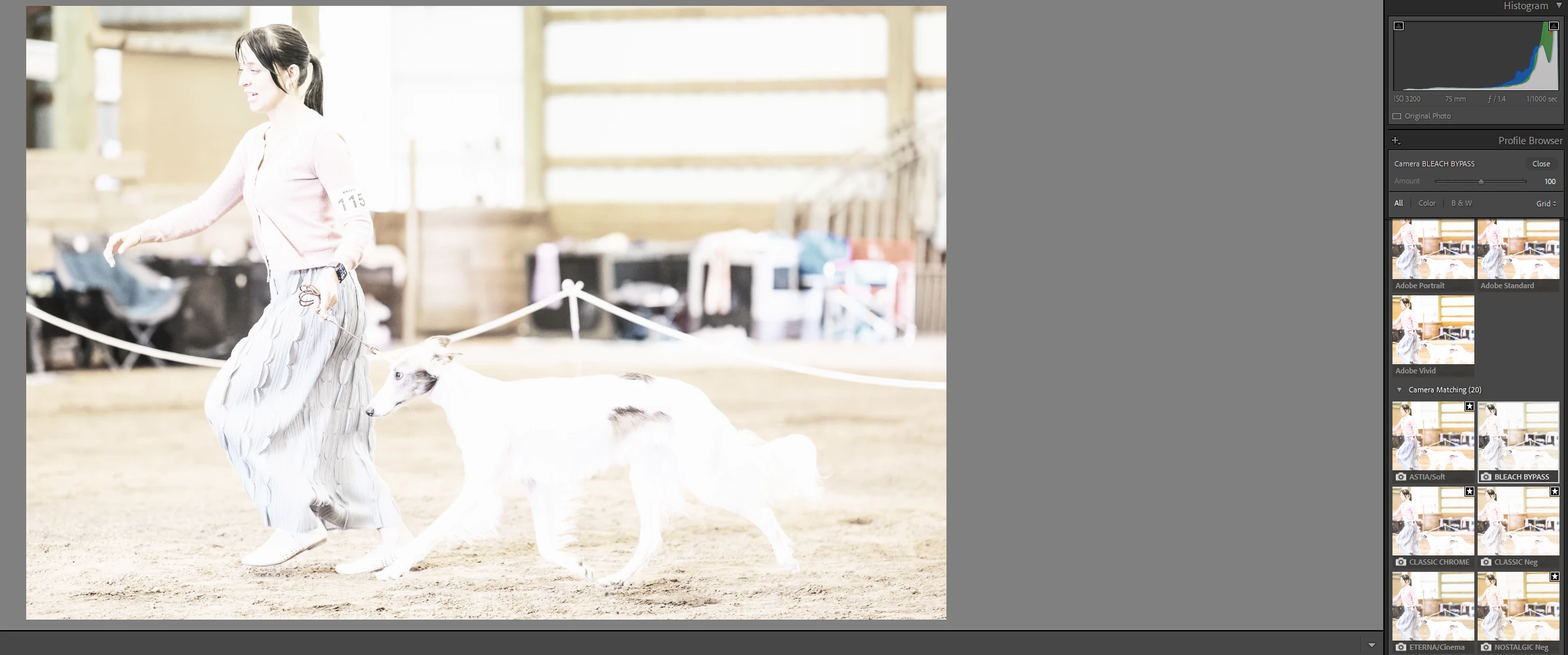
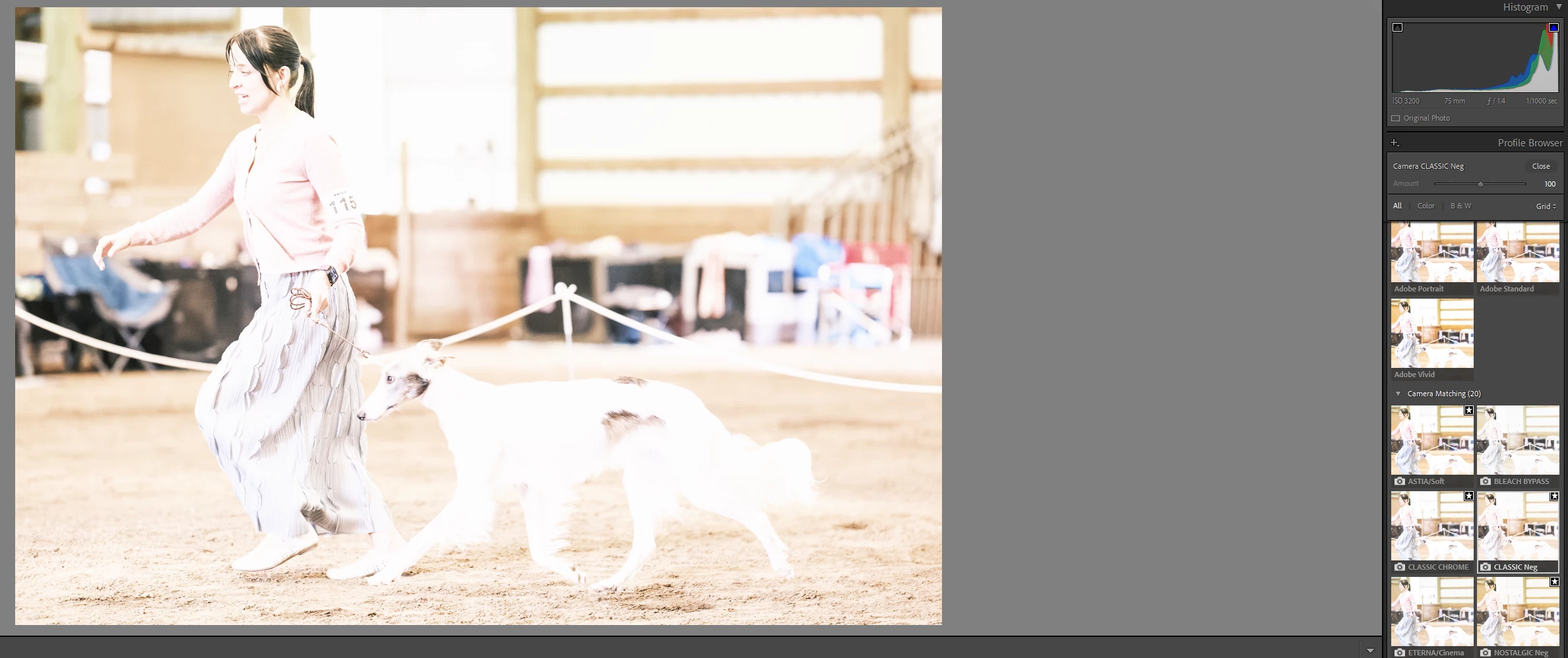
The “show clipping” feature does not work with Fuji RAW files when certain camera profiles are selected. Affected profiles include Nostalgic Negative, Bleach Bypass, Camera Sepia and Classic Neg. Here are some screenshots with exposure and whites deliberately raised to show some obvious example of the issues:
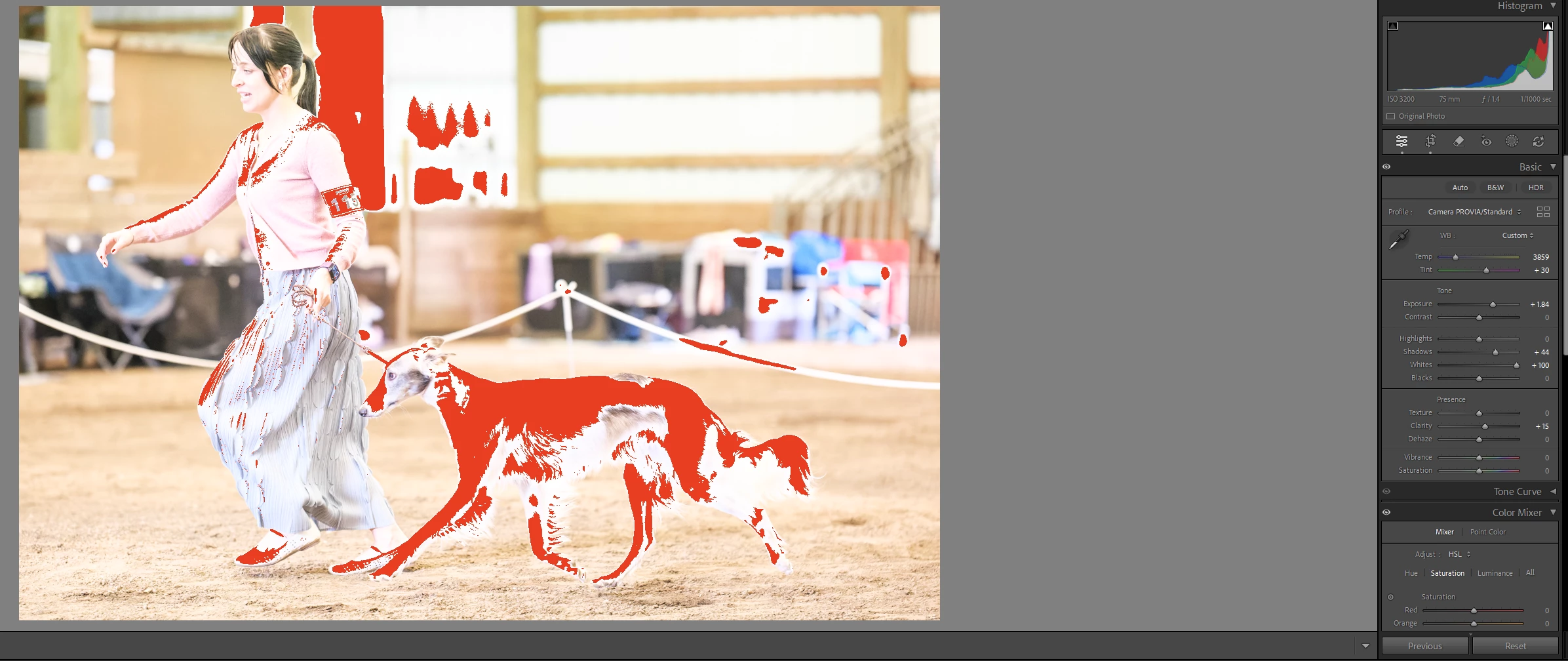
With ALL other Fuji profiles, e.g. Provia, Reala Ace, etc. the show clipping feature works as expected, as seen here:
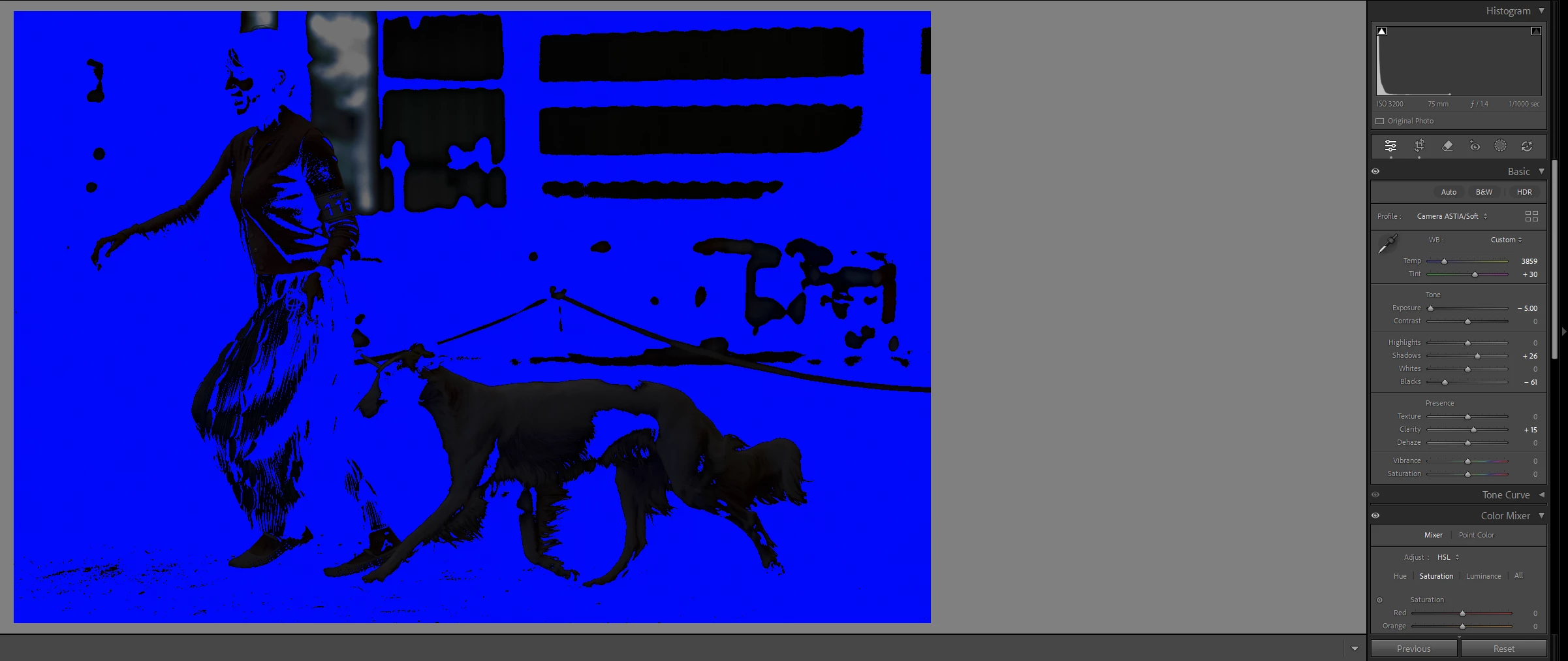
This issue affects both highlight and shadow clipping. For example, here is Nostalgic Negative which is not showing any shadow clipping when exposure and blacks are reduced:
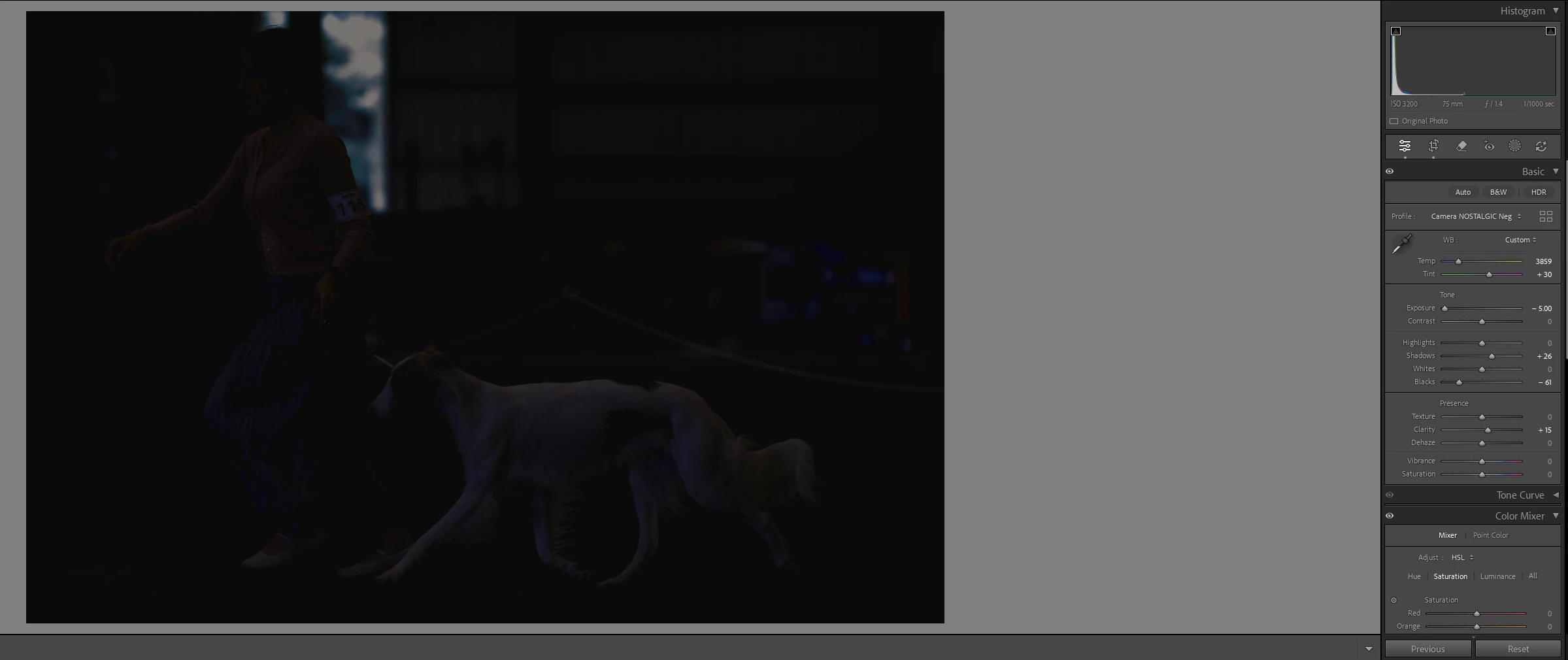
And here is the same image using the Astia profile, which is one of the unaffected profiles:
 AdChoices