Participant
April 2, 2025
Answered

Sidecar file not being read after restoring accidentally deleted files

  • April 2, 2025
  • 1 reply
  • 463 views

Hi Community,


I'm desperately hoping someone here can help after spending 2 hours on a chat with Adobe support and getting nowhere. What happened is that I inadvertently deleted an entire folder of ~300 photos from disk through Lightroom CC. I restored the files from my trash can along with their corresponding XMP files. All files are now back in the original location. I re-synched the folder to bring back the deleted files. However, none of my edits have been restored, causing me hours of lost work. My understanding is that my edits would be contained in the XMP sidecar files but I can't seem to figure out how to access it. Any assistance from the community would be greatly appreciated!


Thanks in advance!

Correct answer johnrellis

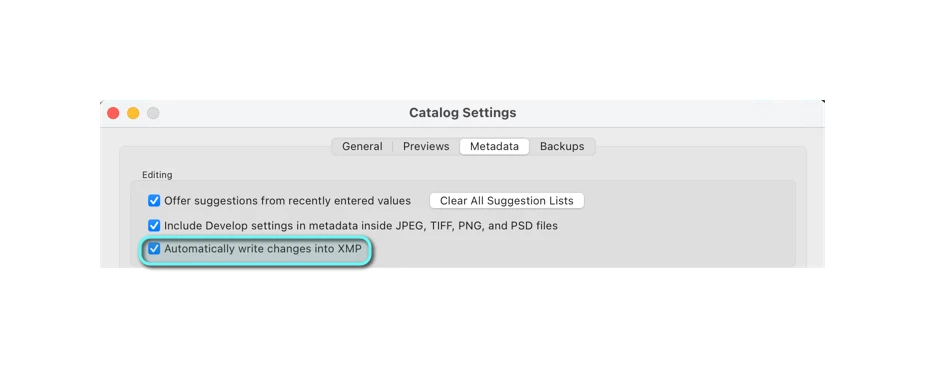
Also confirmed that I do have the metadata setting set to "Automatically write changes to XMP"


"This should have both cropping and exposure correction applied."


The .xmp sidecar doesn't contain any crop settings, and all the develop settings are at their default values (e.g. Exposure is 0).  You can edit the .xmp file in a text editor and look at the contents yourself. The develop settings typically start with "crs:", e.g. 

   crs:WhiteBalance="As Shot"
   crs:Temperature="5150"
   crs:Tint="+16"
   crs:Exposure2012="0.00"
   crs:Contrast2012="0"


There's one important clue in the .xmp:

   xmp:MetadataDate="2025-04-02T13:47:43-07:00"

That indicates the .xmp was last written into by LR today at 1:47 PM PDT.  Did the deletion accident occur before then? If so, I'm wondering if through some sequence of events you did or confusion on LR's part, LR decided that the settings for the photo in the catalog (with the default settings) were newer than the .xmp file and wrote them out as the result of Automatically Write Settings Into XMP.  


Do you have backups of the deleted folder from which you could recover the original .xmp files at the time of the accident?

1 reply

johnrellis
Legend
April 3, 2025

First, let's verify that the .xmp sidecars really do correspond to the raws and contain the edits. Upload one of the problem raws and its .xmp sidecar to Wetransfer, Dropbox, Google Drive or similar free service and post the sharing link here.

Participant
April 3, 2025
Participant
April 3, 2025

Also confirmed that I do have the metadata setting set to "Automatically write changes to XMP"