
Participating Frequently
June 27, 2024
Question

Since Catalog Update to 13.3 - Smart Previews lost, Standard Preview not building

  • June 27, 2024
  • 3 replies
  • 468 views

Since the recent catalog update to 13.3 I noticed wierd things happening to my catalog files.

The suggestion there is to build a new catalog.

My problem is that LR just wont do it. Its stuck at 75 from 500K files.

This is how it looks like.
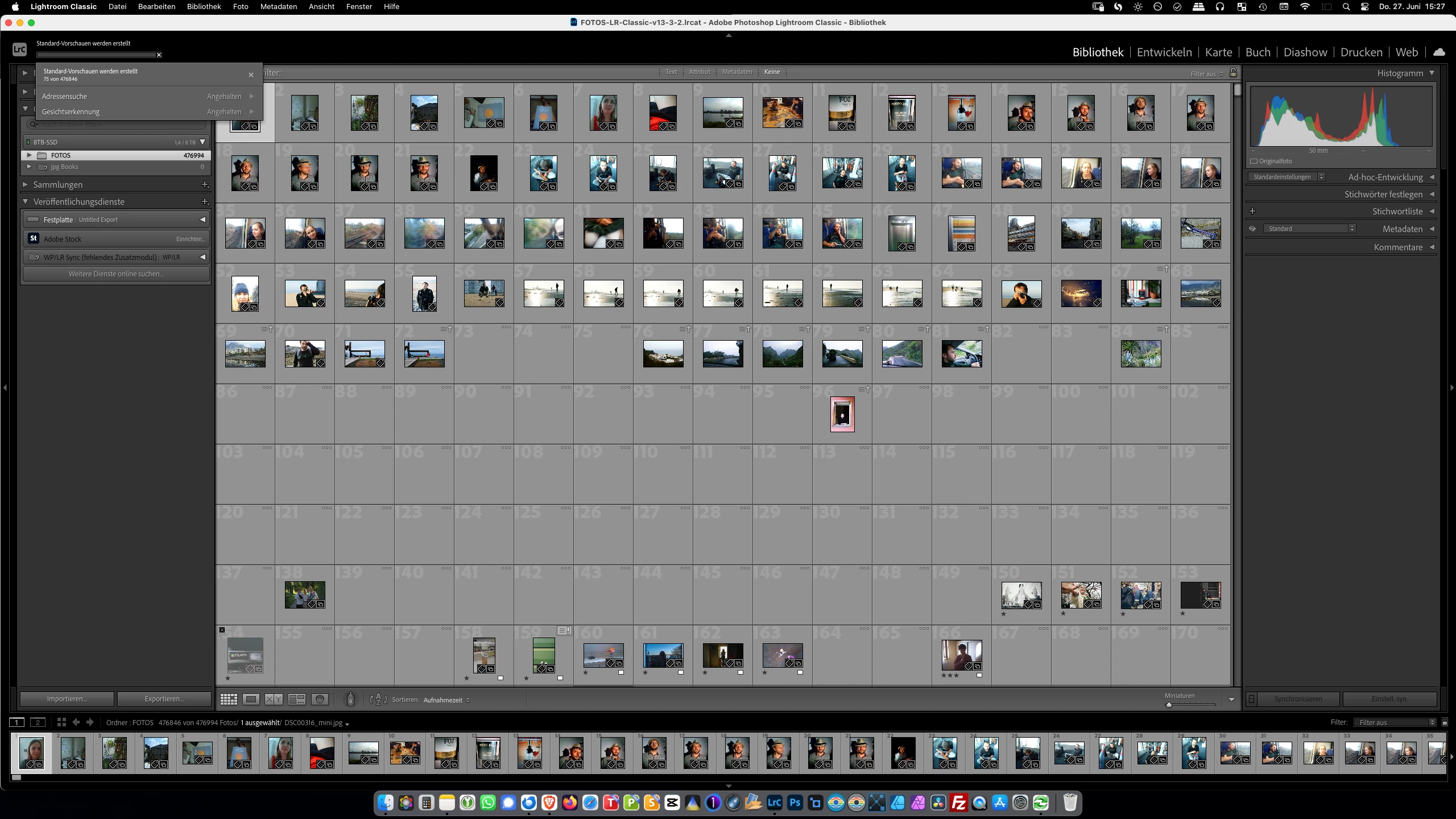


Nothing regarding storage or my macmini m1 was changed except the Lightroom Update.

The most basic things do not work anymore and I lost hours of computing time because of this!

This topic has been closed for replies.

3 replies

GoldingD
Legend
June 27, 2024

A couple of issues can be occurring.


First up the most obvious in your screenshot, missing folders or sub-folders:

 Mind you, that should foul up accessing the originals, not the previews. But it indicates another possibility.


recent catalog update to 13.3


This particular LrC update creates a requirement for the catalog to be upgraded. Just like often occurs during LrC upgrades (such as going from v12 to v13). Sometimes for some undocumented reason LrC can upgrade the wrong catalog, or even create a new one (not this case).


You might want to use MACOS Finder to locate your previous catalog, and instead of opening it via the LrC shortcut, just double click on it. A new upgrade of the catalog should occur, hopefully this time, correctly. Cross fingers, bribe any house gremlins, etc.

___________________________________

An additional point, but one I think is not going on in your catalog. That being extremely slow sync to the cloud. Some members that do SYNC to the cloud have found that due to the change in LrC sync (cloud) they need to let the catalog run all night, and after that LrC behaves again. But looking at your screenshot, it looks like no sync (cloud) is occurring. You might want to just verify that


Participating Frequently
June 28, 2024

Thank you for pointing things out GoldingD.


  • The relevant image folders are all there, its is just that I collapsed them for the screenshot
  • The cloud is not syncing, I work locally


Meanwhile I updated LR to 13.4 and solved the problem:

  • I copied an old catalog backup v13 into my LR catalog folder and double clicked it
  • LR opened and started to convert the catalog into 13.4
  • this went on smoothly and I regained access to my images again
  • the 13.4 catalog seems to be much faster showing previews even without the generated preview files

Although I lost one month of edits I consider the case closed.

Participating Frequently
June 27, 2024

btw, the generation of smart previews works just fine.