christophea17163012
Participant
April 18, 2023
Answered

sky and subject selection problem

  • April 18, 2023
  • 4 replies
  • 808 views

hello Team, 


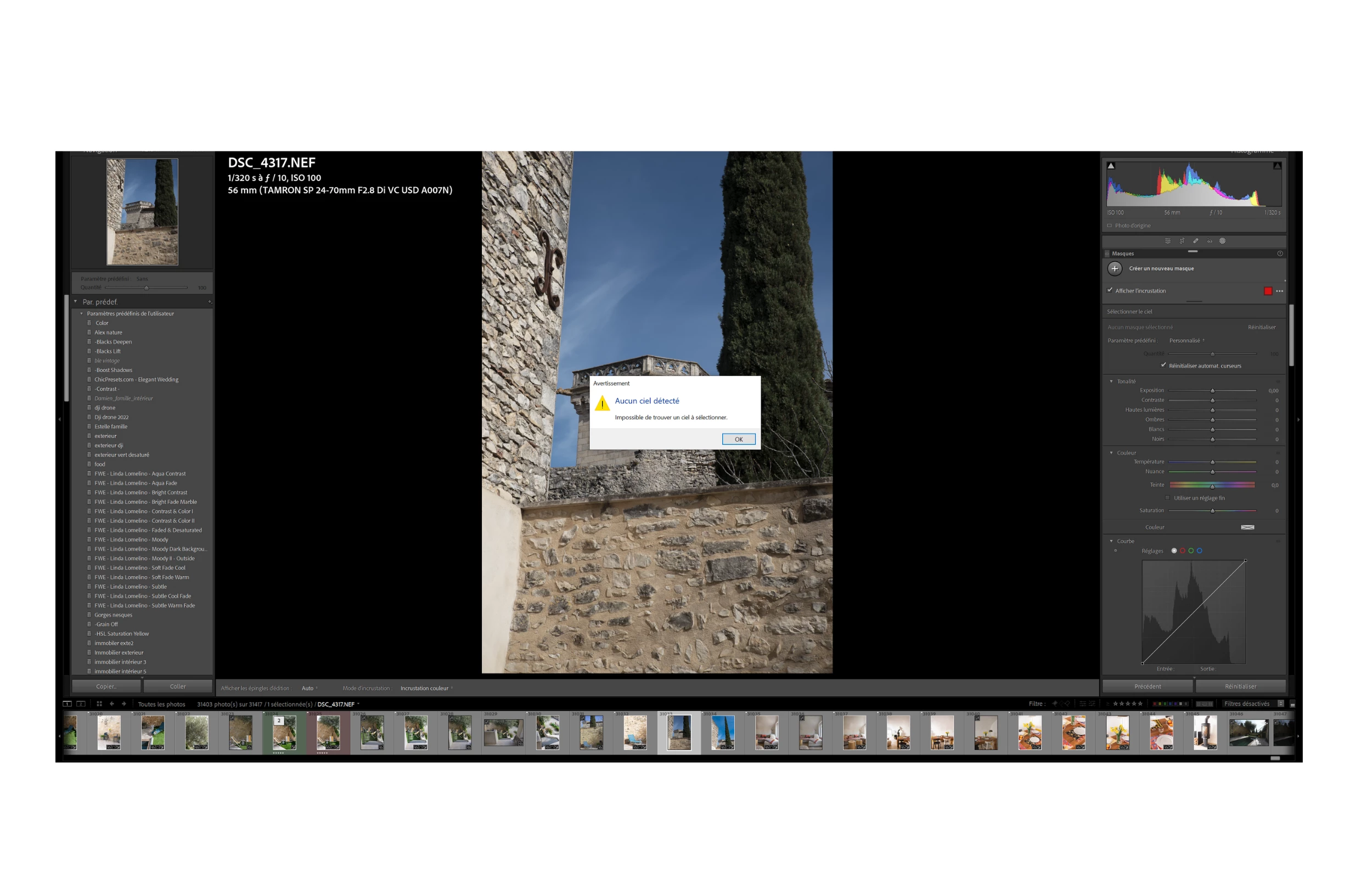
for 1 month, lightroom and photoshop no longer recognize the skies to change them. it tells me: no sky detected, impossible to find a sky to select.
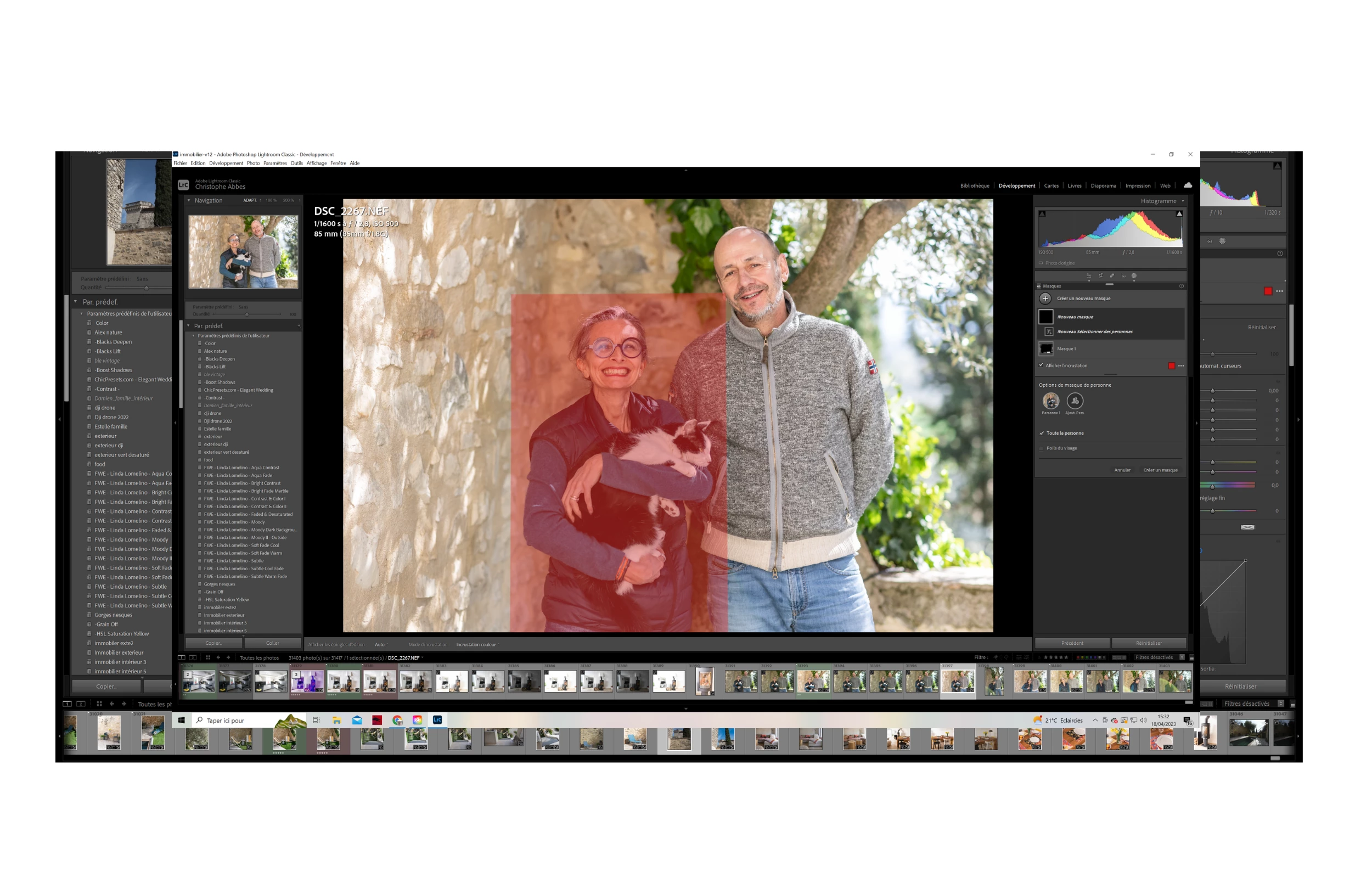
the same for people, it makes me a square all around without the possibility of selecting the hair or other elements as before.

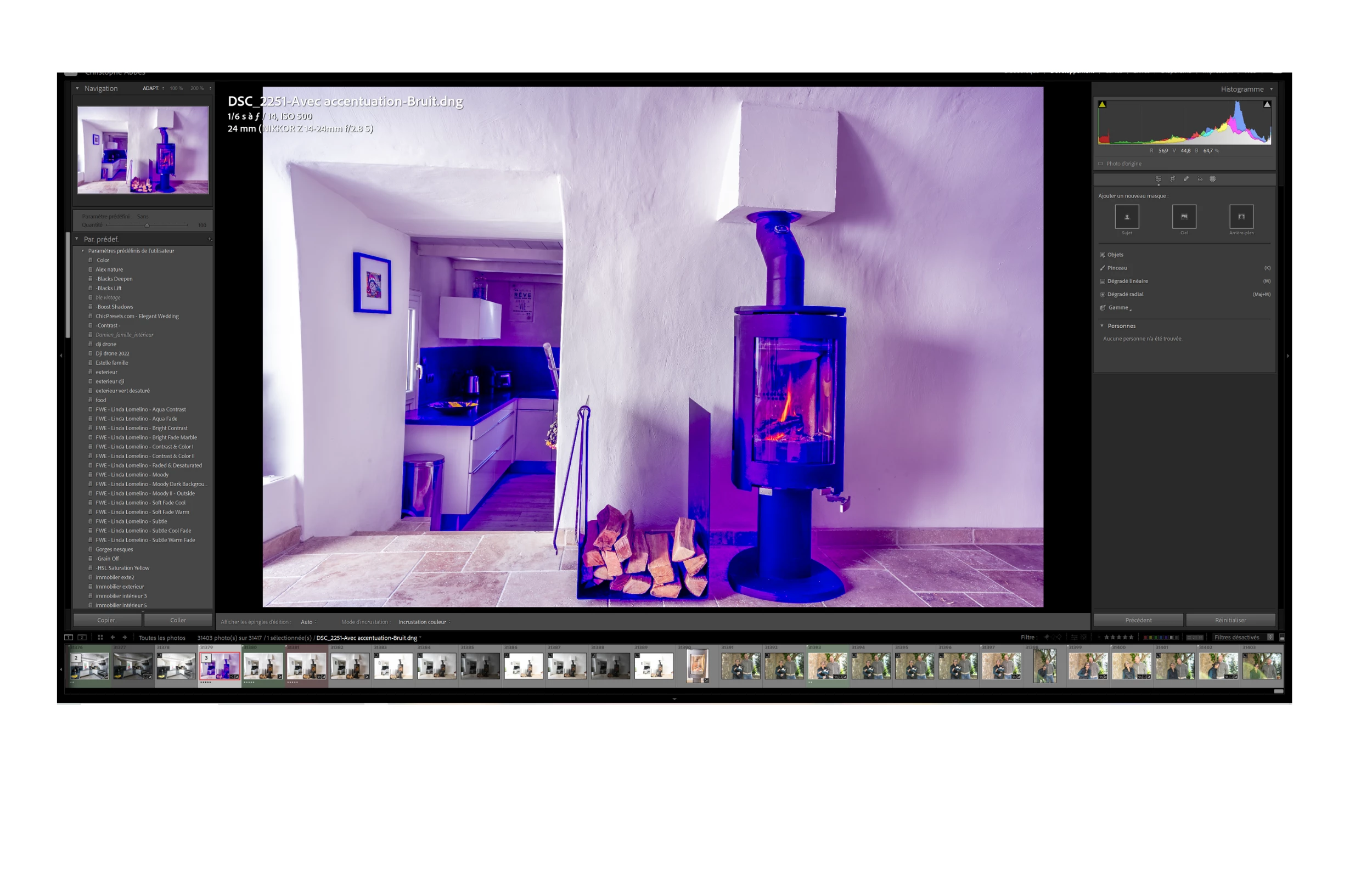
Same for the noise reduction, it makes me a purple photograph.


I uninstalled photoshop and lightroom, reinstalled but same thing. I have the latest versions I updated on April 18 and the same.

on my macbookair on the other hand it works but not on the pc.
Here is the config (yet high-end)


Is there a bug that has been reported? Do you have a solution?
Thank you !


This topic has been closed for replies.
Correct answer johnrellis

"DirectX: AMD Radeon RX 6700 XT (31.0.12027.7000)"


That graphics driver is two years old. Update to the latest driver:

https://www.amd.com/en/support/graphics/amd-radeon-6000-series/amd-radeon-6700-series/amd-radeon-rx-6700-xt


4 replies

Participant
June 26, 2023


johnrellis
johnrellisCorrect answer
Legend
April 20, 2023

"DirectX: AMD Radeon RX 6700 XT (31.0.12027.7000)"


That graphics driver is two years old. Update to the latest driver:

https://www.amd.com/en/support/graphics/amd-radeon-6000-series/amd-radeon-6700-series/amd-radeon-rx-6700-xt


christophea17163012
Participant
April 20, 2023

Thanks a lot! it's good now ! 

I had checked the update in the windows settings which told me that it was up to date. But thanks to your link I see that not. everything works now. I will even be able to try a video game that crashed because surely the card was not up to date. Thanks again to you and others who replied!

Ian Lyons
Community Expert
Community Expert
April 18, 2023

Have you tried resetting the LrC Prefereances as desbribed in Method 1 at https://helpx.adobe.com/lightroom-classic/help/setting-preferences-lightroom.html


If resetting the preference files doesn't help, then try removing the log file created when GPU is tested during LrC launch. The location and procedure is set out below:


  1. Quit Lightroom Classic.

  2. Locate the Camera Raw GPU Config.txt file.

    • (macOS) /Users/[user name]/Library/Application Support/Adobe/CameraRaw/GPU/Adobe Photoshop Lightroom Classic/Camera Raw GPU Config.txt
    • (Windows) \Users\[user name]\AppData\Roaming\Adobe\CameraRaw\GPU\Adobe Photoshop Lightroom Classic\Camera Raw GPU Config.txt

    The user Library folder is hidden by default in macOS X 10.7 and later releases. Use the directions here.

  3. Manually delete the Camera Raw GPU Config.txt file.

  4. Relaunch Lightroom Classic.


christophea17163012
Participant
April 18, 2023

My computer 


Version Lightroom Classic: 12.3 [ 202304101834-a085245c ]
Licence: Creative Cloud
Paramètre de langue: fr
Système d'exploitation : Windows 10 - Business Edition
Version : 10.0.19044
Architecture de l'application : x64
Architecture du système : x64
Nombre de processeurs logiques: 16
Vitesse du processeur : 3,8Ghz
Version SQLite: 3.36.0
Utilisation du CPU: 0,0%
Mémoire intégrée : 65461,8 Mo
Mémoire GPU dédiée utilisée par Lightroom: 7899,2Mo / 12243,2Mo (64%)
Mémoire réelle disponible pour Lightroom : 65461,8 Mo
Mémoire réelle utilisée par Lightroom : 9736,6 Mo (14,8%)
Mémoire virtuelle utilisée par Lightroom : 19367,5 Mo
Nombre d'objets GDI : 1128
Nombre d'objets utilisateur : 3973
Nombre de processus gérés : 3763
Taille de la mémoire cache : 2934,0Mo
Version interne de Camera Raw: 15.3 [ 1451 ]
Nombre maximal de liens utilisé par Camera Raw : 5
Optimisation SIMD de Camera Raw : SSE2,AVX,AVX2
Mémoire virtuelle de Camera Raw: 3094Mo / 32730Mo (9%)
Mémoire réelle de Camera Raw: 3906Mo / 65461Mo (5%)
Paramètre PPP du système : 144 PPP (mode haute résolution)
Composition sur le Bureau activée: Oui
Taille d’aperçu standard: 3840 pixels
Affichages : 1) 3840x2160
Types d'entrée: Tactile multipoint : Non, Tactile intégré : Non, Plume intégrée : Non, Tactile externe : Non, Plume externe : Non, Clavier : Non

Informations relatives au processeur graphique :
DirectX: AMD Radeon RX 6700 XT (31.0.12027.7000)
État initial: GPU pour l'affichage pris en charge par défaut
Préférence utilisateur: Auto