


Participant
May 6, 2026
Answered

Slowdown after removing many spots and I have to restart

  • May 6, 2026
  • 3 replies
  • 74 views

Deze bug ontstaat bij elke keer als ik (veel) stofjes verwijder met de remove tool. Basic, geen AI. Zie schermafbeelding. Een paar van deze negatieven en LR wordt langzamer en stopt uiteindelijk (en andere programma’s ook). 
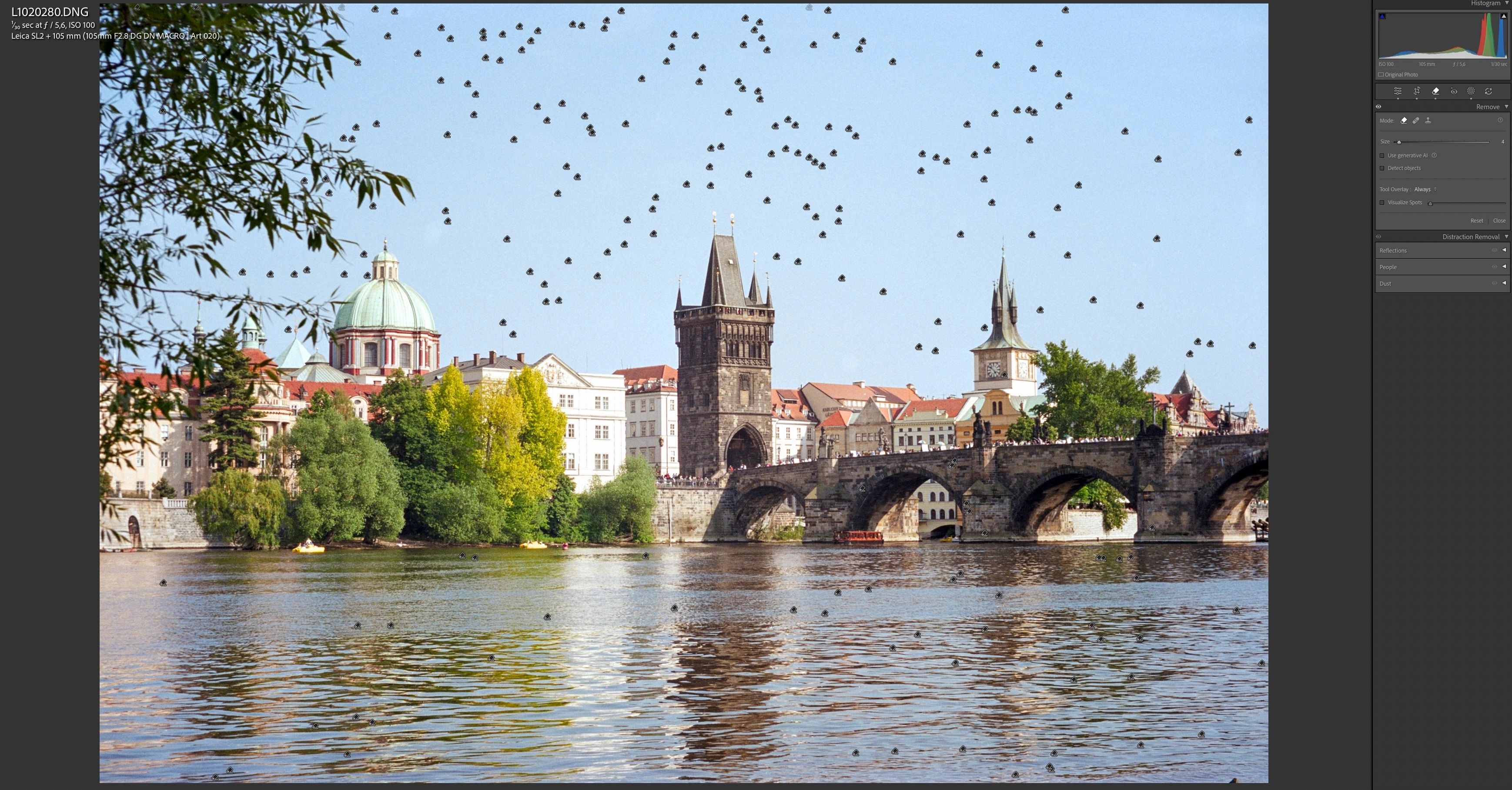
 

De remedie is LR te stoppen en daarna weer op te starten. Heel irritant dus!

    Correct answer Donaldm2

    Ok, bedankt! Ik gebruik Photoshop vrijwel nooit. Heb het geprobeerd en voor dit doel werkte het goed en geen problemen met vastlopen😘 

    3 replies

    Donaldm2AuthorCorrect answer
    Participant
    May 6, 2026

    Ok, bedankt! Ik gebruik Photoshop vrijwel nooit. Heb het geprobeerd en voor dit doel werkte het goed en geen problemen met vastlopen😘 

    Community Expert
    May 6, 2026

    I tend to agree: a few spots are fine to ‘remove’ singly in this parametric way within Lr Classic. But for addressing a very large number of spots one at a time, the pixel based tools (non-parametric) available in Photoshop will be more efficient and appropriate. That needs to be planned to happen at the most advantageous and least limiting moment in the overall workflow between LrC and PS. 


    There is an AI-assisted Dust Removal tool (though I cannot yet comment on this from experience): I believe this assists with spot detection and placement, but assuming the resulting spot removals are still of the same nature, I suppose that the same ‘processing complexity’ issue would remain.

    Donaldm2Author
    Participant
    May 6, 2026

    Voor vooral oudere negatieven en dia’s werkt dat niet zo goed, vanwege de korrel. Daardoor is het lastig te zien wat een stofje of wat beeld is… Photoshop it is!

    Per Berntsen
    Community Expert
    Community Expert
    May 6, 2026

    When scanning slides and negatives, I have to remove a lot of dust particles. The LR cache then fills up. When I forgot to close and restart LR, LR took up 51GB of memory and my Mac Studio (M1 ultra 64GB 1TB) crashed.

    This bug occurs every time I remove (many) spots with the remove tool. Basic, no AI. See screenshot. After a few of these negatives, LR slows down and eventually stops (and other programs too).


    LrC is not designed to remove large numbers of spots. It uses parametric editing, and every spot you remove is recorded as text in the catalog, which will cause slowdowns with a large number of spots.

    Removing dust from scanned images is done much more easily and quickly in Photoshop, which works directly with image pixels. The Spot healing brush tool and the Clone stamp will do what you want.

    When you create a new post, the first text box is intended for a short title, and you then describe the problem in detail in the next text box.
    This is unfortunately not clearly described on the New post page – this new forum is poorly designed.