

SmugMug Plugin - "Export Operations Were Not Performed " - no other info provided?
After updating my SmugMug plugin to the latest version, I am having an issue with syncing/exporting via the plugin. I contacted SmugMug to see if they had any idea what the error meant. They said it was a Lightroom issue, while Adobe support chat suggested it was an issue with the Plugin that SmugMug was responsible for. So I'm hoping that someone in the community can help.
Here is a screenshot of the error:
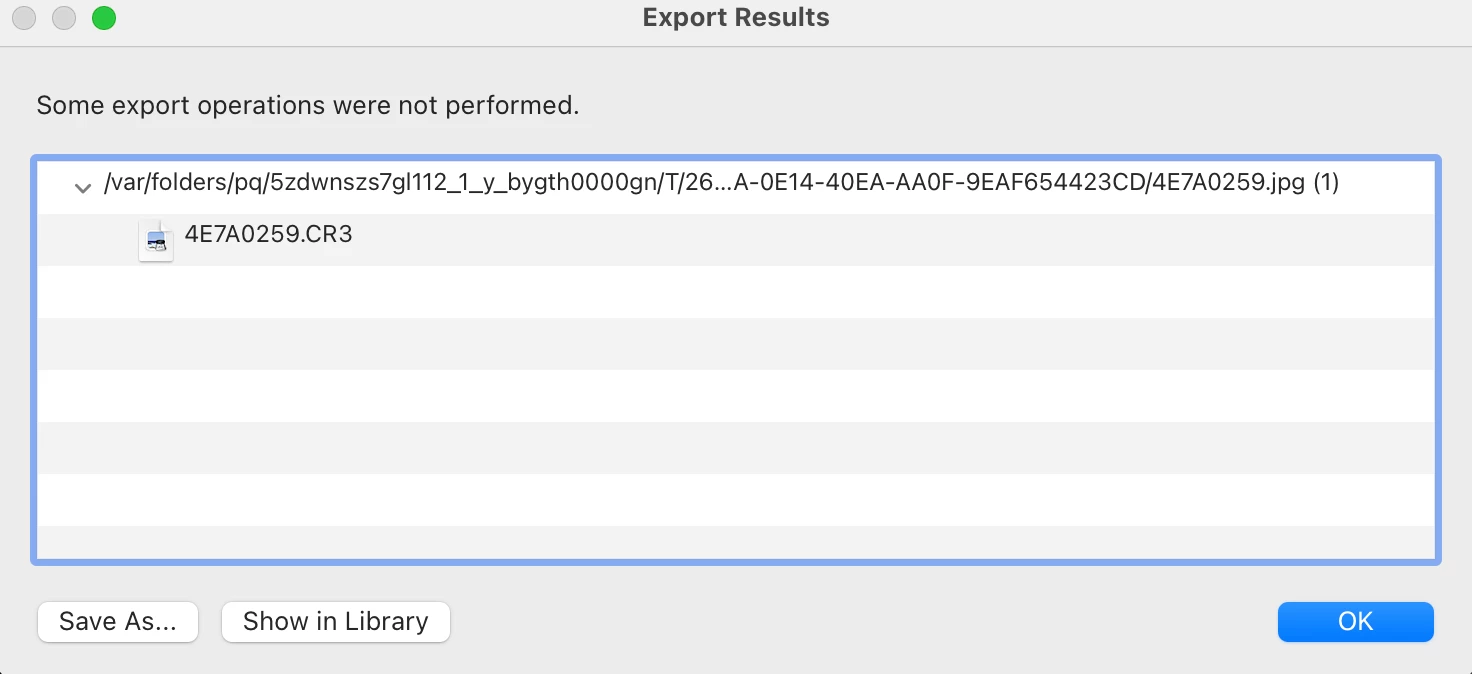
This same error has been seen in multiple different machines at my company. This issue did not seem to occur before the SmugMug plugin was updated to 3.3.8.0. This app is running on Lightroom Classic 12.1 on different macOS machines - two iMacs, a MacBook Pro, a Mac Studio, etc. All them of them seem to fail with one or two photos that are unable to be exported/synced. They all seem to locate the photo in the /var/folders/ location and do not seem to be referencing the actual files, which are located on the machines regular hard drives ( Machintosh HD/users/ etc).
Any ideas on why this is happening? Any ideas to tell SmugMug on their plugin code?


 AdChoices