
Soften Skin brush is darkening skin
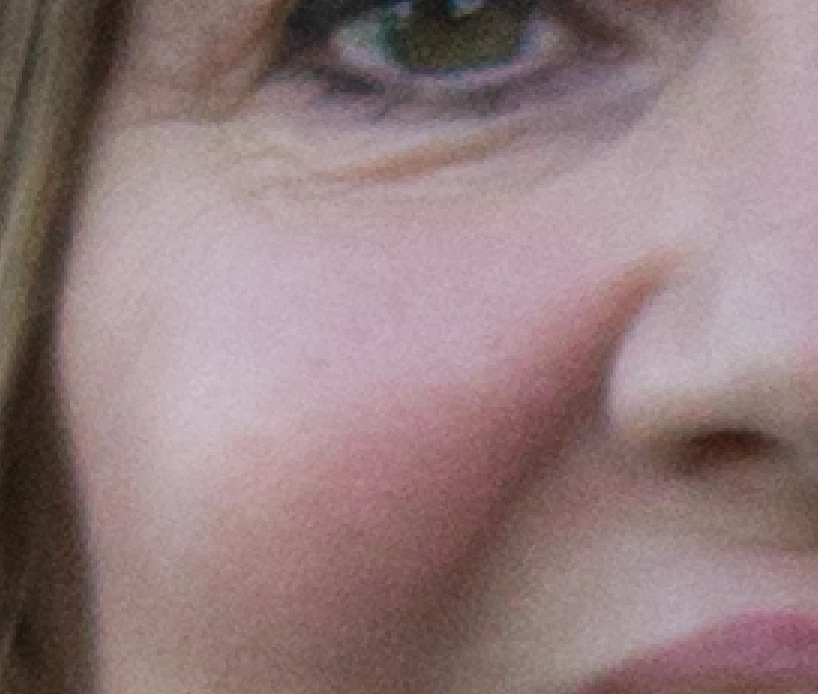
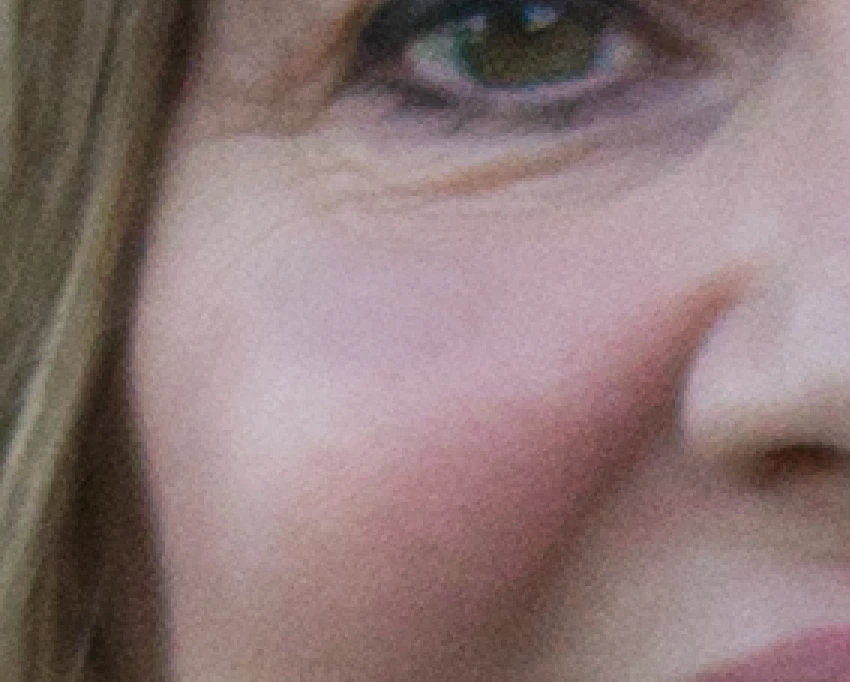
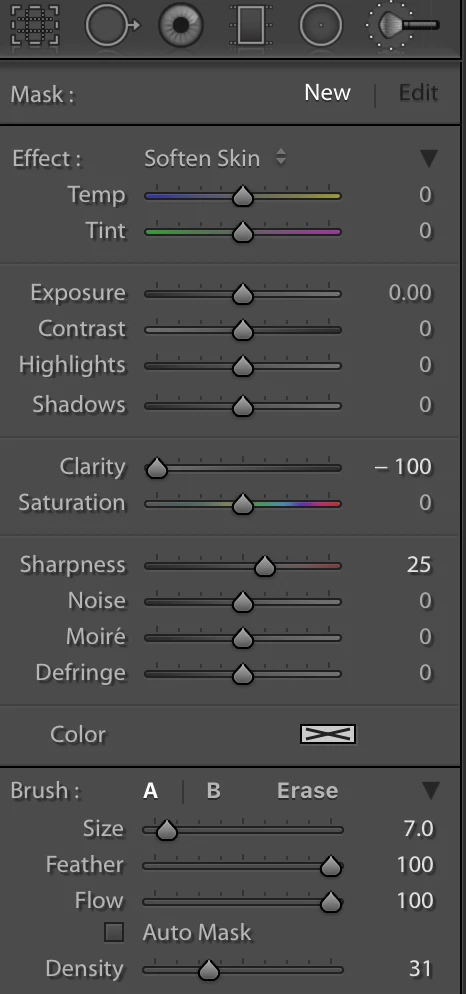
I'm trying to use the soften skin brush tool, but it's darkening the skin instead. It makes the skin look bruised or something...looks awful. First photo is the original photo, and the second photo I used the soften skin brush on top of her cheek--see the dark blob there. Third photo shows my soften skin brush panel settings (just the default).
And no, the darkness is not just the gray mask overlay showing what skin I've painted over. The darkened area shows up after I click "enter" to see the final product after applying the brush. I used to have LR 4 and this definitely didn't happen. My soften skin brush used to work great. What gives? I can't figure this out. I want to remove the under-eye wrinkles, but instead the brush makes it look like she has dark circles under her eyes! Help!
 AdChoices