
Inspiring
March 26, 2022
Answered

Some kind of overlay for pose consistency when shooting tethered?

  • March 26, 2022
  • 5 replies
  • 3709 views

I need to shoot a large number of shoes, and it is important that I replicate the same "pose" for each show. Like this: they all need to be at the same angle to the camera. Is there some kind of overlay feature in Lightroom Classic that I can use when shooting tethered to check the current pose to see how well it matches the ideal?
 

This topic has been closed for replies.
Correct answer richardplondon

Yes you can set up and then toggle on and off, a "Loupe Overlay". Originally this just provided a guide grid but more recently this feature also allows you to load a custom drawn PNG image instead. This image will typically be largely transparent, but include whatever coloured subject positioning / sizing graphics you need.


It shows as an overlay, scaled dynamically to fit and fill the image centrally (adjusting itself to continue fitting the image, whenever that is cropped) and thus can act as a consistent composition template.


Note: turn this overlay off before export or print: if visible, these graphics will I think get included in the output!

5 replies

Earth Oliver
Legend
March 27, 2022

Adobe is never going to make the Overlay tool useful, so if you need this feature i'd strongly suggest using CaptureOne instead. I've spent years and years (15!) trying to guide Adobe to make this tool useful for those of us who need it, and i've given up because they're not going to budge. They designed the tool for only one specific workflow and it was the wrong workflow that's only useful to a small percentage of the market.


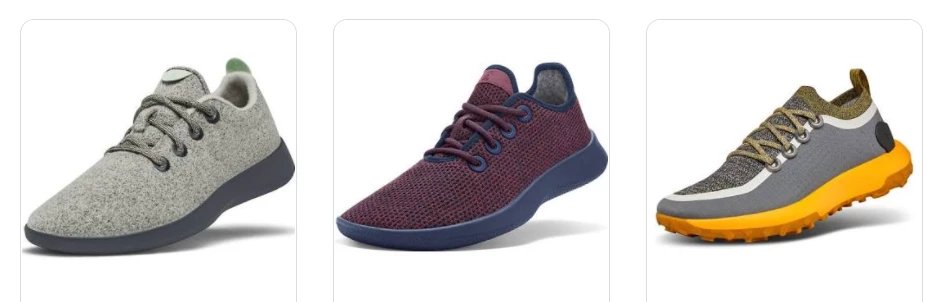
And hey! I was the original retoucher for Allbirds for about 2 years and help set up the standards for the shoes in your examples 😃 

Inspiring
March 28, 2022

How is Capture One different/better in this area?

Community Expert
March 28, 2022

I do wonder what would really be improvable over (say) some clear acetate taped over an HDMI accessory monitor that's connected directly to the camera, plus a Chinagraph grease pencil / a dry-erase fine point marker!


I am only about 20% even joking there...


but I too would be curious to learn about solutions within tethering - for some test of "better".


I agree Loupe Overlay idea is primarily a cropping / levelling aid post capture. Only a true live-view option removes the need to wait for a full shutter press, before you can assess the framing. More basically, even gridlines seen in the camera viewfinder / live display may be sufficient. Along with reducing the physical variables in the studio.

josephlavine
Community Expert
Community Expert
March 27, 2022

Although not LRC related, I usually build some form of a gig to hold the subject for the back and out of camera view to place each item in the same place quickly. The time created the gig is generally worth it.

warmly/j

Rob_Cullen
Community Expert
Community Expert
March 26, 2022

To expand on the correct answers from @richardplondon  and @Conrad_C 

Create your own simple (transparent PNG) 'Overlay' image in Adobe-Photoshop, using one photo that illustrates the positioning.


Regards. My System: Windows-11, Lightroom-Classic 15.1.1, Photoshop 27.3.1, ACR 18.1.1, Lightroom 9.0, Lr-iOS 10.4.0, Bridge 16.0.2 .
Conrad_C
Community Expert
Community Expert
March 26, 2022

The Layout Image commands are not easy to find, so here’s a picture, they’re way down in the View menu as commands on the Loupe Overlay submenu:


That’s in the Library module. In the Develop module, the View menu is shorter and slightly different, but Loupe Overlay submenu is still there.

richardplondonCommunity ExpertCorrect answer
Community Expert
March 26, 2022

Yes you can set up and then toggle on and off, a "Loupe Overlay". Originally this just provided a guide grid but more recently this feature also allows you to load a custom drawn PNG image instead. This image will typically be largely transparent, but include whatever coloured subject positioning / sizing graphics you need.


It shows as an overlay, scaled dynamically to fit and fill the image centrally (adjusting itself to continue fitting the image, whenever that is cropped) and thus can act as a consistent composition template.


Note: turn this overlay off before export or print: if visible, these graphics will I think get included in the output!

Earth Oliver
Legend
March 27, 2022

The tool is really only useful when doing magazine cover layout and is almost totally useless for product alignment with tethered shooting. C1 has had this dialed in for at least 15 years and i find that Adobe's tool is totally off the mark.