
Participant
November 19, 2016
Question

Sort by capture time not working

  • November 19, 2016
  • 1 reply
  • 3200 views

Hello,

I'm new to Lightroom. I migrated over a 67k photo library from Aperture and am just getting used to using LR. First things first... I cannot figure out how in the world LR is sorting my photos. It is set to sort by capture time, but the dates are all over the place.

In the (LR-created) folders, which are labeled by date, the photos are sorted properly. But in the hundred or so collections (Aperture: projects) that migrated over--which is where I work--the sort order seems almost random, even though the capture time in metadata is clear as day. I've looked through quite a few threads in this forum that point to videos as the culprit for this problem, but these are plain photos. Here is a partial screenshot:
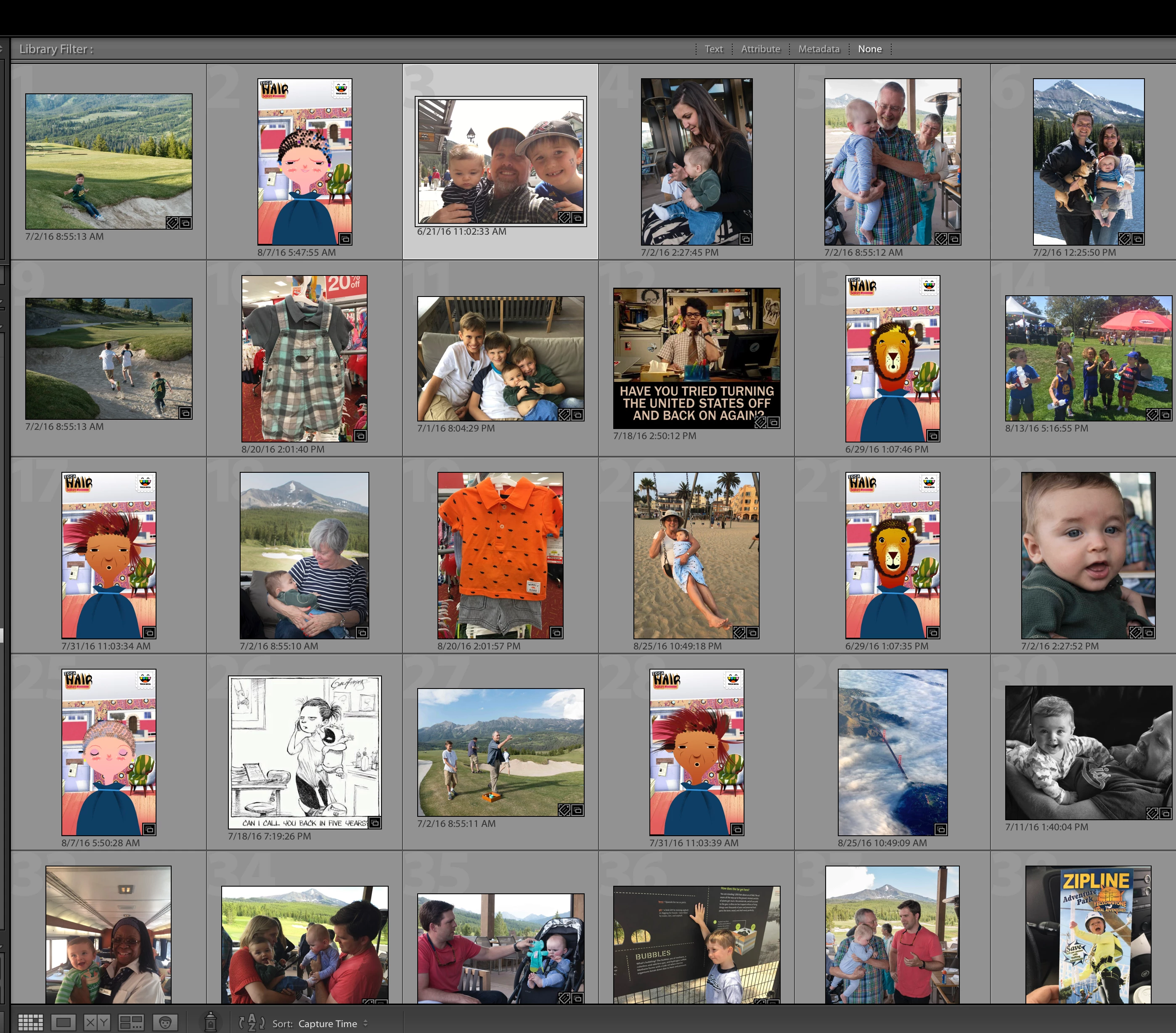
Any ideas??

Marcus

    This topic has been closed for replies.

    1 reply

    Just Shoot Me
    Legend
    November 19, 2016

    Take it off Capture time then put it back on Capture time.

    Look in the Metadata section for the Date Time Original and Date Time Digitized. I suspect the dates and times displayed at the bottom of the images is not the actual capture time.

    johnrellis
    Legend
    November 19, 2016

    To build on Just Shoot Me's reply: If changing the sort order to something else and then back to Capture Time doesn't help, then go to the Metadata panel (Window > Panels > Metadata).    Look at two photos that are out of order in the grid.   Do the capture dates under their thumbnails match the capture dates shown in the Metadata panel?

    If they don't match, that indicates that there was a problem in the conversion, most likely that LR had problems reading the capture date from the photo's metadata.  LR has some longstanding bugs in sort order in that situation, and we can drill in to figure out the best way to handle it.

    If they do match, that's a bit more of a mystery.

    Participant
    November 20, 2016

    Thanks for the replies. I realized that it is the first set of photos in each collection that are out of order, which come from a number of different cameras and phones, and when it gets to the pictures from my main Fuji camera they are in order. With these out-of-order pictures, I can't see any capture date displayed in the panel on the right. In fact, I can't figure out how to view that metadata field. It's just not there. When I switch the metadata drop-down menu on the right to IPTC, I can see a "date created" field, which is blank. But under none of the drop down menus is there a "capture date."

    I'm guessing this means that the capture date was stripped from these non-Fuji photos somehow. But then why does the capture date show up right under the preview image (which I turned on under View Options)?? The correct dates are right there, they are just being ignored in the sort.