Inspiring
February 24, 2025
Answered

Sort order (by Capture time) changes after editing in PS or using Denoise

  • February 24, 2025
  • 1 reply
  • 157 views

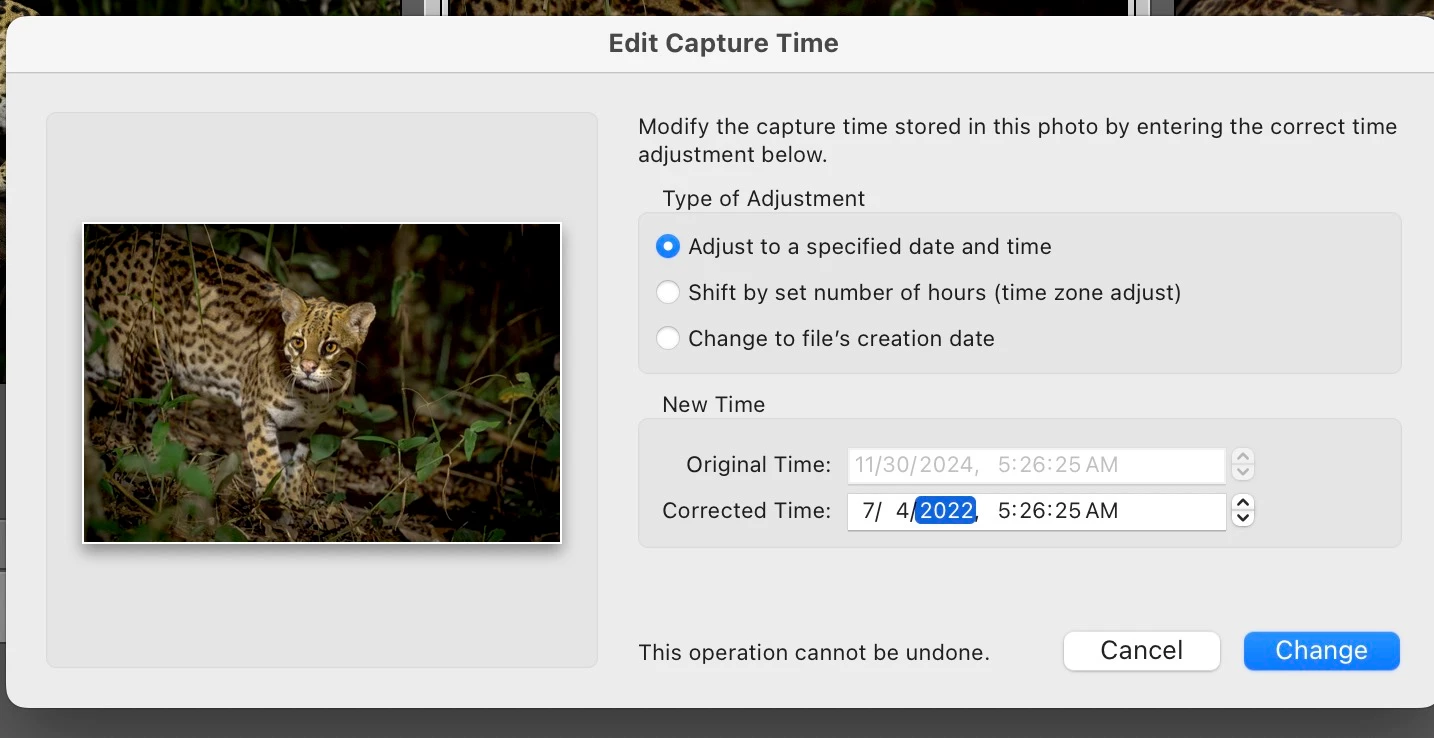
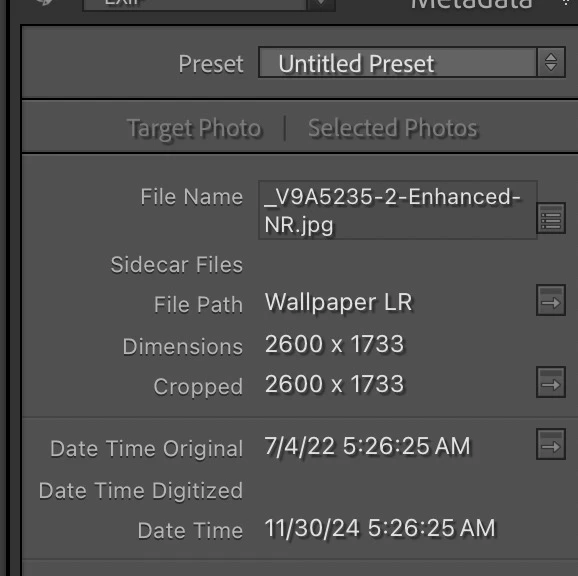
Every time I edit an image using Denoise or Photoshop, LR changes Date Time Original to reflect the edit date, casuing the images to be out of order when sorting using Sort by Capture Date. I tried Metadata>Edit Capture time but it doesn't make any difference. I've enclosed a couple of screen shots and appreciate any help. 
Correct answer JohanElzenga

I'm puzzled. The file extension of the denoised file is .jpg. That can't be right, because AI Denoise creates a DNG. So it looks like this is not the original denoised file, but an exported jpg copy. The file size in pixels suggests as much as well.


1 reply

TimflAuthor
Inspiring
February 24, 2025

I should mention this is a relatively new behavior. Never had a problem before. 

JohanElzenga
Community Expert
JohanElzengaCommunity ExpertCorrect answer
Community Expert
February 24, 2025

I'm puzzled. The file extension of the denoised file is .jpg. That can't be right, because AI Denoise creates a DNG. So it looks like this is not the original denoised file, but an exported jpg copy. The file size in pixels suggests as much as well.


-- Johan W. Elzenga
TimflAuthor
Inspiring
February 24, 2025

That was an exported file, as were all the others. Good Catch!