Inspiring
September 26, 2025
Answered

Sorting by filename is not working properly

  • September 26, 2025
  • 3 replies
  • 923 views

I can't seem to get my files sorted by filename. For example, I have 100 photos named MAY_1000.NEF through MAY_1100.NEF. For a select few, I run the files through Topaz Denoise, which renames that group MAY_1035-Edit.JPG, etc. When I try to sort the files by name, Lightroom puts the "edit" group at the end of the original files, instead of  adjacent to them. Shouldn't LR sort them like: MAY_1034.NEF, MAY_1035.NEF, MAY_1035-Edit.JPG, MAY_1036.NEF....?


In other words, I'd like to sort by the first 8 characters rather than the randomized sort the LR currently does.


Thanks,

Jeff Hall - North Carolina
Correct answer johnrellis

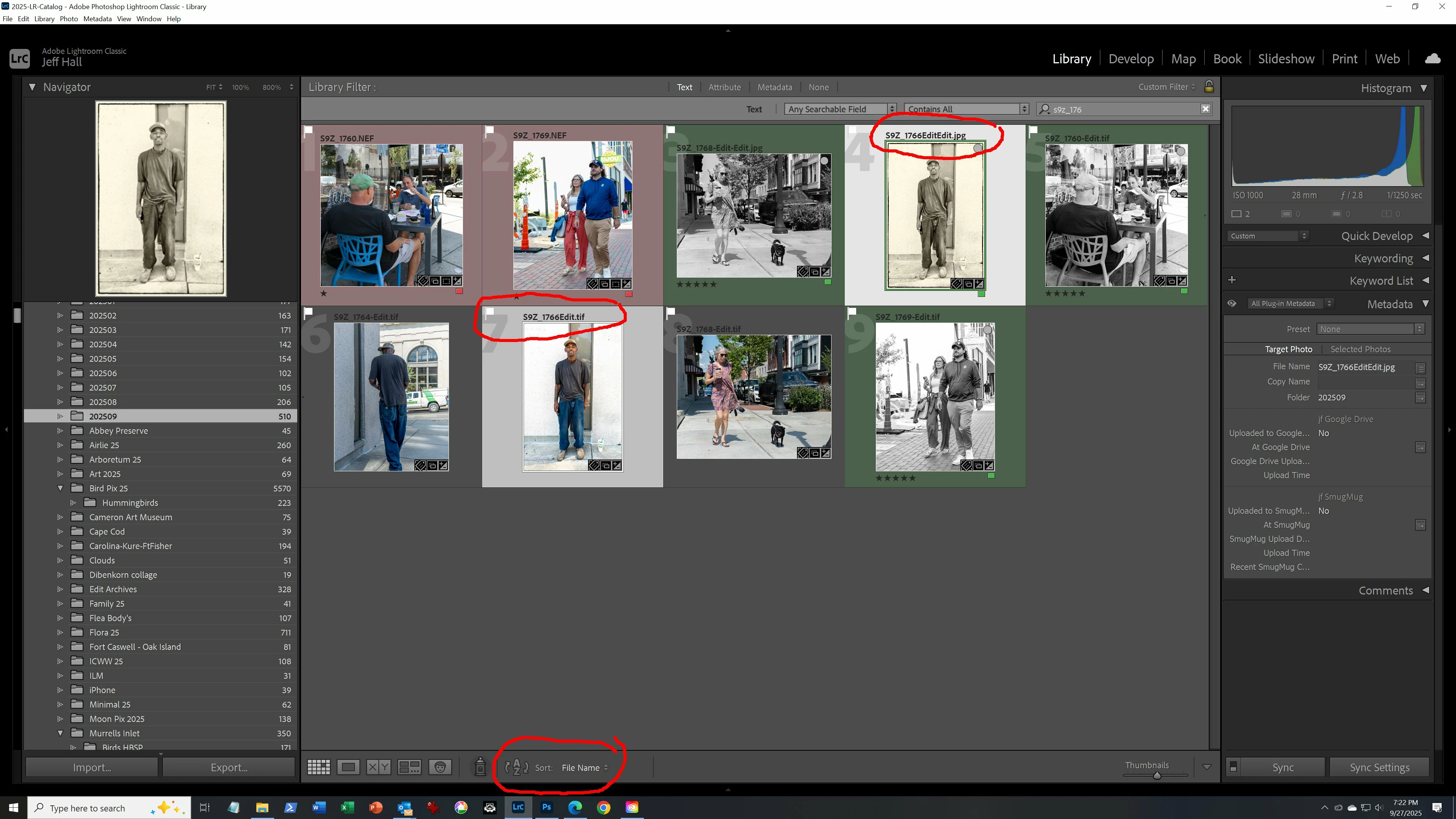
To make things more visible I filtered down to just files beginning with s9z_176. The file order makes no sense at all given that it should be sorted by file name. 


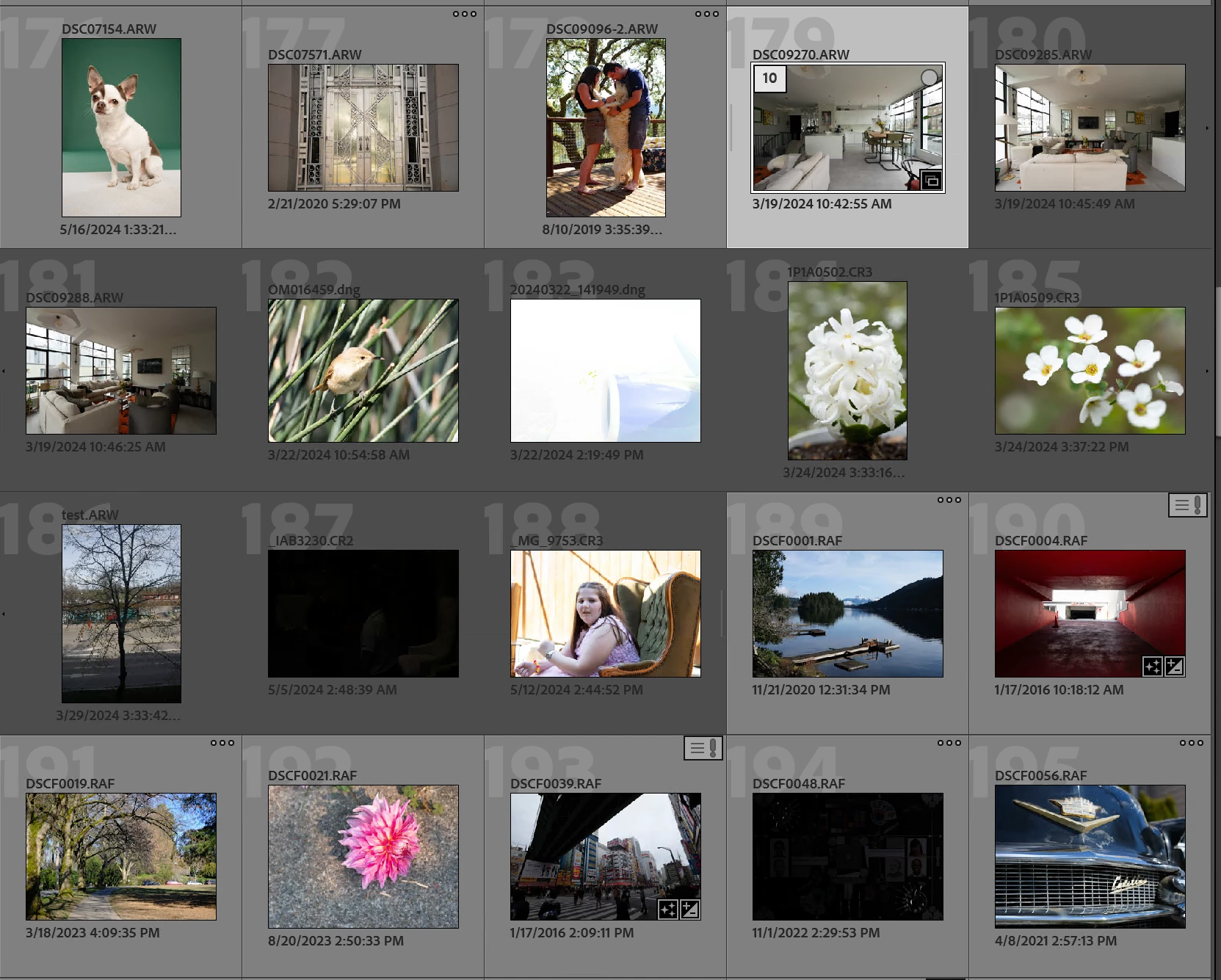
Based on the shades of the grey backgrounds surrounding the thumbnails, it appears you've put a large number of the photos in that folder into a stack, and the stack is expanded.  For comparison, this screenshot shows the first three thumbnails not in a stack, the next 10 in a stack (expanded), and the next 7 not in a stack:


To verify, do the menu command Photo > Stacking > Collapse All Stacks, and now you'll see just the tops of one or more stacks.


In Grid view, a stack appears in the sort order according to the top photo in the stack. All the other photos in an explanded stack appear in the order in which they were placed in the stack, regardless of Grid view's current sort order.


Use the menu commands in Photo > Stacking to decide which of the photos (or all of them) you want to remove from the stacks.


3 replies

Inspiring
September 28, 2025

I have import set to import into one folder. For specific events/places I import into a folder with a name like "Huntington Beach", but for general shots I import into folders with month/year name that I make. The issue I was having was due to files being somehow automatically stacked. Once I unstacked them, the mis-ordering went away. 


johnrellis
Legend
September 27, 2025

[This post contains formatting and embedded images that don't appear in email. View the post in your Web browser.]


@desono5000000: "Shouldn't LR sort them like: MAY_1034.NEF, MAY_1035.NEF, MAY_1035-Edit.JPG, MAY_1036.NEF....?"


Windows LR normally sorts the file names in that order:


This is the same order as in Windows File Explorer:


(Note that Mac LR and Mac Finder put MAY_1035-Edit.JPG before MAY_1035.NEF.)


If you're seeing something different, then:


1. Do View > Options > Grid View and change Compact Cell Extras to show File Name on top of the thumbnail. Then change Show Grid Extras to Compact Cells:


2. Post a full-resolution screenshot of the entire LR window in Grid view, including the left column showing the currently selected Collection or Folder.


Inspiring
September 27, 2025

Here's the screen after doing what you asked for. I've circled in red two of the files with the same first 8 characters: 

Inspiring
September 27, 2025

By the way, sorting by capture time does not help either. Here's what I seen when sorting the same files by capture time: 

Claire H.
Community Manager
Community Manager
September 26, 2025

Hi @desono5000000, Lightroom sorts filenames alphanumerically, character by character. Symbols like hyphens (-) come after letters and numbers in ASCII order, so MAY_1035-Edit.JPG will sort after MAY_1100.NEF, not next to MAY_1035.NEF. The hyphen causes Lightroom to place them later in the list. ^CH

Inspiring
September 27, 2025

I’ve tried removing the hyphens from a filename, but when I sort by filename, the target file does not move. It’s almost like LR sorts by file extension, then by filename. I had to go through 180 files, 10 at a time to be able to compare different versions of my latest batch of files. I also tried renaming the errant file as simply MAY_1035a.jpg, but it doesn’t move to where the other versions of that file are found. In the example below, I am in filename sorting, but the two versions of each file are nowhere near each other… Very frustrating.