

Spot Healing in Lightroom appears as Baked-in Blue Dot in Photoshop CameraRAW
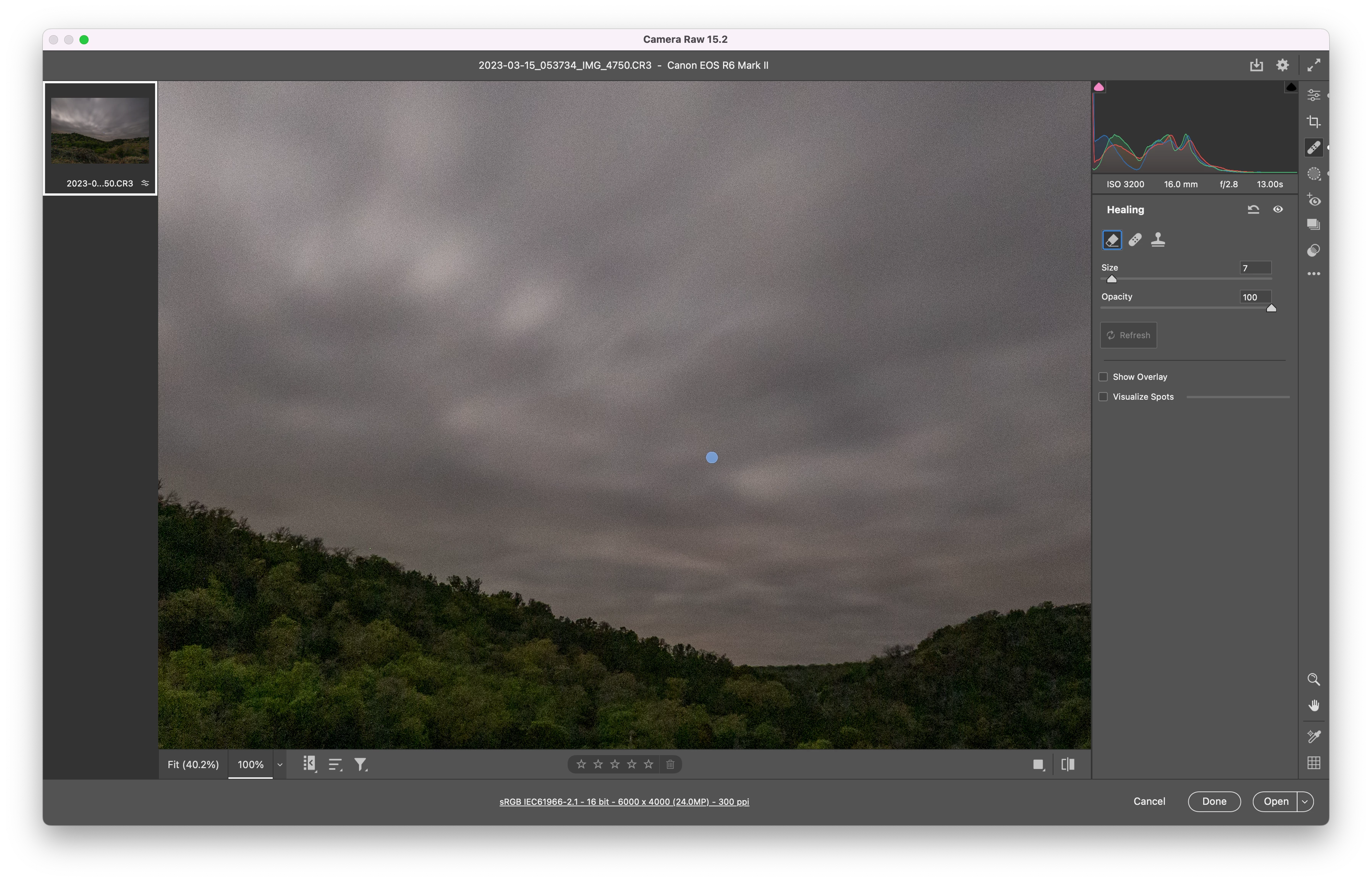
If I use the Spot healing brush on a spot in Lightroom and then load that same RAW file into Photoshop Camera RAW the area that I used the Spot Healing on appears as a blue dot that's baked into the image. I know the RAW file cannot have it actually "baked in", but that's how it's showing up. If I go into Camera RAW's spot healing tools there's nothing there to toggle to make it go away. The only way I've found to erase the blue dot is to use Camera RAW's own Spot Healing tool on the blue dot. Zooming it it even looks baked into the image. If I export the file as a JPEG that blue dot totally definitely baked into the image.
Maybe I'm just missing something, but this looks like a bug to me. This happens 100% of the time and I can reproduce it on command.
 AdChoices