Participant
May 2, 2022
Answered

Spot Removal Display Problem LRCC 11.3.1 Windows 11

  • May 2, 2022
  • 2 replies
  • 259 views

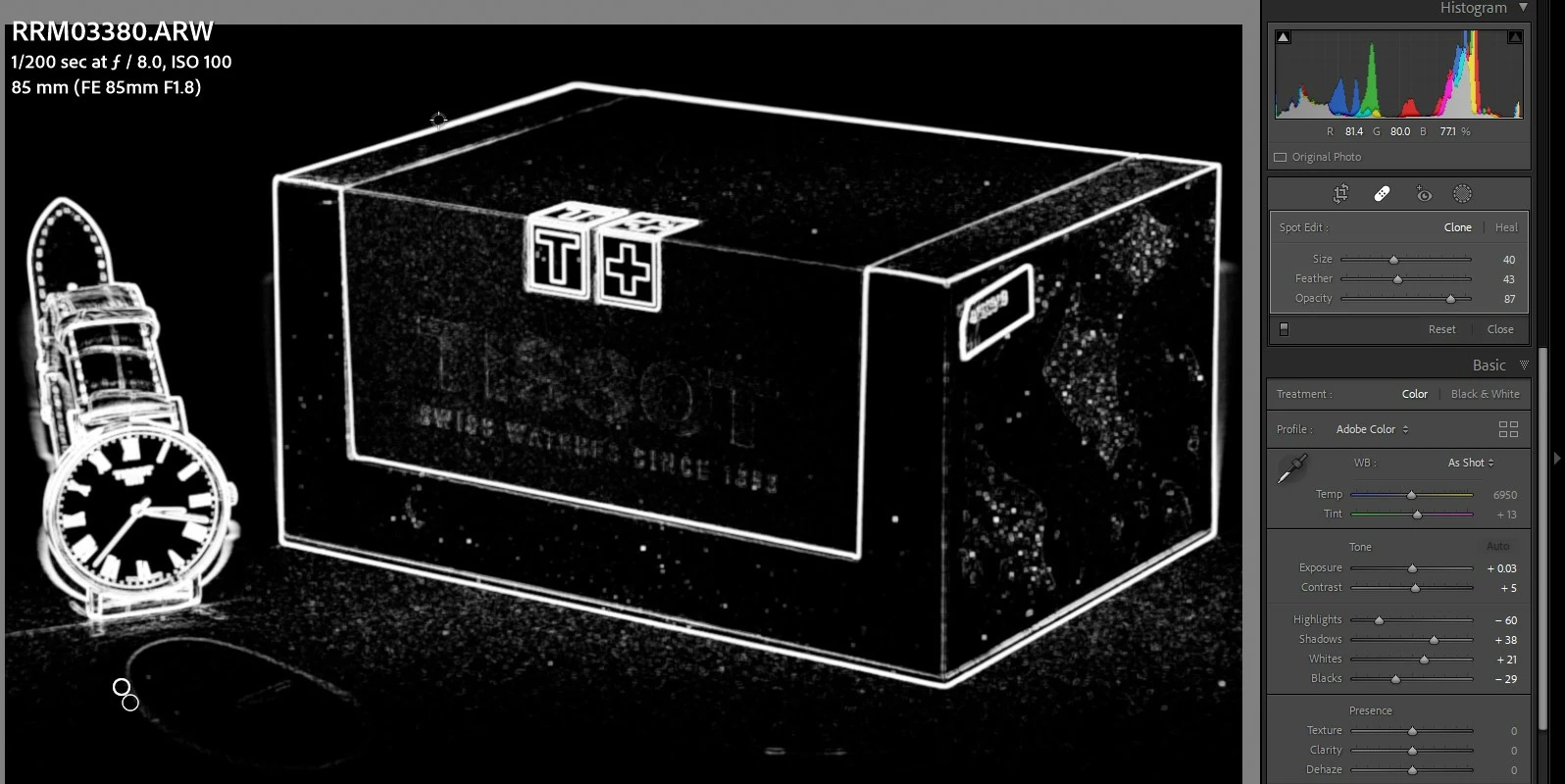
When I click the spot removal tool (or press q) my image changes from full color to what can only be described as a sharpening mask (see attachment). Can anyone offer advice as how to resolve this? 
This topic has been closed for replies.
Correct answer tmickow

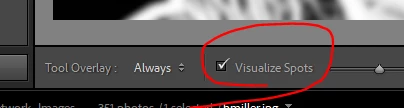
Remove the check from Visualize Spots in the toolbar below the image.


If you don't see the toolbar, press "T" to toggle it on/off.

2 replies

PurejammyAuthor
Participant
May 2, 2022
Thank you so much for the prompt response. I knew it was a PICNIC (Problem in Chair not in Computer) job. My toolbar was off and had overlooked that. 😊
tmickowCorrect answer
Inspiring
May 2, 2022

Remove the check from Visualize Spots in the toolbar below the image.


If you don't see the toolbar, press "T" to toggle it on/off.