
Participant
June 12, 2018
Question

Spot Removal tool LR6

  • June 12, 2018
  • 1 reply
  • 299 views

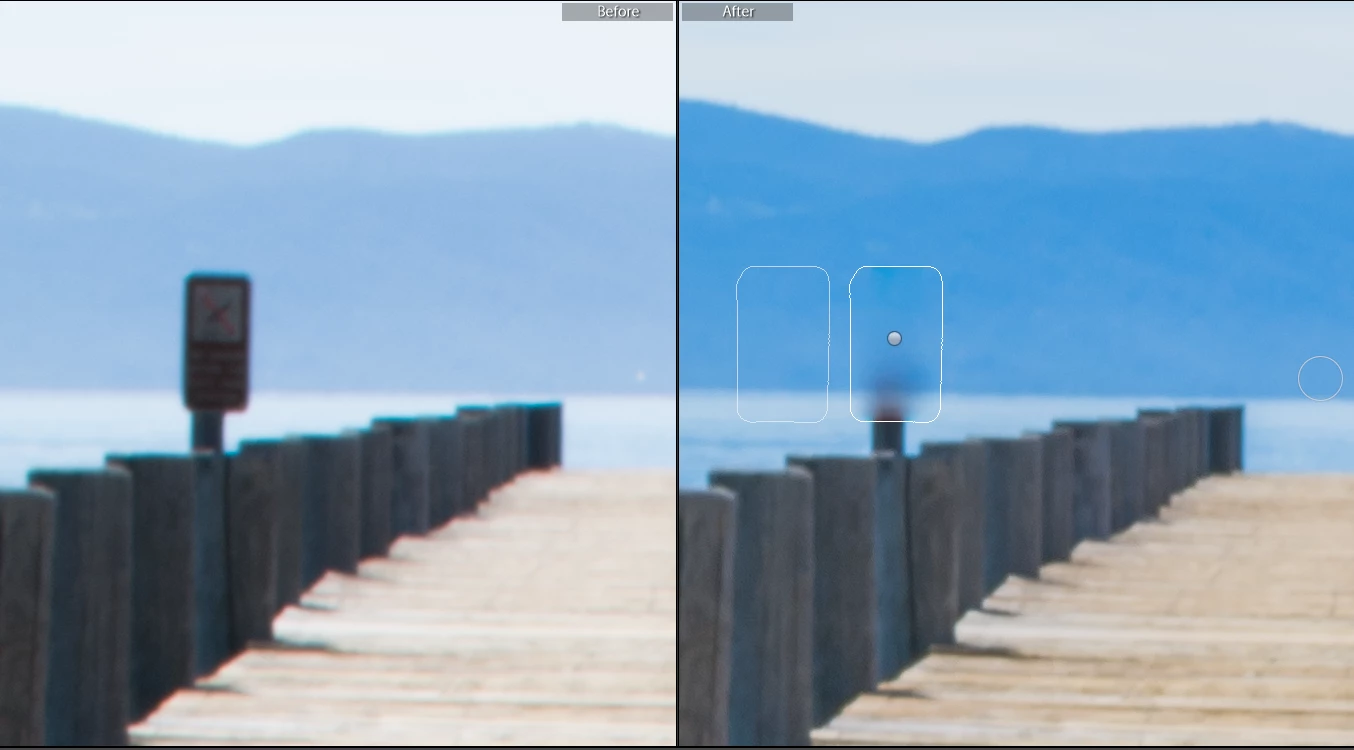
I am using Lightroom 6 (version6.14) and cannot for the life of me figure why the spot removal tool is not working to get rid of this sign. the opacity is at 100% and 0% feather. Switching from heal to clone, neither gets it removed. This is in heal pictured.
This topic has been closed for replies.

1 reply

johnrellis
Legend
June 12, 2018

How did you get such straight edges on your brush strokes?

Here's my attempt with Clone:

I find the Spot Removal brush annoying to use, because unlike the Adjustment Brush, it paints in opaque white and it's hard to see where the center of the brush and the feathering are getting applied (there's no Show Overlay option).

For this, I used a small brush, Size 70, and Feather 100, and I made sure to overlap all the brush strokes quite a bit (though it looks like I missed a couple of areas):

Participant
June 13, 2018

A steady hand and a stock Dell mouse. lol

Awesome! Thanks!