
victoriajourneyzing
Inspiring
May 5, 2023
Answered

Still learning = "lost" Enhanced photos

  • May 5, 2023
  • 1 reply
  • 370 views

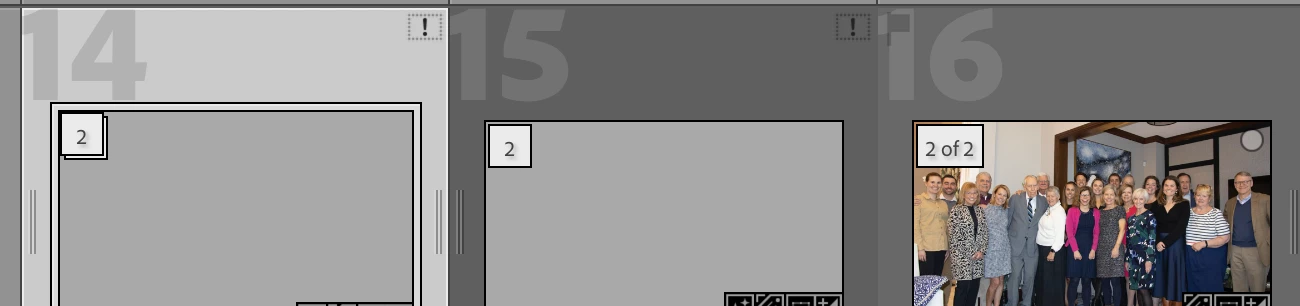
I have a small library which I created some Enhanced DNG files in [awhile ago so no recall why] and then deleted them - but not from within LRC [i know it was stupid] - now they show up as blank boxes and I don't need those files but can't figure out how to get back to the original - How do I delete inside LRC the missing Enhanced images and just get back to the original I don't need all these grey boxes but want the originals and for #14 I've clicked the 2 and no original one reappears.
 

This topic has been closed for replies.
Correct answer dj_paige

Inside LrC, select the rectangles with the gray boxes and delete.


If you don't have the original stored somewhere on one of your disks (perhaps as a backup), you can't get it back.

1 reply

dj_paige
dj_paigeCorrect answer
Legend
May 5, 2023

Inside LrC, select the rectangles with the gray boxes and delete.


If you don't have the original stored somewhere on one of your disks (perhaps as a backup), you can't get it back.

victoriajourneyzing
Inspiring
May 5, 2023

Thank you == I have backups of backups == but will double check == apprecaite the help