jeffreym60461685
Participant
February 20, 2019
Answered

STOPPING LR Classic CC from starting every time!

  • February 20, 2019
  • 3 replies
  • 229 views

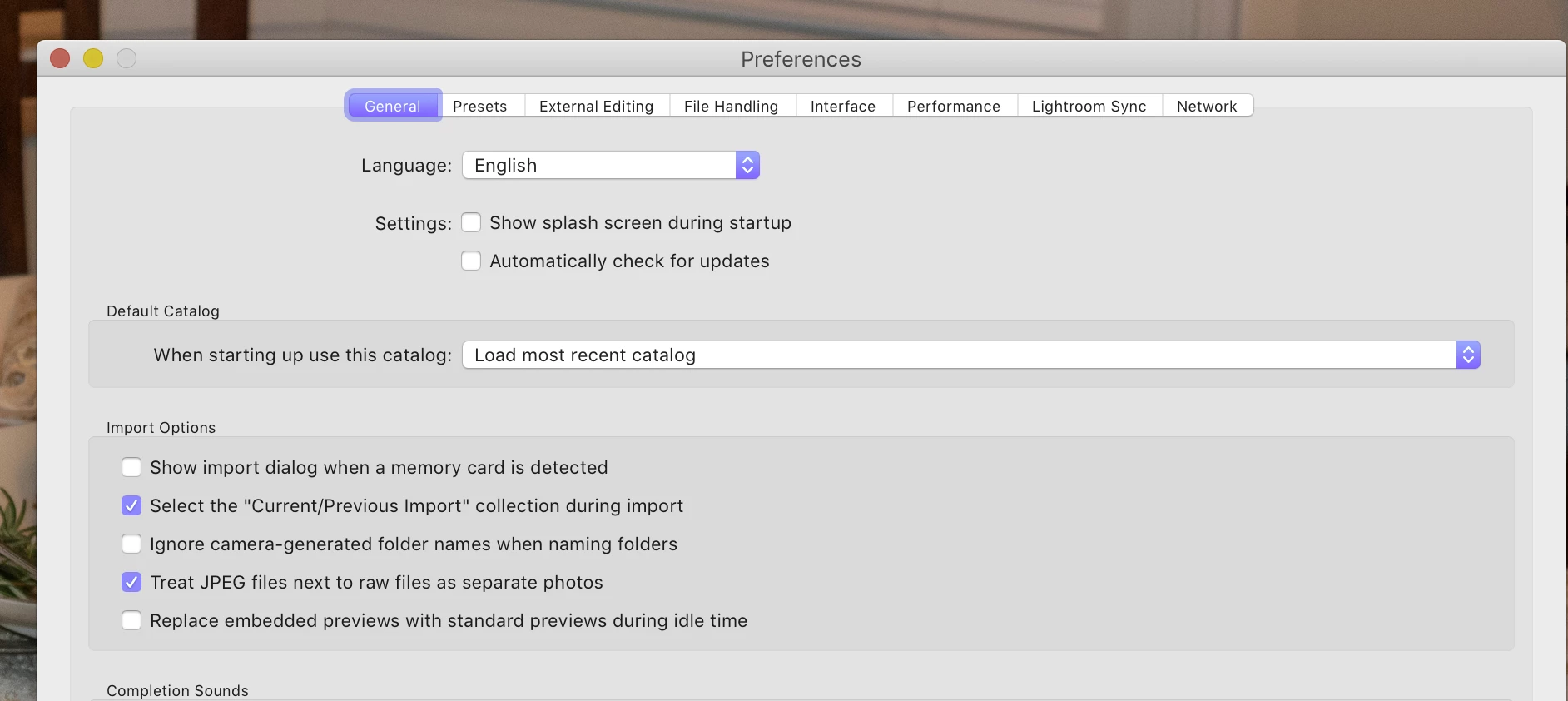
How do I stop LR Classic CC from starting every time I insert a Flashdrive, Thumbdrive or attach an external HDD??????

    This topic has been closed for replies.
    Correct answer DdeGannes

    See the options under Import options in LR Preferences..
    3 replies

    jeffreym60461685
    Participant
    February 20, 2019

    Thank you

    Rob_Cullen
    Community Expert
    Community Expert
    February 20, 2019

    Also-  In Windows-10 OS you can change the "AutoPlay" settings.

    From the Start screen- just type 'Autoplay'  and change the options in the drop-down menus, or simply switch it [Off]:

    (Apple Mac OS would also have something similar)

    Regards. My System: Windows-11, Lightroom-Classic 15.3, Photoshop 27.5, ACR 18.3, Lightroom 9.3, Lr-iOS 10.4.0, Bridge 16.0.3 .
    DdeGannes
    Community Expert
    DdeGannesCommunity ExpertCorrect answer
    Community Expert
    February 20, 2019

    See the options under Import options in LR Preferences..

    Regards, Denis: iMac 27” mid-2015, macOS 11.7.10 Big Sur; 2TB SSD, 24 GB Ram, GPU 2 GB; LrC 12.5,; Lr 6.5, PS 24.7,; ACR 15.5,; (also Laptop Win 11, ver 24H2, LrC 15.3; PS 27.0; ) Camera Oly OM-D E-M1.