Participant
September 23, 2020
Question

Strange colour error in Lightroom?

  • September 23, 2020
  • 2 replies
  • 536 views

Hey guys, first time posting here.
Having a weird issue with photos imported into Lightroom (And Photoshop as I've just discovered).
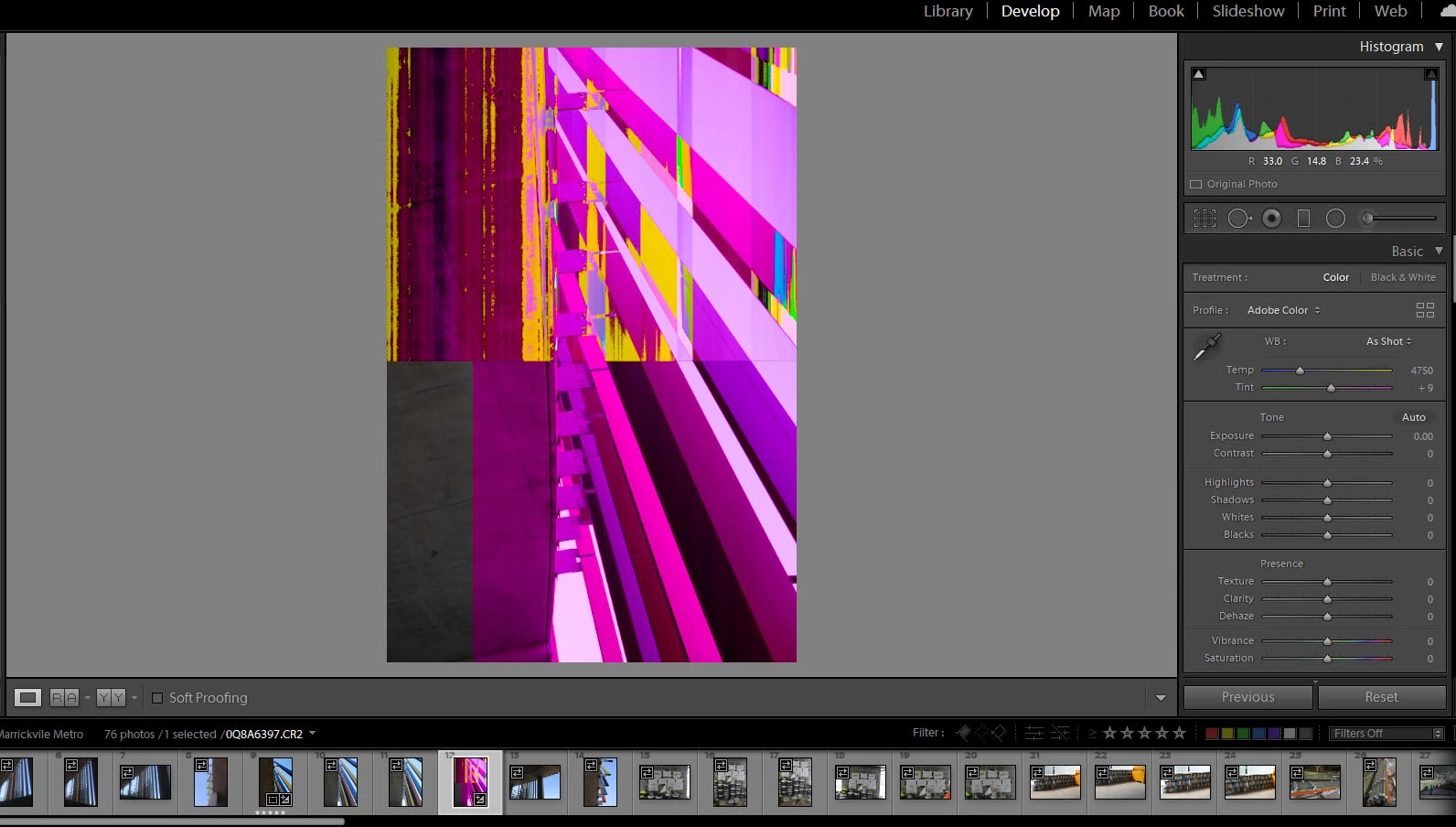
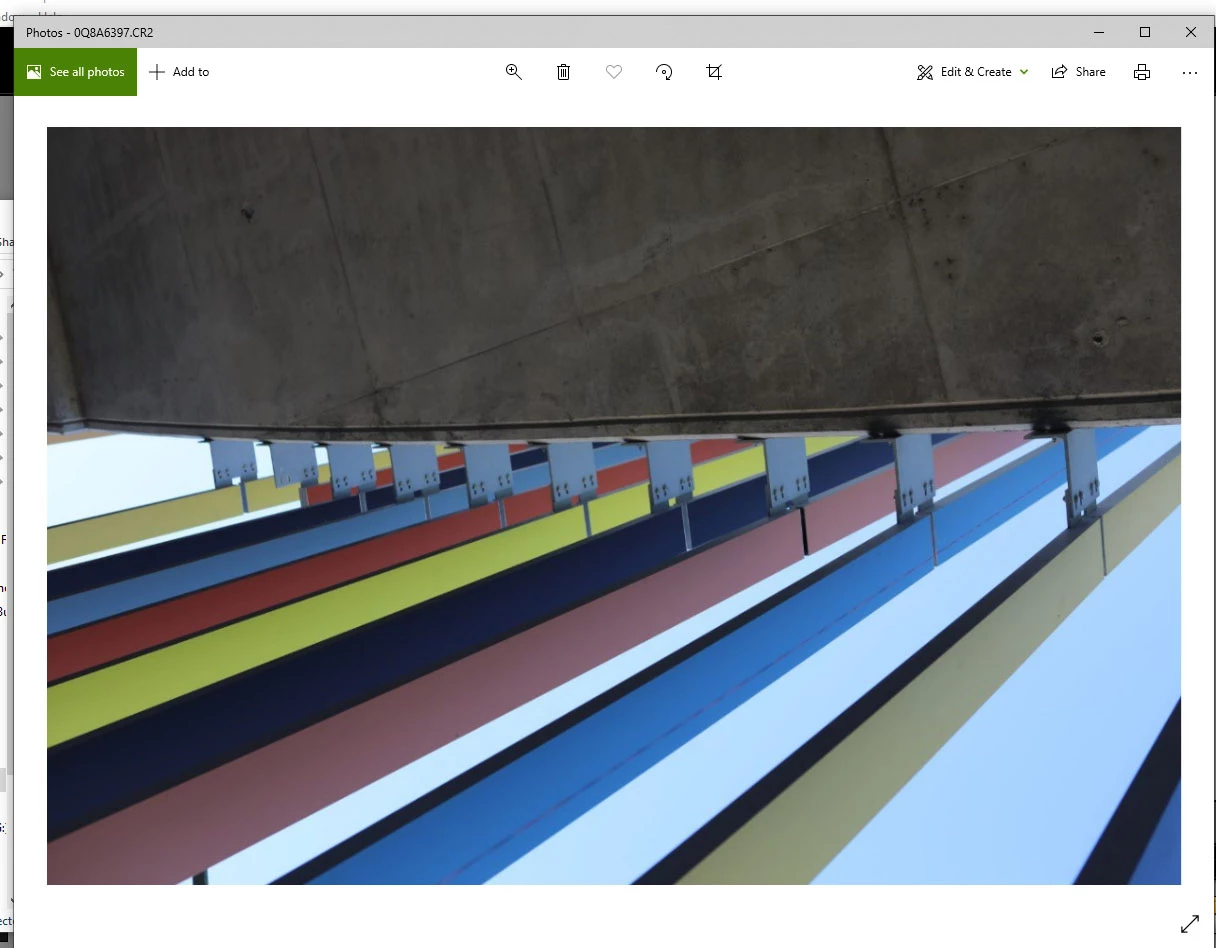
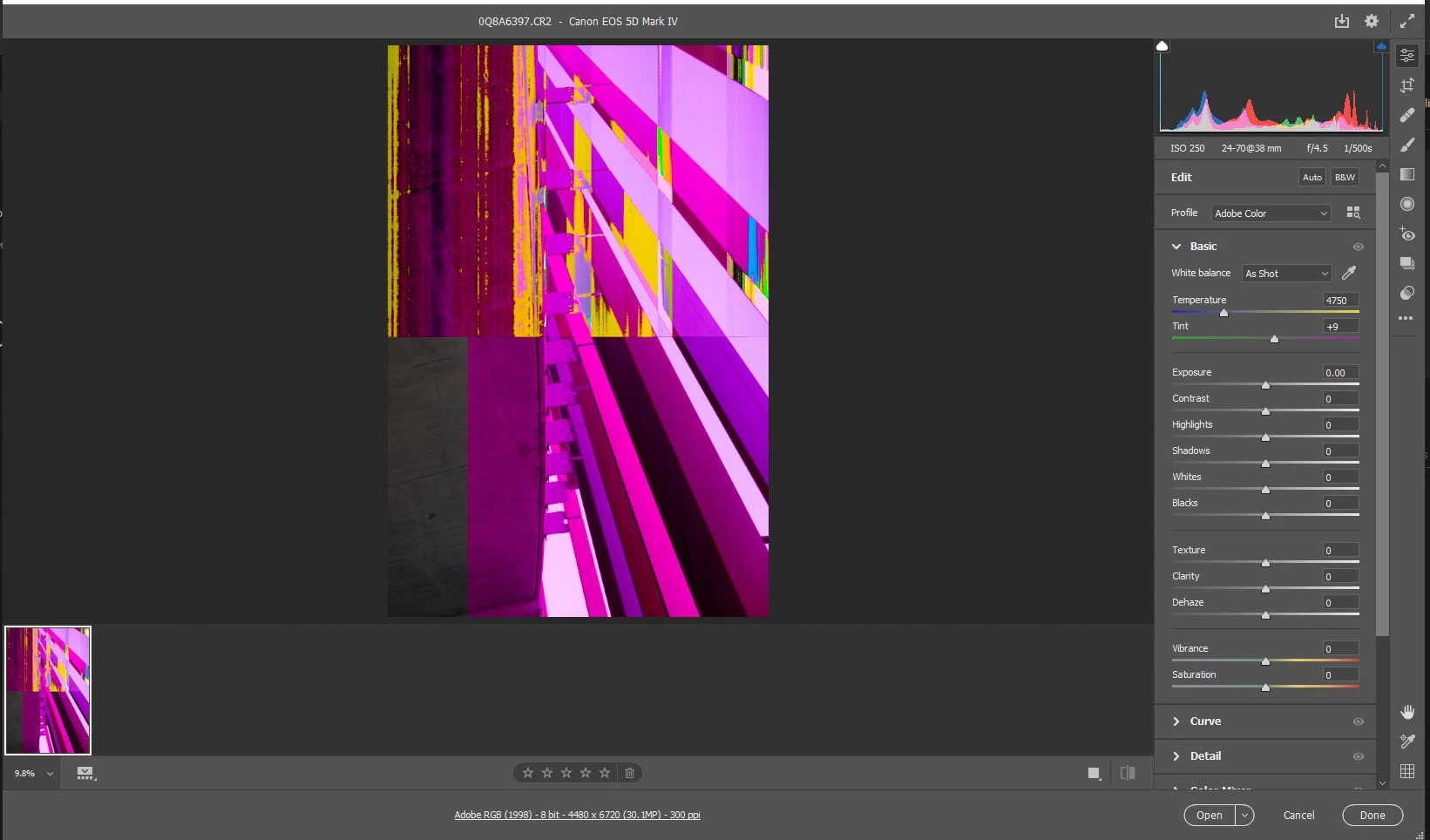
So some of the raw .CR2 files out of my Canon 5D Mk.IV look fine in explorer as the first picture shows however when I import them into either Lightroom or Photoshop they get this crazy colour error in them.
It only seems to be a very few shots that end up like this but I can't work out why. I have tried removing them from my library and re-adding them to no avail.
I have noticed that this shot is "horizontal" in the raw CR2 file but has been automatically rotated in both Lightroom and Photoshop, not sure if that has anything to do with it?

Any help would be greatly appreciated, thank you!
This topic has been closed for replies.

2 replies

Just Shoot Me
Legend
September 23, 2020

These are Corrupted images.

What you are seeiing initially in LrC and what whatever image viewer you show in the first screen shot is the Embedded JPG file that is included in every RAW file.


Then LrC creates it own preview from the real RAW data and it is that RAW data that is corrupted.


This is a Hardware problem. First thing to do is turn off the option in LrC to use the GPU. If that doesn't correct the problem then the actual RAW data is corrupted.

dj_paige
Legend
September 23, 2020

This is a corrupted file. The corruption is caused by a hardware malfunction somewhere. THe fact that you see it uncorrupted briefly or in other software is because first you see the embedded JPG in the raw file which is often uncorrupted while the raw is corrupted.